

Introduction: The AI Tool Access Crisis
You have probably heard that artificial intelligence is changing everything. New tools launch almost daily. They can write emails, create images, analyze data, and even help with coding. But here is the real question. Can you actually use them?
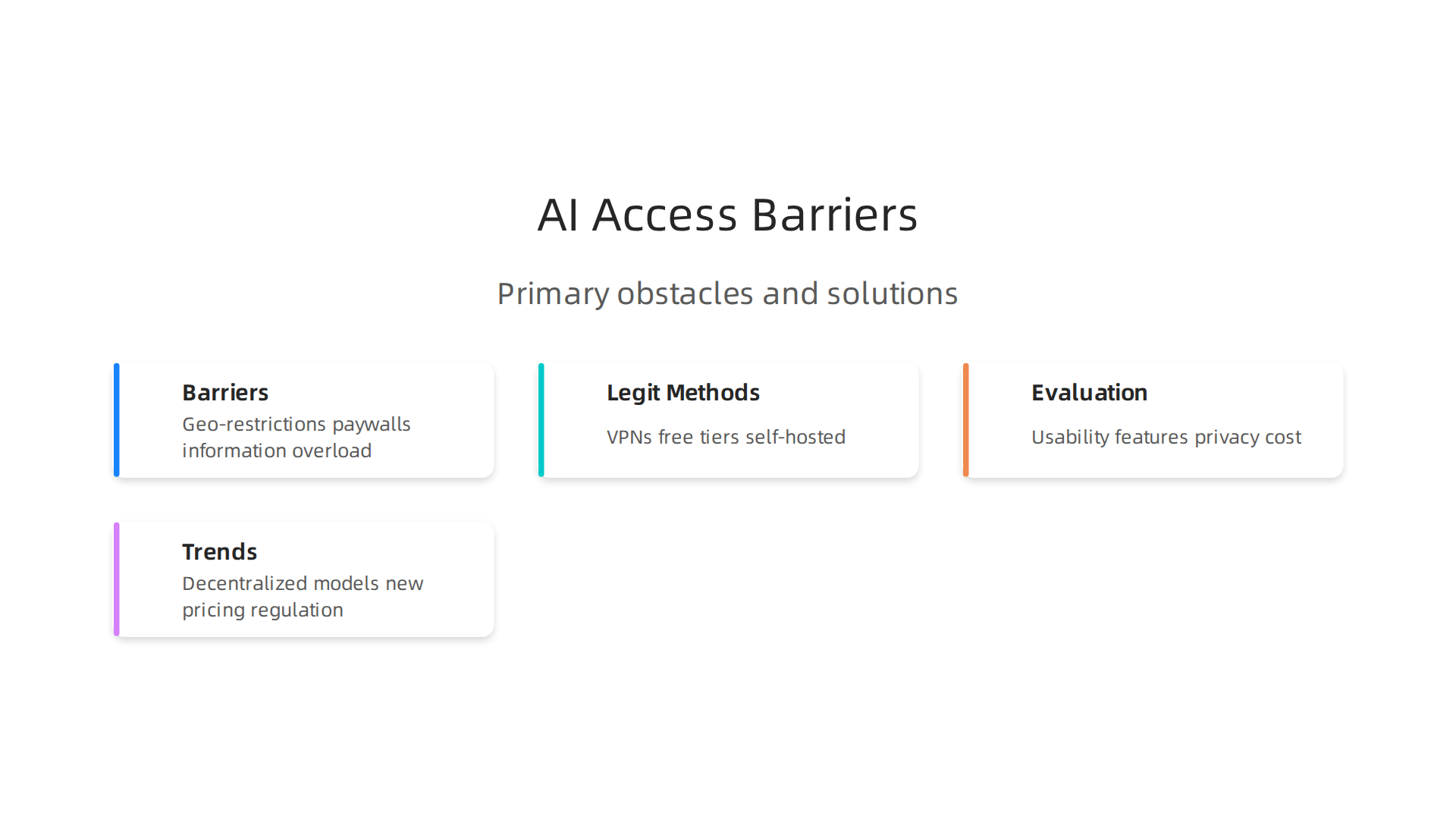
The truth is that many professionals hit walls when trying to access AI tools. Some face geo-restrictions that block entire countries. Others run into expensive paywalls. Many simply drown in information overload, unsure which tool is worth their time.

According to IBM’s analysis of the biggest AI adoption challenges for 2026, issues like data readiness, governance, and skills gaps keep organizations from scaling AI effectively. On the individual level, the struggle is just as real. A Zapier report from 2026 found that 63% of AI practitioners use AI tools without formal approval, which shows just how desperate people are to get access.
This is where the idea of "unblocked AI" comes in. Unblocked AI means finding and using the best free AI tools and generative AI assistants without artificial barriers standing in your way. It is about leveling the playing field so that innovators everywhere can benefit from AI personal assistant tools, whether they work at a large company or run a solo project. Tools like Unriddle AI and other purpose-built assistants are changing how people work, but only if they can reach them.
In this guide, we will walk through a proven framework for discovering, evaluating, and accessing AI tools ethically and efficiently. You will learn how to cut through the noise and find tools that actually work for you. For a head start on the most practical options available today, check out our list of best AI productivity tools for 2026.
If you want to stay ahead of the curve without spending hours reading, consider joining Your Daily AI Shortcut for simple daily AI insights that keep you informed without the overwhelm.
Why Unblocked AI Matters for Professionals
So why does accessing AI tools without barriers matter so much? The short answer is that it directly affects your productivity, your career growth, and your organization’s ability to compete.
Think about a typical workday. You spend hours on tasks like drafting emails, summarizing reports, cleaning up data, or creating presentations. A generative AI assistant could handle most of that in minutes. But if you cannot access the tool because of a company policy or a paywall, you lose that advantage. Meanwhile, a competitor down the street can use the same tool to move faster. That gap compounds over time.
The numbers back this up. According to the 2026 AI Index Report from Stanford HAI, generative AI tools reached 53% population adoption within three years, faster than the PC or the internet. The estimated value to U.S. consumers hit $172 billion annually by early 2026. And the median value per user tripled between 2025 and 2026. That means the people who are using these tools are getting dramatically more value from them.
But not everyone benefits equally. The LayerX State of AI Usage Report 2026 reveals a huge gap inside organizations. The top 5% of enterprise AI users have 144 or more conversations with AI tools, while half of all users have 12 or fewer. This is not just about enthusiasm. It is about access. Power users have the tools and training to integrate AI into their workflows. Others are left behind.
This creates a digital divide. Teams with access to the best free AI tools and premium AI personal assistants can automate more, innovate faster, and make smarter decisions. Teams without access struggle to keep up. The gap widens as tools evolve. If your organization cannot provide easy access to generative AI assistants, you risk losing your best talent to companies that can.
A systematic review of barriers to AI implementation found that workforce education and data access were among the biggest obstacles. These are the same issues that unblocked AI addresses by making tools more widely available. For professionals looking to bridge the skills gap, our guide on data specialists are more critical than ever offers practical steps to build the expertise needed in an AI-driven world.
Ultimately, unblocked AI is not just a convenience. It is a competitive necessity. The sooner you clear the barriers, the sooner you can put AI to work for you.

Top AI Discovery Platforms in 2026
Once you decide to use AI, the next challenge is finding the right tools. With thousands of options available, where do you even start? That is where discovery platforms come in. These are sites and communities that help you sort through the noise and find the best free AI tools, generative AI assistants, or even an AI personal assistant for your specific needs.
Dedicated discovery platforms like Futurepedia and There’s An AI For That do the heavy lifting. They aggregate thousands of tools into one searchable database. You can filter by category, pricing model, and user ratings. Instead of hopping between 20 different websites, you get one place with reviews and comparisons. It saves hours of research. For example, if you need a tool to summarize research papers, you can type "summarizer" and see a list of options with real user feedback. One community-driven Reddit thread compiling best AI tools to use in 2026 by category shows how real users rank tools like ChatGPT, Claude, and Grammarly side by side.
Community-driven platforms also play a big role. Reddit, Discord, and specialized forums offer real-time recommendations. People share what works and what does not. You get honest opinions from actual users, not polished marketing. If you need a niche tool for something like automated video editing, a quick search on a subreddit can surface hidden gems that big directories miss. The trade-off is that you have to sift through opinions and verify claims yourself.
When you compare these discovery platforms, differences pop up. Some update their databases weekly, others monthly. Some have excellent search filters; others just dump a list. Curation quality varies too. A platform that manually reviews each tool will give you more reliable results than one that scrapes the web automatically. Our guide to the best AI productivity tools for 2026 shows how hands-on testing can reveal which tools are actually worth your time.
So here is the takeaway: use a mix of dedicated platforms and community channels. Start with a curated directory to get a broad view. Then head to Reddit or Discord for deep dives into specific tools. Before you know it, you will have a shortlist of tools that truly fit your workflow.
Your Daily AI Shortcut: Want a quick way to stay on top of new AI tools and trends? Join The Deep View Newsletter for simple daily AI insights delivered right to your inbox.
Legitimate Methods to Access Restricted AI Tools
So you found an amazing AI tool on a discovery platform, but when you click through, you hit a wall. Maybe it is blocked in your country. Maybe your school or workplace restricts it. Or maybe it costs more than you want to spend. Do not give up just yet. There are legitimate ways to get unblocked AI tools without breaking any rules.
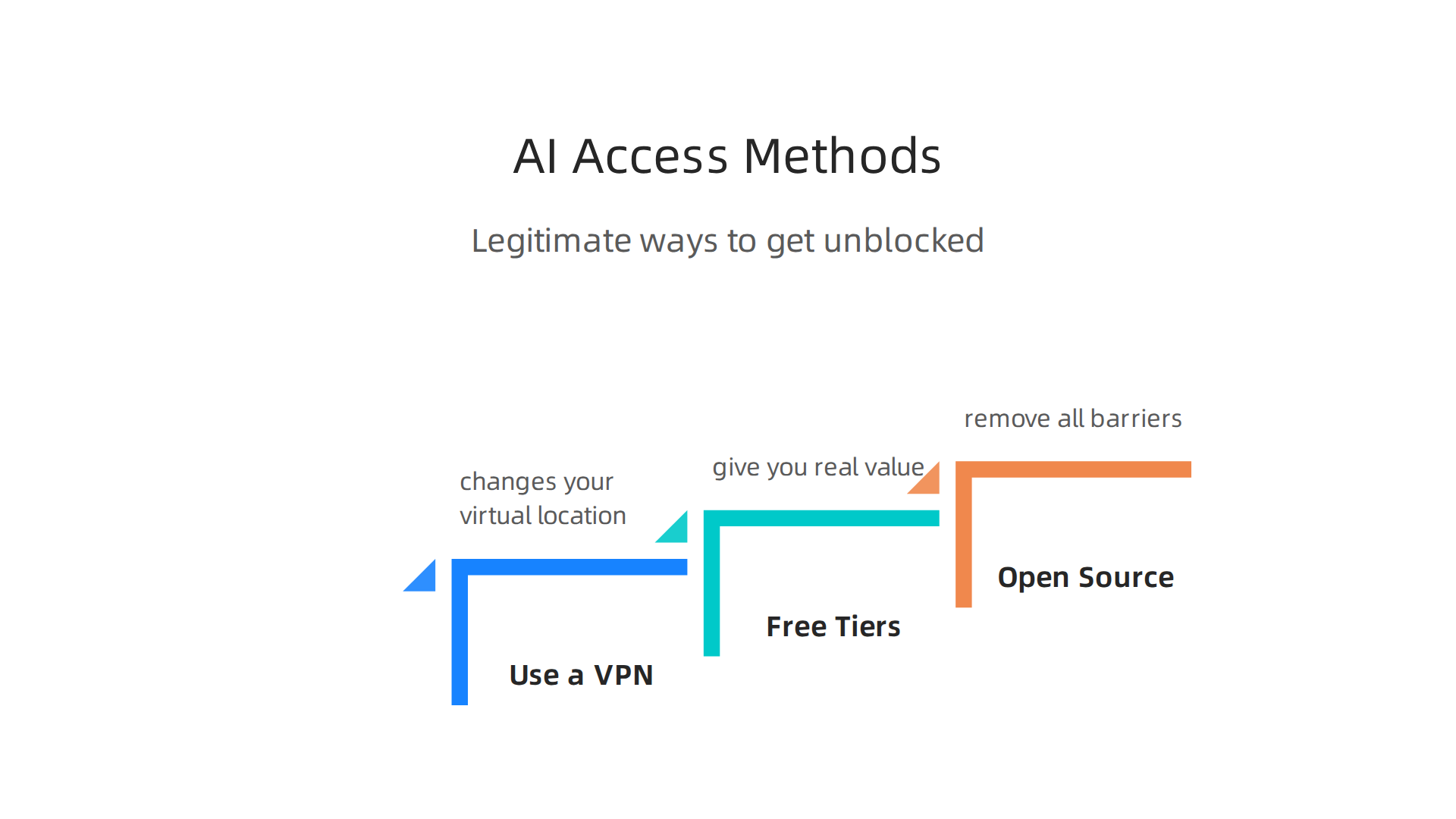
Use a VPN or proxy the right way. A VPN changes your virtual location. If a generative AI assistant is only available in the US and you live elsewhere, a VPN can let you access it. The key word is "legitimate." Always check the tool’s terms of service before using a VPN. Some companies allow it. Others do not. When you use a VPN responsibly, you are not doing anything wrong. You are just choosing where your internet traffic appears to come from.
Free tiers give you real value without the price tag. Many of the best AI tools in 2026 offer free versions that still pack a punch. Companies want you to try their product first. So they give away limited free accounts. For example, Google Cloud provides free usage for many AI products up to monthly limits, including translation, speech-to-text, and video analysis tools. You can explore their full list of free AI tools for 2026 to see what is available. Even tools like Unriddle AI let you summarize research papers for free within a certain quota. If you need an AI personal assistant for daily tasks, check if it has a free tier before paying. A little digging can save you a lot of money.
Open-source and self-hosted alternatives remove all barriers. When a tool is code you can download, no one can block it. You run it on your own computer or server. That means you own it completely. No paywalls, no geographic blocks, no data sharing worries. For example, many large language models now have open-source versions you can install locally. You get the same power as a paid service without any access restrictions. It takes a bit of technical know-how, but the payoff is total freedom.
If you are looking for image generation tools, some great free AI image generator options can get you started without spending a dime. The trick is knowing where to look. Combine a smart VPN with free tiers and open-source choices, and you will rarely feel locked out.
How to Evaluate AI Tools for Your Needs
You found a way to get unblocked AI tools. Now you have a big list of options. How do you pick the right one? Not all AI tools are created equal. Some are fast but not accurate. Others are free but have weak privacy. You need a method to separate the good from the not-so-good.
Start with your own needs. What problem are you trying to solve? If you need help writing, look for a generative AI assistant that handles long text well. If you want to create images, check for style variety and speed. If you are a business owner, you might need an AI personal assistant that can manage your calendar and emails. Write down your must-haves before you start comparing.
Next, dig into the key evaluation criteria. Look at usability. Is the tool easy to use? Does it have a clean interface? Check the feature set. Does it do what you need? Does it offer extras you might want later? Privacy policies matter a lot. Some tools keep your data to train their models. Others promise not to. Read the fine print. Cost is another big factor. Free tiers are great, but paid plans may give you more power. Finally, look at community support. Active forums and documentation mean you can get help when you are stuck.
A great way to evaluate is to ask the one key question: what is the tool’s ground truth? Experts at MIT Sloan say understanding how the tool was trained and tested tells you if you can trust it. The article "The No. 1 Question to Ask When Evaluating AI Tools" explains how to dig into this. You want tools that are transparent about their data and methods.
Hands-on testing is the best way to know if a tool works for you. Sign up for free trials. Use them for real tasks.

Does the tool save you time? Does it make mistakes? Can you fix those mistakes easily? Test it for at least a few days. Do not rely on demos alone. Actually use it in your daily workflow.
Do not skip user reviews and expert comparisons. Real people share what works and what does not. Look for reviews from people similar to you. For example, check our hands-on comparison of the best AI productivity tools for 2026 to see how different tools stack up. Experts break down speed, accuracy, and value. That saves you hours of trial and error.
Putting it all together: define your needs, check the criteria, test the tool, and read reviews. This method helps you choose an unblocked AI tool that actually fits your life. And if you want to stay ahead of new tools and updates, join a community that shares daily insights. Try joining Your Daily AI Shortcut, a free newsletter that delivers simple AI updates every day. It keeps you informed about what is new and what is worth testing.
Now you have the key to finding the right AI tool for you. Take the time to evaluate, and you will not waste energy on tools that do not deliver.
The Role of Open-Source and Self-Hosted AI
So far, we have focused on picking the right tool from what is out there. But what if you want more control? That is where open-source and self-hosted AI come in. Instead of relying on a company’s servers, you can run models on your own machine.
Open-source AI models like Llama 3 from Meta and Mistral from Mistral AI are powerful options. They are free to download and use. You can tweak them, train them on your own data, and run them locally. That gives you full control over your data, privacy, and usage limits. No more worrying about a vendor changing their pricing or shutting down a service.
Self-hosting means you install the model on your own computer or server. All your data stays with you. This is a big deal for businesses that handle sensitive information. Also, you do not have to worry about rate limits or internet outages. You can generate as many responses as you want, whenever you want.
The open-source ecosystem is growing fast. More developers are building tools that make it easier to run these models at home. Tools like Ollama and LM Studio let you download and run models with just a few clicks. This reduces how much you rely on commercial vendors. You are not locked into a single provider. If one model does not work, you can switch to another one.
Open-source also means more transparency. You can see exactly how the model was trained and what data it uses. This helps you evaluate it more honestly. A great framework for that is the Rubric for AI Tool Evaluation, which looks at privacy, ethics, and performance. With open-source, you can check each of those boxes yourself.
Of course, self-hosting is not for everyone. It takes some technical know-how. You need hardware with enough memory and processing power. But for many people, the trade-off is worth it. You get independence, privacy, and the ability to customize everything.
The world of AI is shifting toward more open options. If you want to stay on top of what is happening with these new models and the companies behind them, keeping an eye on tracking AI innovators helps you see who is leading the open-source charge. That way, you know which tools are worth your time.
In short, open-source and self-hosted AI give you an alternative to big cloud services. They put the power back in your hands. If you value control and privacy, this is a path worth exploring.
Browser Extensions and Web-Based AI Access
Self-hosting AI is powerful, but maybe you do not want to deal with hardware or setup. That is totally fine. There is another way to get unblocked ai access without any heavy lifting. Browser extensions and web-based AI tools let you tap into AI right where you already work: inside your web browser.
Browser extensions slide into your existing browser like Chrome, Edge, or Firefox. They add an AI sidebar, a writing assistant, or a research helper right next to your tabs. You do not need to switch apps or learn new software. One click, and you have a generative ai assistant ready to summarize pages, draft emails, or answer questions. Tools like Sider AI and Merlin AI give you a multi-model sidebar so you can switch between different models without leaving your workflow. For a full rundown of what is available, check out this guide on the top AI browser extensions in 2026.
Web-based AI tools go even simpler. No installation at all. Just open a website and start chatting. Platforms like Poe, Perplexity AI, and ChatGPT Atlas work on any device with a browser. That means your ai personal assistant is always with you, whether you are on a laptop, phone, or school computer. This is especially handy if your work or school blocks certain sites. These web apps often fly under the radar, giving you unblocked ai access when you need it most.
The best part? Many of these tools offer free tiers. You get real, useful functionality without spending a dime. Sider AI, for example, has a free plan that includes chat, writing, and summarization. Merlin AI lets you ask questions and generate content for free up to a daily limit. These are some of the best free ai tools you can start using right now.
If you are looking to go deeper, some extensions let you connect your own API keys or even run models locally. That blends the ease of a browser tool with the privacy of self-hosting. So you get the best of both worlds.
Want to stay on top of the newest browser-based AI tools and extensions as they launch? Join The Deep View Newsletter for simple daily AI insights. It delivers bite-sized updates straight to your inbox, so you never miss a breakthrough.
Community and Curated Lists for AI Discovery
So you have browser extensions and web tools ready to go. But how do you find the next hidden gem before everyone else does? The best way is to tap into communities and curated lists where real users share what actually works.
Reddit is a goldmine for unblocked ai discovery. Communities like r/ArtificialIntelligence and r/AITools are filled with posts from people testing the newest models, sharing workarounds for restrictions, and debating which tools are worth your time. You can scroll through a thread and find a list of best free ai tools that someone actually used for a week. No marketing fluff. Just honest feedback. One Reddit user recently shared their browser recommendations from Reddit in a thread about automation and extensions, giving practical advice on speed and privacy.
Twitter (now often called X) is another fast source. Follow the right hashtags like #AI, #GenAI, or #LLM and you will see cutting-edge tools announced daily. Researchers, developers, and power users post direct links to new projects. It is noisy, but if you filter carefully, you can catch a tool the day it launches.
Curated newsletters take the noise out. The Deep View Newsletter is one example, sending hand-picked updates straight to your inbox. But there are also specialized GitHub repositories that collect verified tool lists. Developers update these with community votes, so you know the top entries are tested. Need a list of the latest generative ai assistants? A GitHub readme might already have it organized by category and cost.
Another great resource is the curated list of AI browsers from Zapier, which compares top options side by side. Similarly, this roundup of AI-powered browsers and extensions from Pickaxe ranks over 25 tools with detailed notes on features and pricing. These kinds of lists save you hours of trial and error.
For a deeper dive into tools that boost your daily workflow, check out this guide to best AI productivity tools for 2026. It is a handpicked collection with honest pros and cons, exactly the kind of resource the community loves.
The trick is to engage. Ask a question in a subreddit. Star a GitHub repo. Follow one new hashtag. That is how you cut through the noise and find your next unblocked ai tool fast.
Future of AI Accessibility: Trends to Watch
The way you find and use AI tools is changing fast. The communities and lists we just covered help you discover tools today. But what about tomorrow? A few big trends are making unblocked ai more available to everyone.
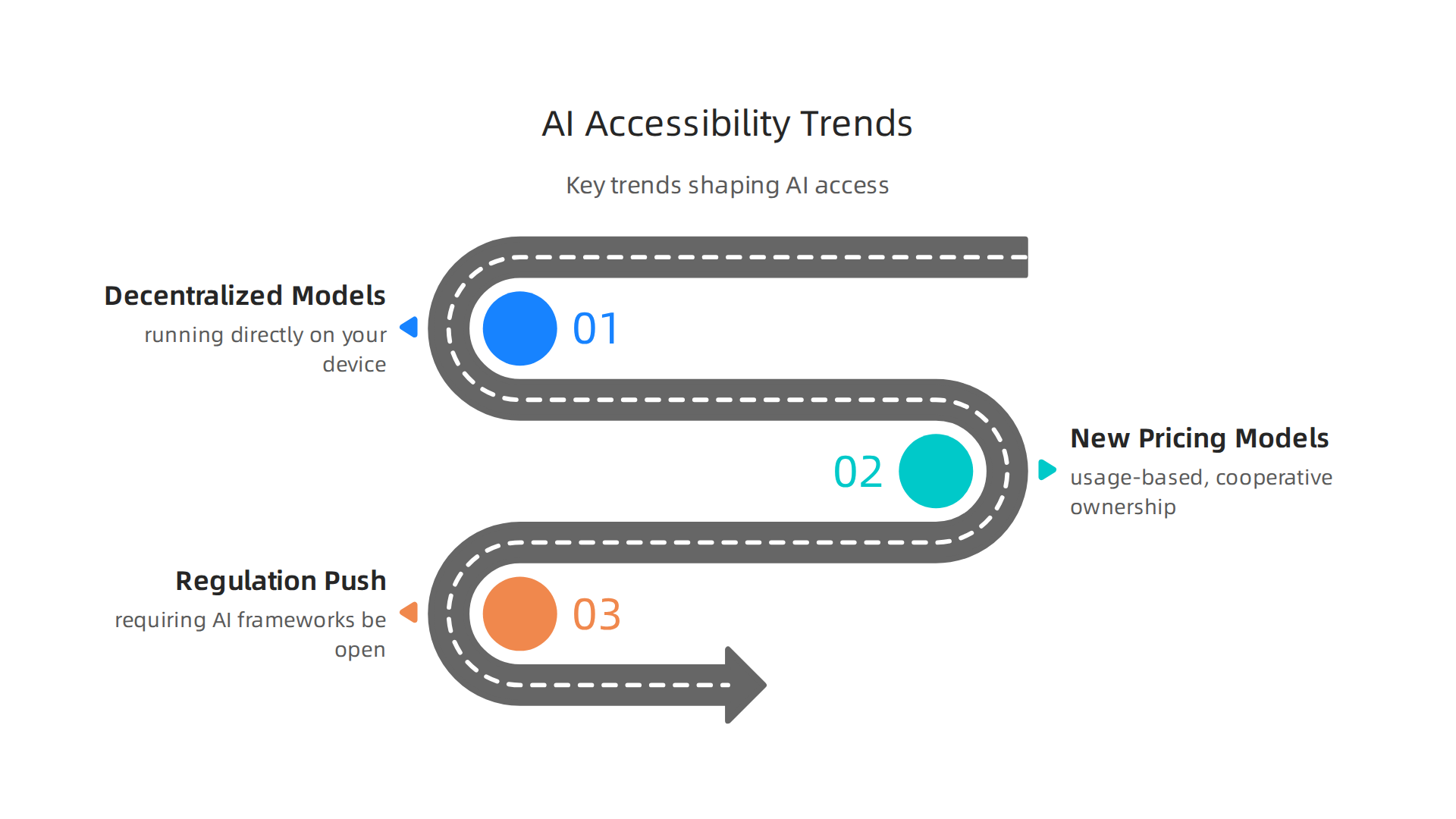
Decentralized models are taking off. Instead of relying on huge cloud servers, more AI models are running directly on your device. Your phone, laptop, or tablet can now handle tasks that used to need a data center. This is a game changer because it cuts out the middleman. No cloud service to block. No subscription required for basic use. On-device inference also means better privacy for you. According to IBM’s overview of the trends that will shape AI and tech in 2026, AI is moving from individual use to team and workflow orchestration. That shift makes powerful tools more accessible to more people.
New pricing models are opening doors. For a long time, powerful AI meant a big monthly bill. That is changing fast. Usage-based pricing lets you pay only for what you actually use. Cooperative ownership models are also emerging, where groups of users collectively run and manage AI tools. These options make premium generative ai assistants affordable for freelancers, students, and small teams. You no longer need deep pockets to access the same quality that big companies rely on every day.
Regulation is pushing for open access. Governments around the world are stepping in to make sure AI is not locked behind corporate walls. New laws are starting to require that certain AI frameworks be open to the public. The goal is to prevent a few giant companies from controlling all the best technology. As the latest digital accessibility predictions for 2026 from WebAIM show, legal standards around access are tightening fast.
Similar pressure is growing in the AI space. The European Accessibility Act and other regulations are setting a new bar. Companies will have to make their tools accessible by default, not as an afterthought.
These changes mean the future of unblocked ai looks bright. But keeping up with all these shifts on your own is tough. That is where a daily dose of curated insight helps. If you want to track these trends without the noise, Your Daily AI Shortcut delivers simple daily updates straight to your inbox.
For a closer look at how businesses are adapting to these changes, check out this guide on tracking AI innovators and what business leaders must know in 2026. And to stay current with the latest model launches and policy updates, this roundup of OpenAI news and key developments for 2026 is a solid resource to bookmark.
The bottom line is simple. AI accessibility is not a distant dream. It is happening right now. Decentralized tech, fairer pricing, and smarter regulations are all pushing in the same direction. The tools you need are becoming easier to find, run, and afford. All you have to do is stay informed and keep exploring.
Summary
This article explains the growing problem of blocked access to useful AI tools and gives a practical framework for getting unblocked AI into your workflow. It covers where to find good tools (discovery platforms, communities, curated lists), legitimate ways to access restricted services (VPNs, free tiers, open-source/self-hosted models), and how to evaluate options based on usability, privacy, cost, and training transparency. You’ll learn quick tactics—try curated directories, test free trials, read reviews, and use browser extensions—to start using generative AI assistants today. The guide also outlines when self-hosting makes sense, how communities surface hidden gems, and the accessibility trends to watch so you can stay ahead without breaking rules or sacrificing data control.