Introduction
Did you know that people now create over 80 million AI images every single day? That is a staggering number. And according to recent data, more than 150 million people use AI image tools every month. According to the AI Image Generation Statistics report, the way we create visual content has changed forever.
The market for tools that generate AI images is exploding in 2026. It is already worth around half a billion dollars and keeps growing fast. From marketers to small business owners, everyone wants to learn how to generate AI images that look professional and get results.
But here is the tricky part. With so many options out there, how do you pick the right one for your needs? Some tools focus on speed. Others care most about photo-realistic quality. Some are free while others cost money. And licensing rules are different for every platform.
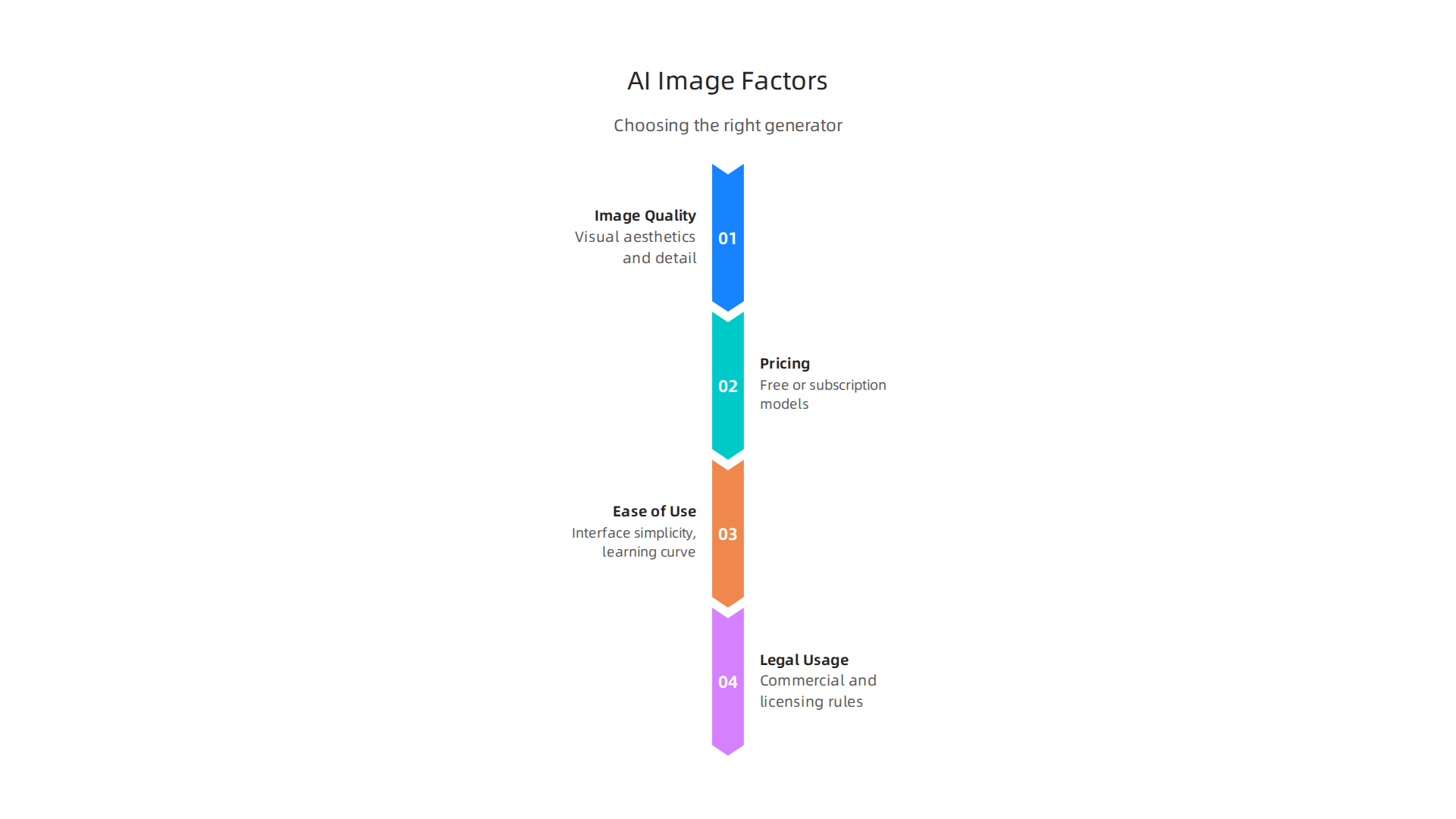
That is why we put together this practical guide. We compared 10 of the top AI image generators available today. We looked at image quality, pricing, ease of use, and what you can legally do with the images you create.
Whether you need to generate AI images for social media, blog posts, or marketing campaigns, this listicle will help you make a smart choice.
You might also want to check out our guide on the best free options for AI image generators in 2026 if you are just starting out and want to test the waters without spending money. And if you are looking to improve the quality of your existing pictures, our article on best upscale AI tools for images and video in 2026 covers tools that can fix blurry or low-resolution images with ease.
Let us dive into the top 10 tools that can help you create stunning visuals in 2026.
Your Daily AI Shortcut: Want a simple way to stay on top of all these new tools and trends? Join The Deep View Newsletter for simple daily AI insights delivered straight to your inbox.
1. Midjourney – The Artistic Powerhouse
If you care most about how your images look, Midjourney is still the tool to beat in 2026.
It has earned a reputation as the gold standard for artistic quality and creative consistency. Recent updates have made it even better.
In 2026, Midjourney released its V8.1 model, which is now the default.
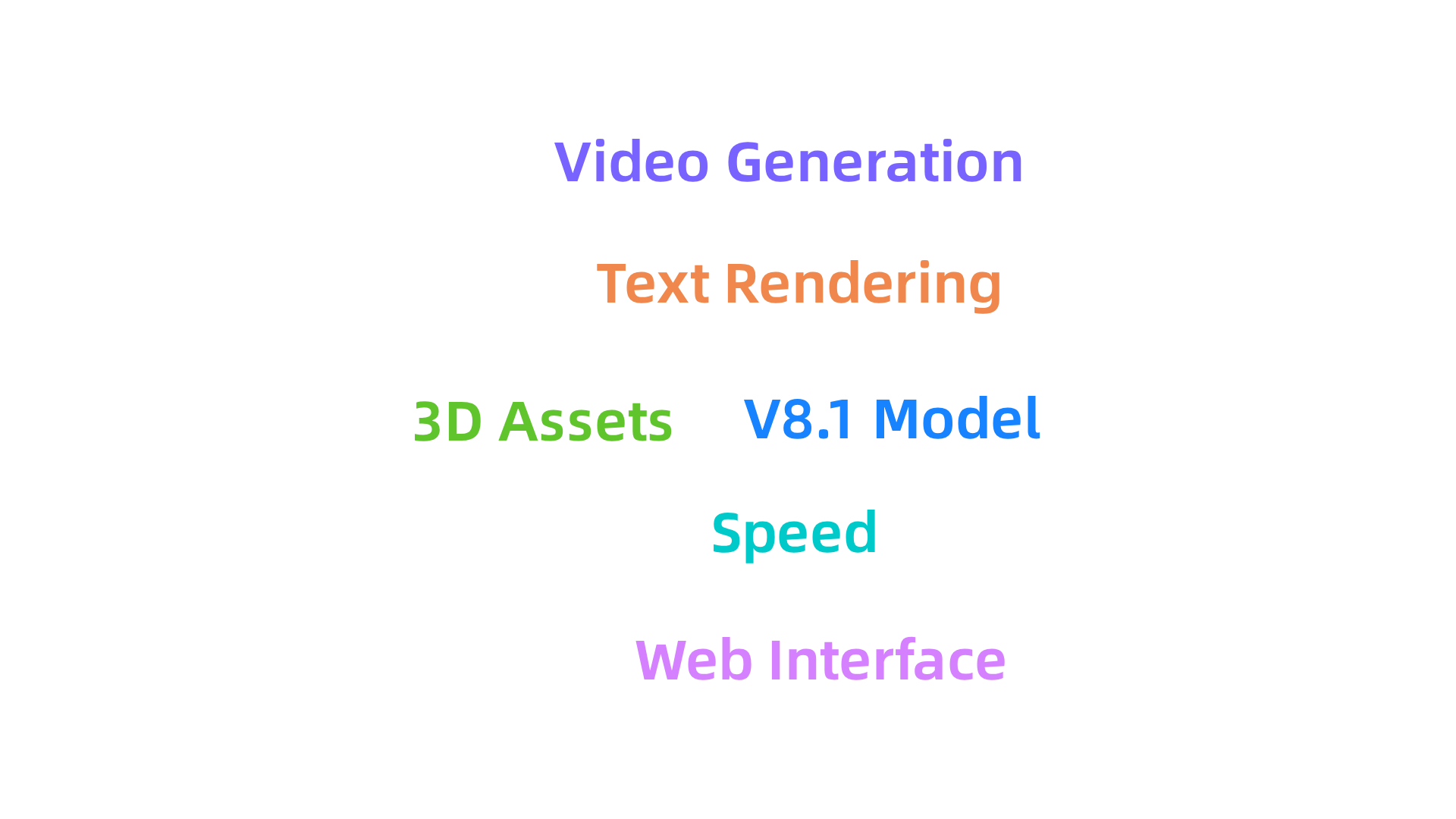
According to the Midjourney Release Notes – June 2026, V8.1 generates images in just 4 seconds in standard mode and 12 seconds in HD mode. That is incredibly fast. It also handles complex prompts much better than before. Text rendering and body coherence have improved a lot. The new HD mode renders images at 2K resolution without needing extra upscaling.
Beyond speed and quality, Midjourney now offers a full web interface alongside its original Discord platform. You can also generate short videos directly, which makes it more versatile. The Midjourney 2026: v8 Specs guide explains that the tool now supports native video generation and 3D asset creation.
This tool is best if you are a creative professional who values stunning visuals above all else. It is not free, and you need a subscription. But for many, the results are worth the price.
If you are creating faceless content or social media posts, you might also find value in other tools. Check out our roundup of the best faceless AI tools for content creation to complement your workflow.
To stay ahead of all the rapid changes in AI imaging, subscribe to Your Daily AI Shortcut. The Deep View Newsletter delivers simple daily AI insights to your inbox.
2. DALL-E 3 – OpenAI’s Refined Vision
Okay, so Midjourney is the king of pure artistic quality. But what if your main need is sticking to the exact words you type? Or what if you want to edit a specific object inside your image? That is where DALL-E 3 from OpenAI shines.
DALL-E 3 is the best choice when you need to generate ai images that follow detailed instructions closely. It nails text rendering. You can ask it to create a sign that says “Welcome to 2026” and the words will actually be readable.
That is a big deal. Midjourney has gotten better at text, but DALL-E 3 still leads the pack.
The biggest advantage of DALL-E 3 is how easy it is to use. It is built right into ChatGPT. That means you do not need a separate account or a Discord server. You just tell ChatGPT what you want, and it creates the image for you. This makes it the most accessible advanced generator out there. If you are a beginner or just want a simple way to generate AI pictures, this is your tool.
But DALL-E 3 has faced some real controversy. Artists have complained that OpenAI trained the model on their work without permission. This has led to stricter content policies. OpenAI now blocks prompts that ask for specific artist styles. The company is trying to balance creativity with fairness. While Midjourney focused on ecommerce features in 2026, DALL-E 3 stayed focused on text accuracy and safety.
One thing to note: DALL-E 3 is not the best at ultra-high resolution. If you need to ai upscale image quality to 2K or 4K, you might need another tool. But for everyday AI image generation, it is hard to beat.
If you are comparing all the top options, check out our review of the free AI image generator options to see how DALL-E 3 stacks up.
3. Stable Diffusion – The Open-Source Champion
Now, what if you want total control over every pixel? What if privacy matters to you? And what if you want to pay nothing at all? That is where Stable Diffusion steps in.
Stable Diffusion is the open-source powerhouse. Unlike Midjourney or DALL-E 3, you can download the actual model and run it on your own computer. Stability AI released the code and the weights publicly. That means no one can take it away from you. No paywalls. No content filters telling you what you can and cannot create.
This freedom unlocks some serious power.
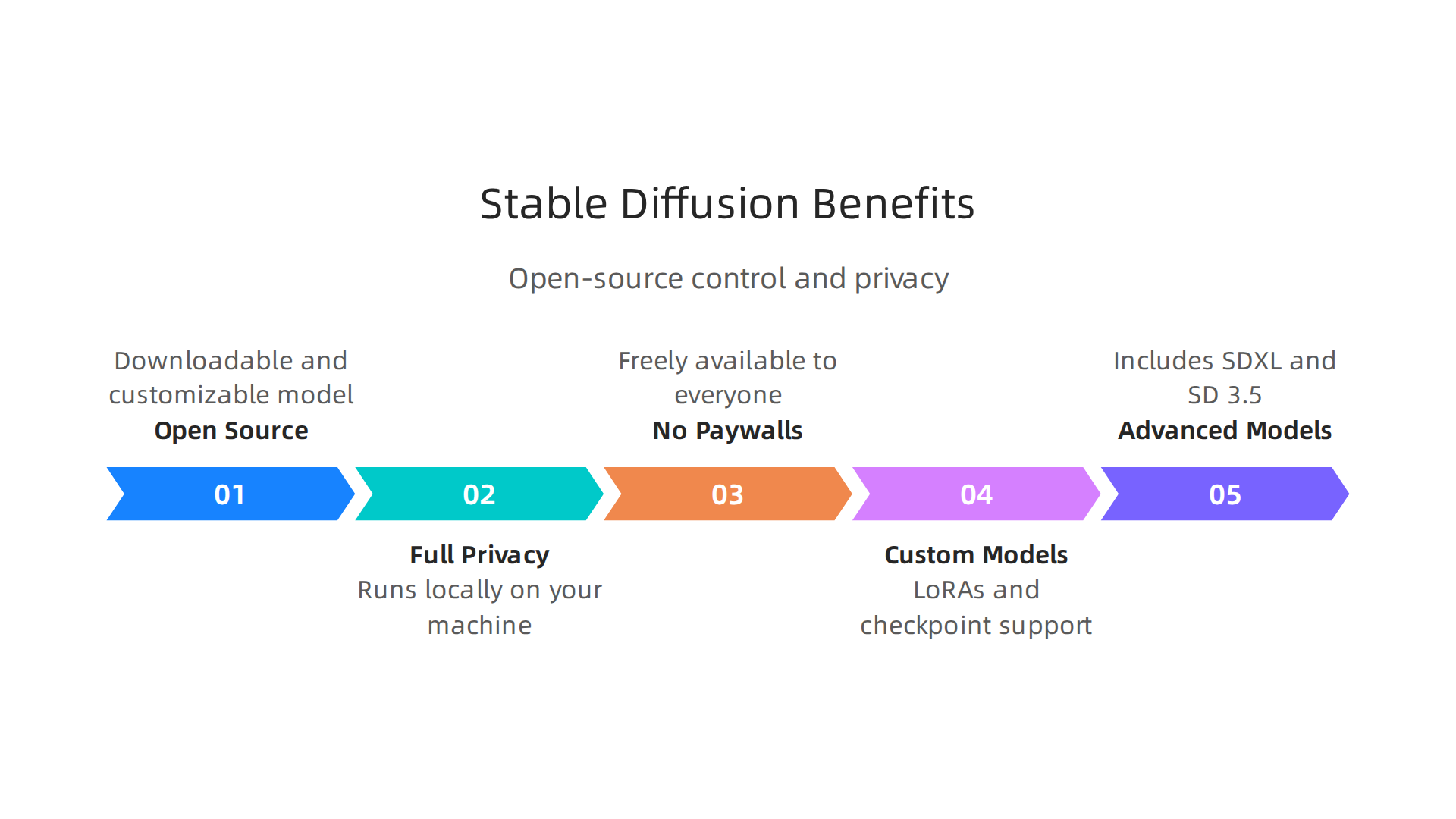
You can install it locally on your own machine. That gives you full privacy. Your prompts never leave your computer. You can also customize everything. The community has built thousands of custom models called LoRAs and checkpoint models. One of the most popular guides breaks down the best Stable Diffusion models for 2026, ranking SDXL as the best all-purpose choice.
The model family has grown a lot. SDXL handles 1024×1024 resolution natively. The newer SD 3.5 Large uses a transformer architecture that improves text rendering and complex prompts. You can even try SDXL Turbo, which generates images in just one to four steps. That is incredibly fast.
But here is the tradeoff. You need a decent graphics card to run it well. An RTX 3080 or better is ideal. And you need some technical know-how to install and use the tools. For beginners, cloud hosting options exist, but they add complexity.
If you want to learn more about boosting image quality, check out our comparison of the best upscale AI tools that work well with any generator.
Stable Diffusion is not for everyone. But if you value freedom, privacy, and endless customization, nothing else comes close. It is the ultimate tool for tinkerers, developers, and anyone who wants to generate ai images on their own terms.
Your Daily AI Shortcut – Want to stay ahead of every AI tool launch? Join The Deep View Newsletter for simple daily insights that cut through the noise.
4. Adobe Firefly – The Creative Professional’s Choice
Now, what if you already live inside Adobe Creative Cloud? You have Photoshop open all day. You jump between Illustrator and Premiere Pro. You need AI that plugs into that world, not a separate tool. That is exactly what Adobe Firefly was built for.
Firefly is not just a text-to-image generator. It is a full creative co-pilot that lives inside the apps you already know. The Adobe Firefly 2026 Guide shows how the latest Image Model 4 delivers photorealistic results with sharp text rendering and precise control over lighting and camera angles. But the real power is in the integration.
Here is what makes Firefly a must for professionals:
- Generative Fill in Photoshop – Highlight any area, type a prompt, and Firefly adds or replaces content with context-aware results. No more manual cloning or patching.
- Text-to-Vector in Illustrator – Type a description and get editable vector paths, gradients, and patterns. This is a game changer for logo and icon design.
- Commercially safe by default – Every image you create is licensed for commercial use. Adobe trained the models on licensed content only, so your company can use the outputs in ads, websites, and products without legal worry. Enterprise users even get indemnification.
Firefly also goes beyond images. You can generate B-roll video clips, soundtracks, and even speech. The new AI Assistant can orchestrate complex workflows across multiple Adobe apps in a single conversation. You describe the outcome, and it handles the steps.
If you are a designer, marketer, or content creator, Firefly removes the friction between idea and final asset.
The subscription costs money, but the time saved is massive.
For a broader look at tools that do not require a subscription, check our comparison of the best free AI image generators tested and compared for 2026.
5. Ideogram – Mastering Text and Design
Here is a common frustration with AI image tools. You ask for a sign that says "Grand Opening" and the letters come out as gibberish. Curved letters. Wrong spacing. Missing characters. This is where Ideogram changes everything.
Ideogram was built specifically to solve the typography problem. The Ideogram AI Review 2026: Best for Text Rendering? reports it achieves about 90% accuracy with text, compared to Midjourney’s 30%. That is a massive difference when your design needs readable words.
How does it work? First, the Magic Prompt feature takes your basic idea and expands it into a rich description. You type "coffee shop menu board" and it adds details about font style, color scheme, and layout. The result is a polished image without you needing to be a prompt engineer.
Second, the Describe feature lets you upload any image and get back a prompt that would recreate it. This is great for reverse-engineering a style you like.
Ideogram also stands out for speed. You can get an image in about 5 to 10 seconds, much faster than many competitors. And its interface is clean and simple. No complicated commands. Just type and go.
If you need to generate logos, posters, social media graphics, or any image where text is central, Ideogram is probably your best bet. It even handles different fonts and languages with ease.
One thing to know: the free tier gives you limited credits, so serious users will want a subscription. But for the accuracy you get, it is worth it.
If you work with images at scale and need to upscale your results, check out our roundup of the best upscale AI tools for images and video in 2026.
And if you want to stay on top of the best AI tools every day, you can Your Daily AI Shortcut with The Deep View Newsletter. It delivers simple daily insights straight to your inbox.
6. Canva AI – Democratizing Design for Everyone
You don’t need to be a graphic designer to create polished visuals anymore. Canva’s Magic Studio now includes AI image generation directly inside the design platform.
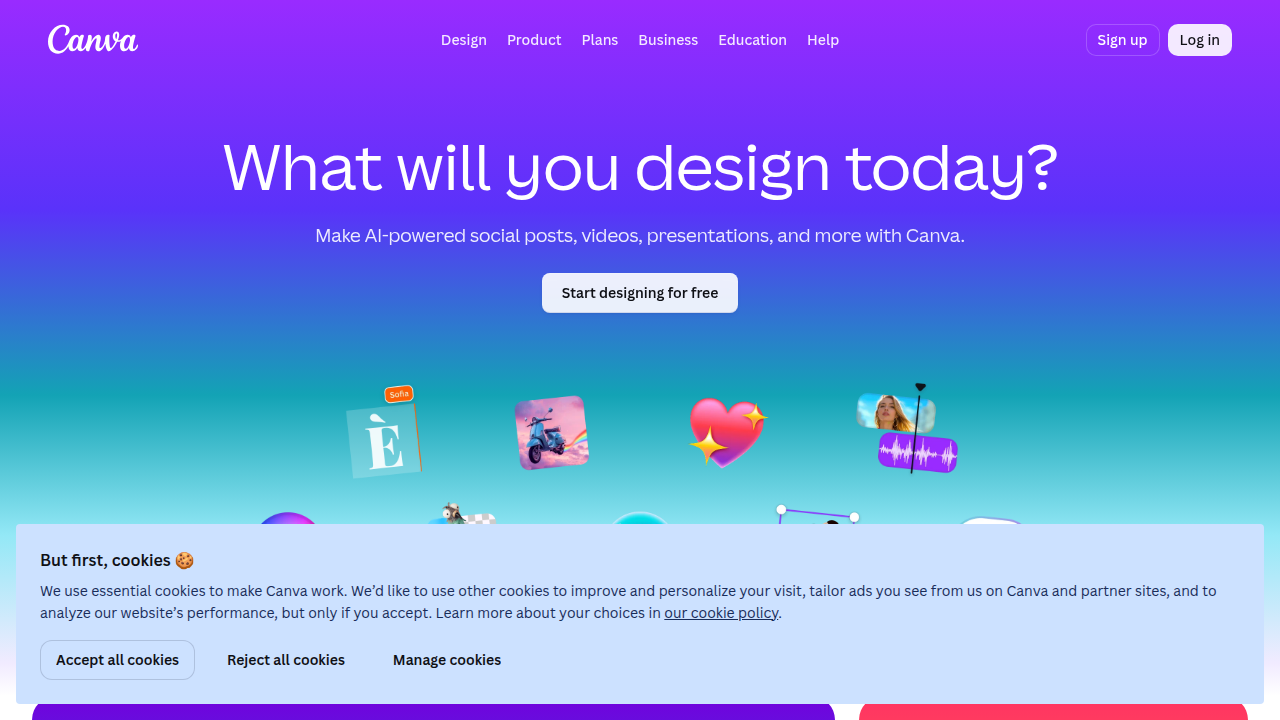
This means you can generate AI images without ever leaving Canva.
Here is what makes Canva different. While tools like Ideogram focus on text accuracy, Canva focuses on making design easy for everyone. You start with a blank canvas, a template, or a prompt. Then you type what you want, and Canva’s AI creates images that match your brand colors, fonts, and style.
The best part? These AI features are included in both free and Pro plans. You do not need to pay extra just to try them. This lowers the entry barrier significantly. If you run a small business or create social media content, Canva is probably the most practical choice.
Canva’s AI can also upscale images, remove backgrounds, and even generate short video clips. So if you need an ai upscale image or a quick video for your feed, you can handle it all in one place.
For users who need more professional control, the Adobe Firefly 2026 Guide shows how Adobe’s generative AI integrates with expert-level editing tools. But for everyday design, Canva wins on simplicity.
If you want to compare free image generators head to head, check out our list of best AI image generator free options.
7. Leonardo AI – The Indie Artist’s Toolkit
Maybe you love the idea of AI art but want more control over the final look. That is where Leonardo AI really shines. This platform gives you fine-grained control over every image while still offering a generous free tier that lets you generate ai images without spending a dime.

Leonardo is built for people who like to tweak and experiment. You get a full canvas editor where you can paint, erase, and refine your creations in real time. Need to adjust a detail? Just use the real-time generation slider to watch your changes appear instantly. This makes it perfect for indie artists, game designers, and hobbyists who want to iterate fast.
One of Leonardo’s biggest strengths is its community. Users share custom models and training files that let you personalize your style. You are not stuck with one look. You can download community-created Stable Diffusion models that match your vision, from photorealism to anime to fantasy landscapes. The platform also lets you train your own model on your own images, so your output stays consistent across projects.
If you ever need to clean up a generated image, Leonardo includes an upscaler tool. That means you can turn a low-res creation into a sharp, print-ready piece. It works like a dedicated ai upscale image tool, all inside the same interface.
For creators who want to dive deeper, there are options to use advanced samplers and negative prompts. But you do not have to learn all that. The defaults work great for beginners.
Want a quick overview of the most popular free generators? Check out our comparison of the best AI image generator free options to see how Leonardo stacks up.
If you want to stay ahead of every AI tool update without spending hours searching, get your daily dose of AI news. Join The Deep View Newsletter for simple daily AI insights delivered straight to your inbox.
8. Playground AI – Balance of Ease and Control
Playground AI sits right in the middle of the spectrum. It is not as basic as some free tools but not as complex as pro software. You get a clean interface that hides most technical settings until you need them. That makes it a great choice for beginners who want to generate ai images without feeling lost.
The secret to Playground AI is its library of pre-made styles. You pick a style like cinematic, fantasy, or sketch, and the tool sets the best settings for you. This saves a lot of trial and error. You also get access to community prompts. Other users share the exact prompts that worked for them, so you can learn from the crowd. This speeds up your learning curve a ton.
Pricing is another strong point. Playground AI offers affordable subscription plans that give you more credits and higher resolution outputs. It is a solid mid-range option if you want better quality than free generators but do not need enterprise features. Many users find it hits the sweet spot for casual and semi-pro work.
If you want to see how Playground AI compares head to head with other tools, check out our best AI image generator free options guide. We break down every feature.
And if you want to stay on top of every AI tool update without spending hours searching, Join The Deep View Newsletter for simple daily AI insights.
9. Clipdrop – The Speed Demon for Quick Edits
Sometimes you just need to remove a background, fix the lighting, or clean up an image fast. You do not want to spend ten minutes tweaking settings. That is where Clipdrop shines. Created by Stability AI, this tool is built for speed and simplicity.
Clipdrop gives you a suite of one-click tools. The most popular feature is background removal. You upload a photo, and in seconds the background disappears cleanly. But it also has relighting tools that change how light falls on your subject. That alone can make a product photo look professional. You can also use the cleanup brush to erase unwanted objects or text.
E-commerce sellers love Clipdrop because it handles bulk edits. You can process many images quickly without losing quality. Social media managers also rely on it for fast turnaround. If you need to create consistent product shots for a store or polished images for a post, Clipdrop gets it done.
For developers, Clipdrop offers API access. You can integrate its AI directly into your own apps or workflows. This allows for automated batch processing at scale. The free tier gives you a taste, but the Pro plan at around $15 per month unlocks higher resolution and commercial use. You can check the full breakdown in this 2026 Clipdrop guide to see what each plan offers.
If you work with images every day and want a tool that does not slow you down, Clipdrop is a strong pick. And if you are looking to sharpen your whole image workflow, our guide to the best upscale AI tools for images and video in 2026 includes Clipdrop alongside other smart options.
10. Bing Image Creator – The Free Powerhouse
If you want to generate AI images without spending a penny, Bing Image Creator is hard to beat. It runs on DALL-E 3, the same model that powers OpenAI’s premium tools. You get high-quality results, and it costs you nothing.
Bing Image Creator is built right into Microsoft’s ecosystem. You can use it in the Edge browser or through Microsoft Copilot. That means millions of people already have access to it. Just type your idea, and the tool turns your words into a picture. It handles everything from realistic photos to digital art. You can also use it to generate AI images for social media posts, blog graphics, or just for fun.
But there are some limits you should know. Free users sometimes face slower queue times during peak hours. The tool also has content filters that block certain prompts. That can be frustrating if your idea gets flagged. Still, for a free tool, the quality is impressive. For comparison, Clipdrop offers a free plan, but it comes with limitations like watermarks and daily caps, as detailed in this How to Use Clipdrop guide. Bing Image Creator, on the other hand, gives you full-quality images for free.
One thing to note is that Bing Image Creator focuses on new creations. It does not offer an AI upscale image feature or an AI image checker built in. For those tasks, you would need a different tool. But as a starting point for quick image generation, it is excellent.
If you want to compare free AI image tools side by side, check out our guide to the best AI image generator free options tested and compared for 2026. It covers Bing Image Creator and other top choices.
And if you want daily updates on the best AI tools, Join The Deep View Newsletter for simple daily AI insights.
Summary
This article reviews the top 10 AI image generators of 2026 and explains which tools work best for different needs—from pure artistic quality to text accuracy, speed, privacy, and design workflows. We compare Midjourney, DALL‑E 3, Stable Diffusion, Adobe Firefly, Ideogram, Canva, Leonardo, Playground AI, Clipdrop, and Bing Image Creator across image quality, pricing, ease of use, and licensing. You’ll learn which generators excel at readable text, which let you run models locally for privacy, which integrate into professional design apps, and which offer the best free or low‑cost entry points. The guide also highlights upscaling and cleanup tools and points out common tradeoffs like hardware requirements and content filters. By the end, you’ll be able to pick the right generator for social posts, marketing assets, product photos, or creative art and know where to look for upscalers, free options, and commercial licenses.