Introduction: The Rise of Unrestricted AI Creativity
You type a prompt into your favorite AI image tool. You wait a few seconds. And then you get a message that says "This prompt violates our content policy." Sound familiar? You are not alone. Millions of users hit those filter blocks every day when trying to create mature artwork, medical diagrams, fantasy violence for game assets, or even simple artistic nudity. Mainstream platforms like DALL-E and Midjourney apply tight content classifiers that block anything they consider risky.
But here is the thing. The technology underneath those filters is perfectly capable of generating the image you wanted. The model itself does not judge. The safety layer does.
An uncensored AI image generator removes that safety layer entirely. It gives the model full access to its training data without blocking prompts upfront or scanning outputs afterward. According to the latest research, these tools are built on the same powerful base models as mainstream platforms. The difference is in the pipeline, not the core capability. As explained in the comprehensive guide on Uncensored AI image generators tested in 2026, both filtered and unfiltered versions often run on identical weights like Stable Diffusion XL or FLUX Dev. Only the gatekeeping changes.
The demand for these unrestricted tools is exploding. The AI image generation market is now valued at $12.4 billion in 2026 with over 150 million monthly users producing about 80 million images daily, as reported in the AI Image Generation Statistics for 2026. A growing share of those users specifically seek out platforms with zero content moderation. Professionals creating game assets, medical illustrations, horror concepts, or adult content simply cannot work within the narrow boundaries of mainstream tools.
This article gives you an expert-driven look at the current uncensored AI image generator landscape. We will explore the best tools available today, how they compare on quality and speed, what to watch out for regarding privacy and ethics, and how to choose the right platform for your specific needs. Whether you are a digital artist, a game developer, or just someone tired of being told your creative vision is too edgy, you will find practical guidance here.
If you want to stay updated on the latest developments in AI tools and trends, consider subscribing to a newsletter that cuts through the noise. Join The Deep View Newsletter for simple daily insights that keep you informed without the information overload.
Let us begin by understanding exactly what makes a tool "uncensored" and what that means for your workflow.
What Makes an AI Image Generator “Uncensored”?
Let us get specific about what happens under the hood. When you type a prompt into DALL-E or Midjourney, your text hits a content classifier before the model ever sees it. That classifier checks for nudity, gore, hate symbols, drug references, and a whole list of other flagged categories. If your prompt trips any of those rules, you get the block message. No image for you.
The classifier also scans the final output. Sometimes the prompt passes but the generated image itself triggers a second round of filtering. This double-check system is why even innocent prompts sometimes fail. A medical diagram of a surgery might get blocked because the classifier sees "cutting" and "blood" and assumes the worst.
An uncensored AI image generator removes one or both of those checks. Some tools skip the prompt classifier entirely. Others let the image generate freely and only apply a light tag on the output. A few run the model entirely on your own computer where no external safety layer exists at all.
The technical methods vary. Here are the three most common approaches used in 2026:
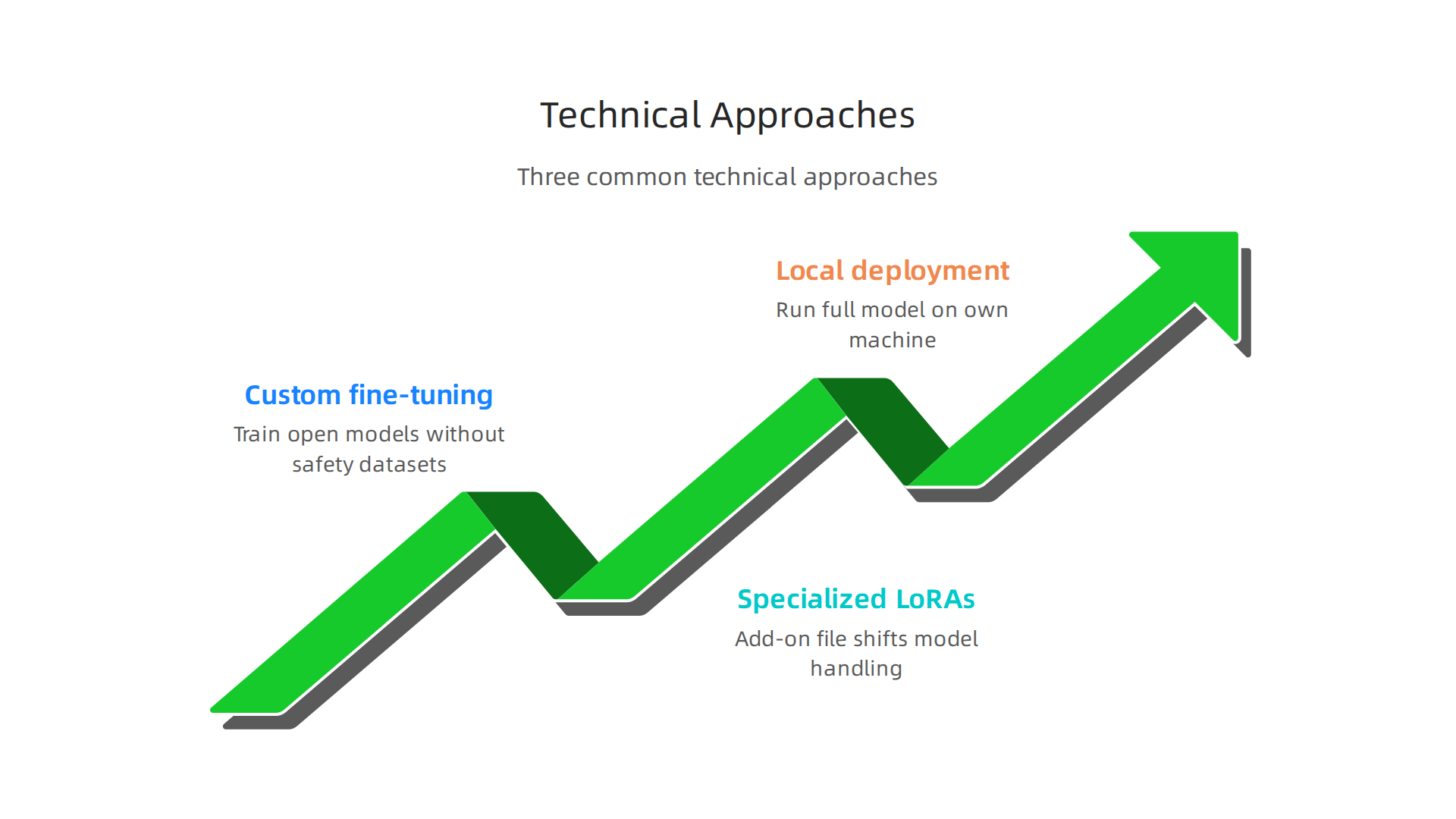
Custom fine-tuning. Developers take an open model like FLUX Dev or Stable Diffusion XL and train it further without any safety datasets. The model simply never learns to associate certain concepts with rejection. This is the most popular method among commercial uncensored platforms.
Specialized LoRAs. A LoRA (low-rank adaptation) is a small add-on file that shifts how the base model handles specific subjects. You can load a LoRA that boosts the model’s ability to generate horror, fantasy, or mature content without changing the underlying weights. Many creators mix multiple LoRAs to get exactly the style and subject freedom they want.
Local deployment. This is the nuclear option. You download the full model to your own machine and run it through software like ComfyUI or Automatic1111. No company policies. No terms of service. No filters at all. The tradeoff is you need a decent GPU and some technical know-how.
The demand for these methods is not small. The uncensored AI sector saw a 14 percent increase in users in March 2026 alone, according to the March 2026 Uncensored AI & NSFW Industry Report. Platforms that offer zero filtering and fast generation are pulling users away from mainstream tools at a rapid pace.
For readers who want to explore the broader landscape of unrestricted AI tools, our guide on how to access unblocked AI tools without paywalls or restrictions covers the full picture beyond just image generation.
The key takeaway is simple. The underlying model can handle pretty much any prompt you throw at it. The question is whether the pipeline in front of it lets that creativity through. Uncensored generators say yes.
Top 5 Uncensored AI Image Generators Dominating 2026
Now that you understand how uncensored generators skip the safety filters, let’s look at the tools actually delivering that freedom in 2026. I tested each one on image quality, speed, privacy, and how much creative control you really get. Here are the five that stand out.
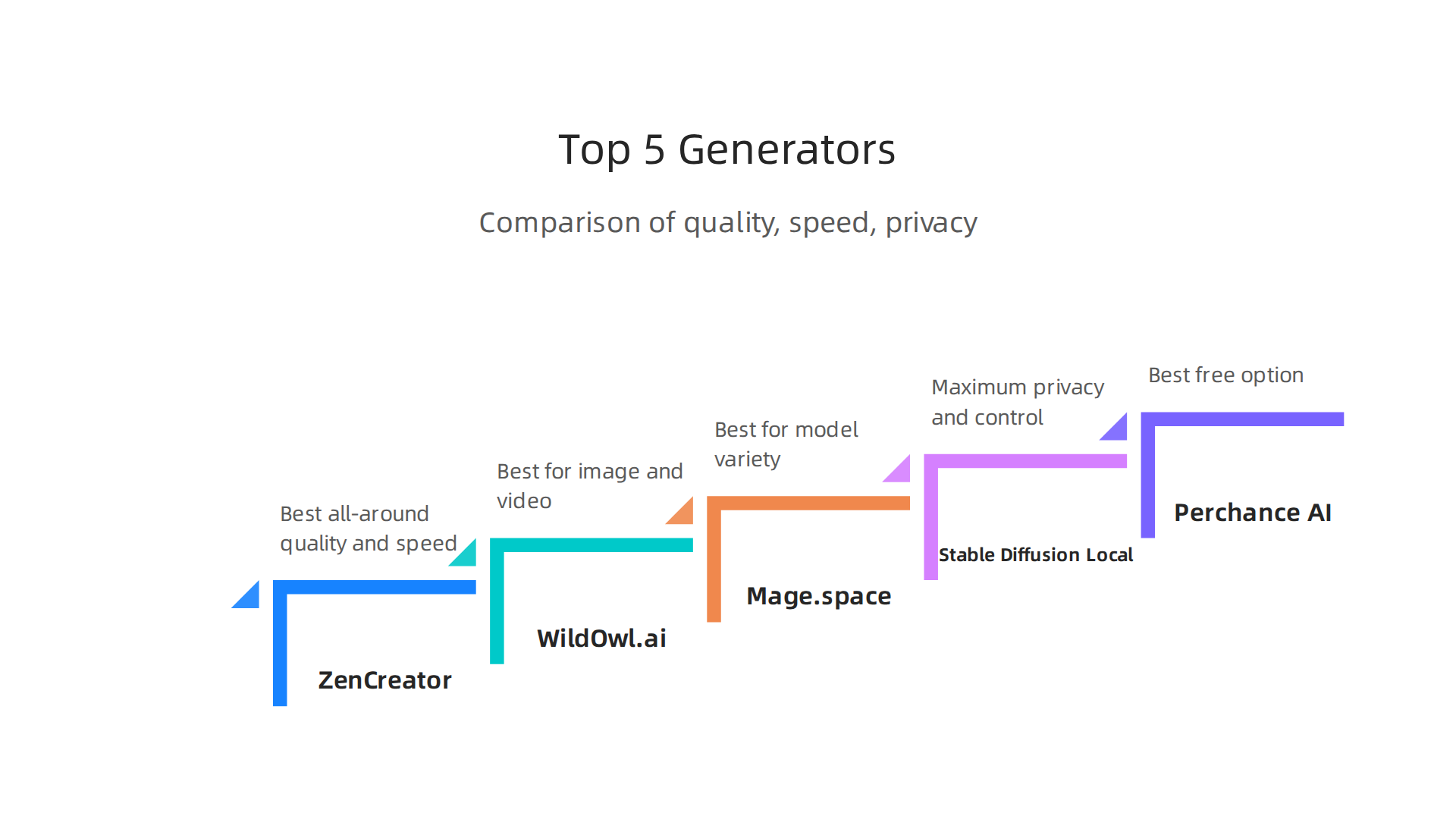
1. ZenCreator – Best All-Around for Quality and Speed
ZenCreator tops nearly every expert comparison list this year.
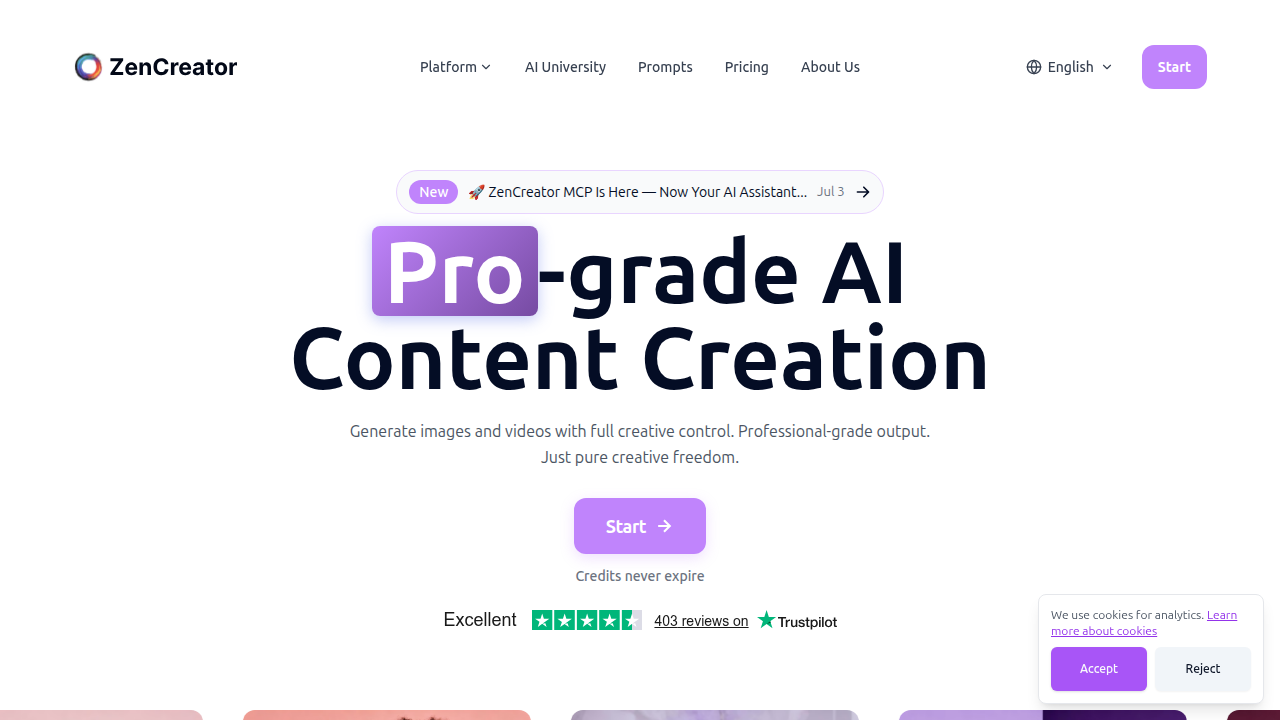
It hits 4K resolution and passes 100% of NSFW prompts in independent tests. Average generation time is just 8 to 15 seconds per image. Privacy is strong too: end-to-end encryption keeps your prompts and outputs to yourself. The paid plans start at $19.99 per month, and a free tier is available. This is the best choice if you want zero filters without any technical setup. (Source: Uncensored AI Image Generator — No Filters (2026) – ZenCreator)
2. WildOwl.ai – Best for Creators Who Need Video Too
WildOwl.ai earned the top spot in multiple 2026 roundups thanks to its balance of permissive access, modern models, and integrated video generation. It uses a pay-as-you-go pricing model with no subscription lock-in. You get both image and video generation with leading models. It is ideal for creators who want one platform for everything from still images to short clips. (Source: Best Uncensored AI Image Generators 2026 – OutreachZ)
3. Mage.space – Best for Model Variety
Mage hosts over a dozen uncensored models, including Mango 2 (photorealism), Stable Diffusion 3.5 Large, Pony Diffusion V6 XL, and Chroma V1 HD.
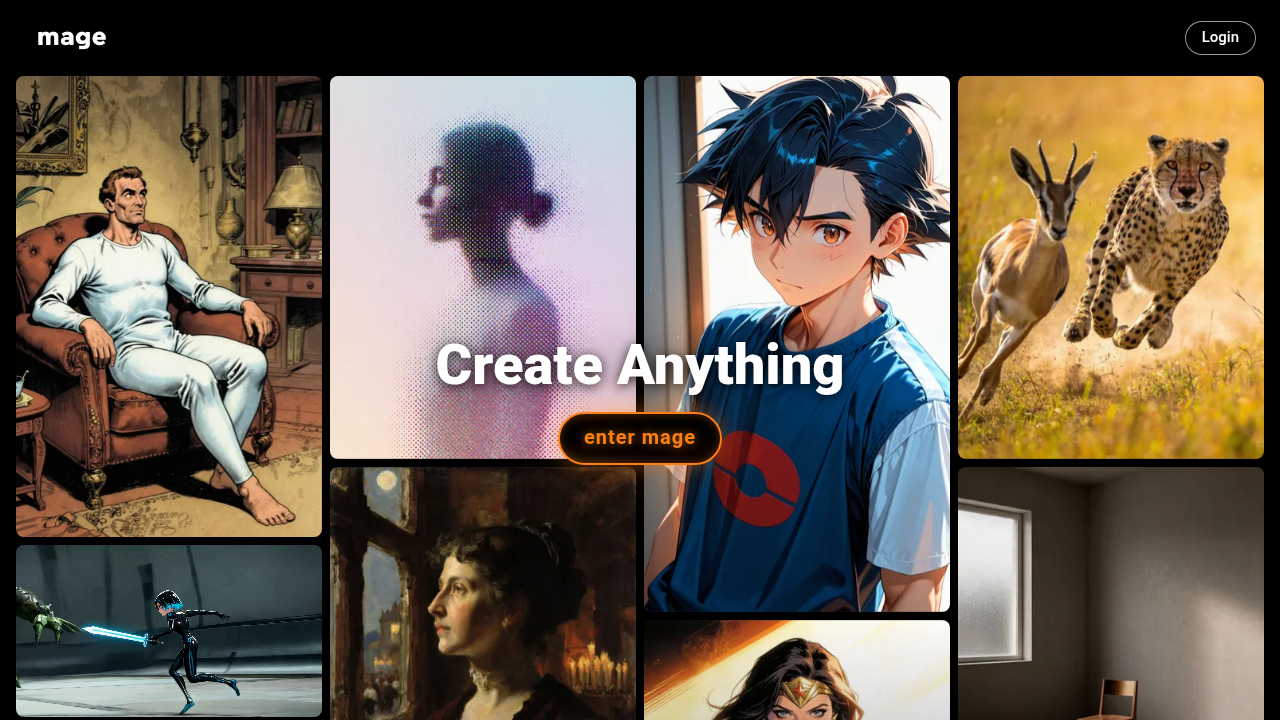
You can switch between models in one browser tab. The unlimited generation plans start at $30 per month. If you like experimenting with different styles and don’t want to download anything, this is your best bet. (Source: Best Uncensored AI Image Generators 2026: 5 Models Compared)
4. Stable Diffusion (Local) – Maximum Privacy and Control
Stable Diffusion remains the gold standard for users who want total control. You download the model and run it on your own computer using software like ComfyUI or Automatic1111. This gives you full uncensored generation with zero company oversight. The tradeoffs are hardware requirements (a decent GPU) and a steeper learning curve. But if privacy is your top concern, nothing beats running everything offline.
5. Perchance AI – Best Free Option
Perchance AI is completely free. No account needed, no login. Just open the page and type your prompt. It scored a 75% NSFW pass rate in independent tests, which means mild to moderate unrestrained content works well. Resolution tops out at 512 to 1024 pixels, so it’s not for professional prints. But for quick experimentation or casual use, it is hard to beat free.
For a broader look at today’s best image tools, our guide to the best AI image generator free options covers more budget-friendly alternatives.
The uncensored space moves fast. New models and platforms appear every month. If you want to stay ahead of every launch and policy change, subscribing to a daily newsletter helps cut through the noise.
Your Daily AI Shortcut delivers simple daily AI insights straight to your inbox, so you never miss the next game-changing tool.
The Real Risks: Legal, Ethical, and Brand Implications
The five tools we just covered are powerful. But that power comes with real consequences. Before you start typing prompts into an uncensored ai image generator, you need to understand what can go wrong.
d regarding ethical and legal risks.](https://latestainewstoday.com/wp-content/uploads/2026/07/weblish-inline-68915.jpg)
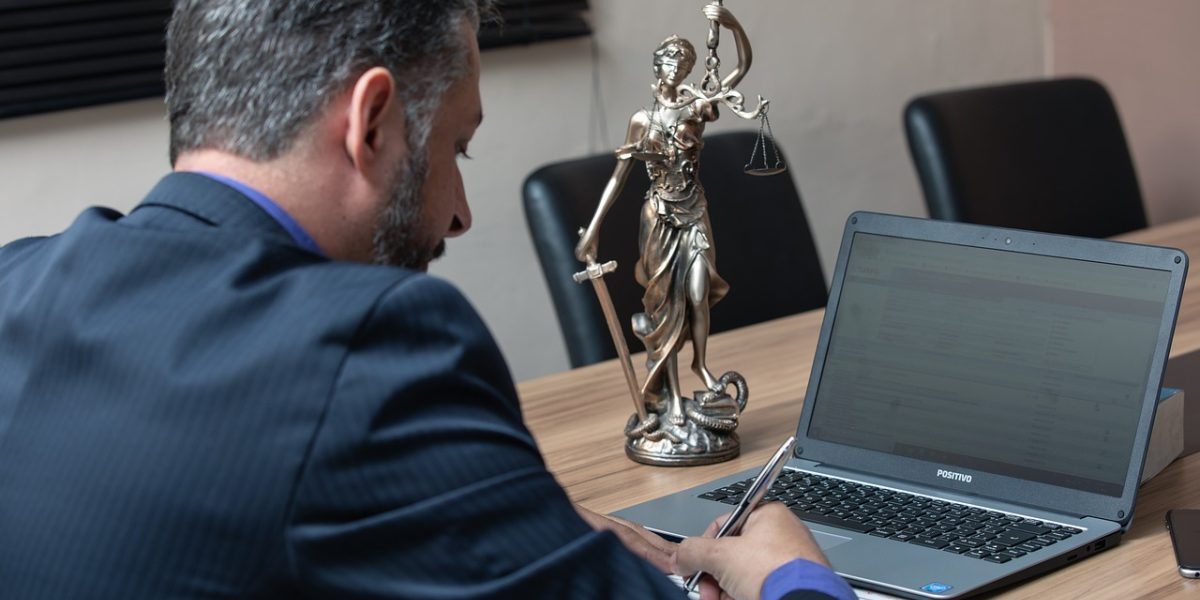
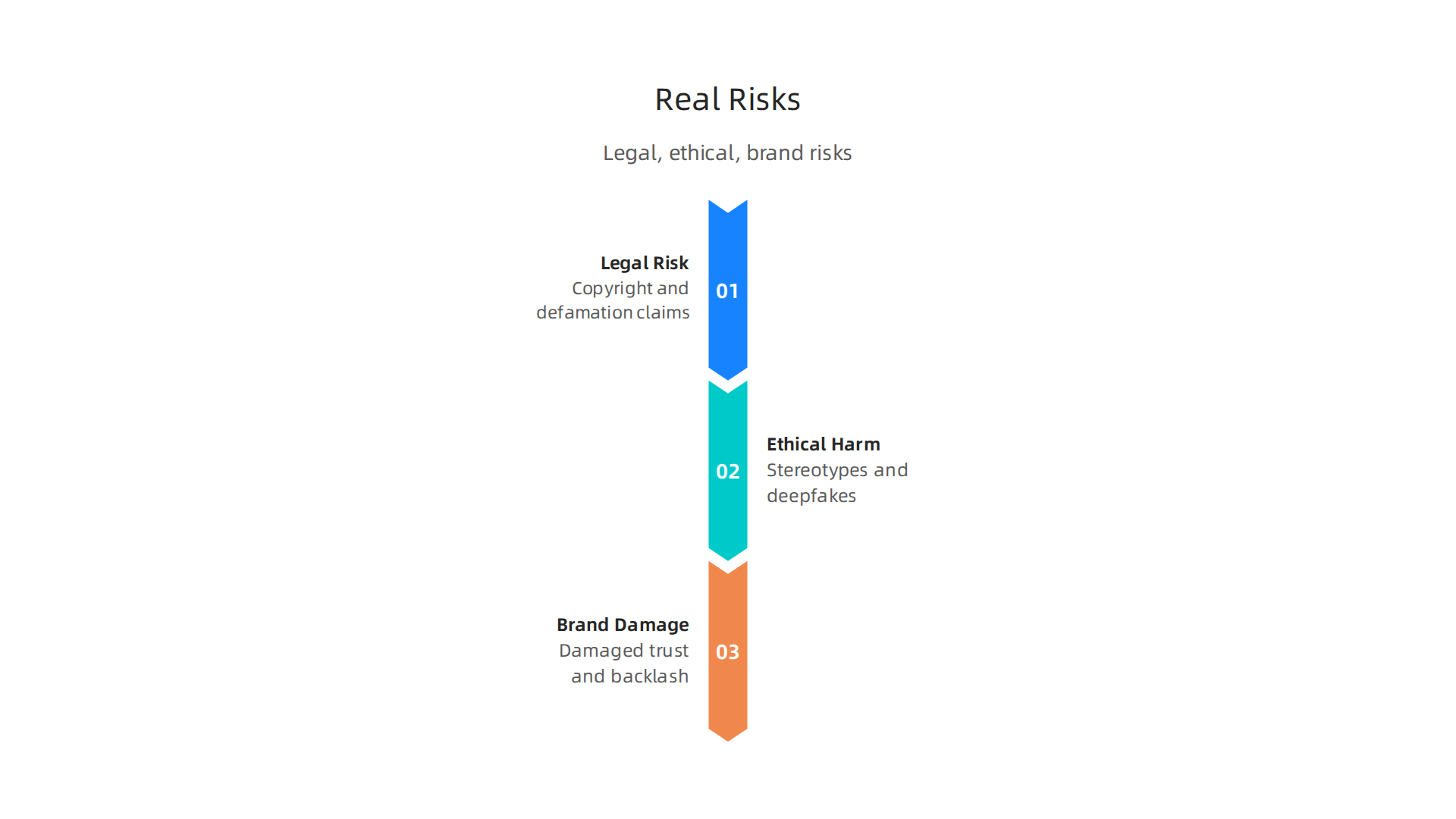
The risks fall into three big buckets: legal trouble, ethical harm, and brand damage.
Legal Lawsuits Are Already Piling Up
Right now, there are more than 87 copyright lawsuits against AI companies in the United States. The most famous one is the landmark Andersen v. Stability AI case from the Northern District of California. Artists claim that companies used billions of their copyrighted images without permission to train AI models. The trial is set to begin in September 2026. If the artists win, it could change how every uncensored generator works.
You might think you are safe because you are just a user. Not really. If you generate an image that looks too much like a real artist’s work or a real person’s face, you could face defamation or right of publicity claims. A AI copyright lawsuit developments in 2025 summary from the Copyright Alliance shows that movie studios like Disney and Universal are now suing AI companies too. The legal net is widening fast.
Ethical Landmines: Stereotypes and Misinformation
Beyond the courtroom, there is the human cost. Uncensored generators have no guardrails to stop harmful stereotypes. You can ask them to create images that degrade groups of people, spread false news, or generate nonconsensual deepfakes. Just because a tool lets you do something doesn’t mean you should.
These images can be weaponized. A fake photo of a politician or a fake crime scene can spread in minutes. The harm to individuals and communities is real. Ethically, using an uncensored ai image generator means you are taking full responsibility for every output. There is no moderation team to blame.
Brand Reputation and Corporate Risk
If you are using one of these tools for a business, the stakes are even higher. A company that accidentally publishes offensive or misleading AI-generated content can destroy years of trust. Brands get blasted on social media. Partners pull deals. Customers leave.
That is why many marketing teams now run every AI image through an AI content detection tool in 2026 before posting. They want proof the content was not stolen or manipulated. Without those checks, your brand’s reputation is one bad prompt away from a crisis.
The bottom line: an uncensored generator gives you freedom, but it does not give you a shield. You still have to think about who you might hurt and who might sue you.
Privacy and Data Handling in Uncensored Image Generators
Legal trouble and brand damage are not the only things to worry about. There is also the question of what happens to your data. When you use an uncensored ai image generator, your text prompts and the images you create do not just vanish. They go somewhere. And that somewhere matters a lot.
Where Does Your Data Go?
Most uncensored image generators run on remote servers. That means every word you type and every picture you generate gets sent to the company’s computers. Some of these companies store your prompts and outputs for months or even years. Others use your data to train their next generation of AI models. A few even sell anonymized data to third parties.
This is a big deal if you are typing sensitive information into a prompt. Maybe you are testing an idea for a new product, or you are creating images from a private family photo. Once that data leaves your computer, you lose control over it. The University of Illinois publishes a useful set of privacy considerations for generative AI that explains exactly how your prompts and uploads can be used without your knowledge.
The Local Alternative
There is a safer route. Open-source AI image generators that run entirely on your own device give you much more privacy. No data ever leaves your machine. Your prompts stay with you. Your images never touch a remote server.
The tradeoff is that setting up a local generator takes technical knowhow. You need a powerful graphics card, some comfort with command lines, and patience. But for people who need an ai image generator no restrictions and want full control over their data, it is the best option. If you want to learn how to access these tools without giving up your privacy, check out this guide on accessing unblocked AI tools without paywalls or restrictions.
Reading the Fine Print
Not all cloud-based generators are the same. Some are transparent about what they collect. Others hide it in long privacy policies most people never read.
In 2026, laws like the GDPR and the EU AI Act force companies to tell you if they train on your data. But enforcement is still spotty. You have to do your own homework.
Before you pick a tool, look for a clear privacy page. See if the company says how long it keeps your images. See if you can delete your history.
If you want to stay safe without reading every word of a 20-page policy, focus on tools that offer an option to opt out of training. And never put personal information like names, addresses, or faces into a prompt unless you are sure the data stays private.
A Simple Habit for Safer Use
The easiest way to protect your privacy is to treat every prompt like a public post. If you would not say it on social media, do not type it into an uncensored AI image generator. That one habit alone stops most data leaks before they start.
For quick daily updates on AI tools and privacy best practices, join the Your Daily AI Shortcut newsletter. It delivers simple tips straight to your inbox so you stay informed without the overwhelm.
Safety vs. Freedom: How to Choose the Right Tool for Your Use Case
So you want to use an uncensored AI image generator. Great. But before you pick one, stop and ask yourself a simple question: What am I actually making?
The answer changes everything. If you are creating fantasy art for a personal project, your needs are very different from someone generating medical diagrams for a textbook or an artist pushing boundaries with adult themes. The right tool depends on what you are creating, where you live, and how much risk you can handle.
The Three Factors That Matter Most
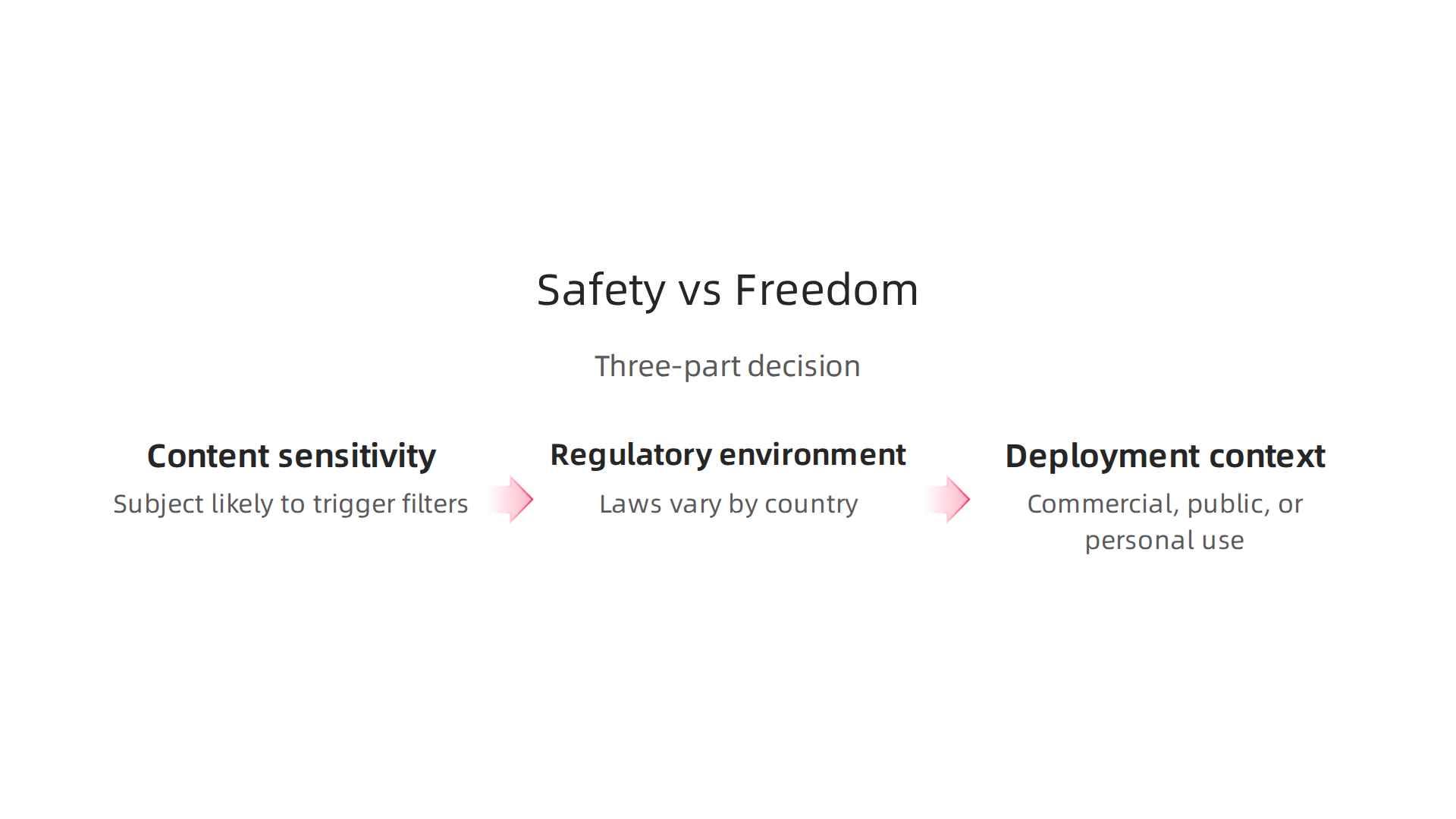
Think of your choice as a three-part decision:
-
Content sensitivity – Is your subject likely to trigger a content filter? Nudity, gore, political themes, and even some artistic styles get blocked by mainstream tools. The more sensitive your content, the more you need a fully uncensored platform.
-
Regulatory environment – Laws vary by country. The EU AI Act and GDPR give you some protections, but they also require platforms to moderate certain content. If you are in a strict region, a local tool might be your only safe option.
-
Deployment context – Are you generating images for a client, for public display, or just for yourself? If the images need to be commercial-ready, you need a tool that offers clear commercial rights and no hidden filters.
A good starting point is to compare the top uncensored tools side by side. The Best Uncensored AI Image Generators 2026 comparison shows how tools like WildOwl.ai, Mage, and ZenCreator stack up in terms of NSFW support, privacy, and pricing.
The Spectrum of Tool Openness
Not all uncensored generators are the same level of open. They fall into three categories:
-
Fully uncensored – No content filters at all. Every prompt goes through. Examples include ZenCreator and local installations of Stable Diffusion. These are best when you need absolute creative freedom and don’t want to guess what might get blocked.
-
Hybrid moderation – The platform allows NSFW but within boundaries. Tools like Mage.space openly say they allow adult content but still block certain extremes. This is a good middle ground if you want freedom without complete lawlessness.
-
Loosened filters – Mainstream tools that have relaxed their policies but still block a lot. Think of Midjourney or DALL-E with their heavy guardrails. These work for safe content but will frustrate you if you push boundaries.
Real World Examples of Smart Use
Here is where uncensored tools really shine:
A digital artist I know makes surreal portraits that include stylized anatomical features. On DALL-E, her prompts kept getting flagged for "inappropriate content" even though the images were clearly artistic. She switched to a fully uncensored platform, and now she creates without interruption. The images are beautiful, not explicit, but the AI could not tell the difference.
Another example: a medical researcher needed to generate illustrations of rare skin conditions for a training dataset. Mainstream filters blocked several prompts that contained keywords like "lesion" and "injury." An uncensored generator let her produce the exact visuals she needed without fighting the system.
These are cases where freedom won without crossing ethical lines. The tool did not cause harm. It removed a blocker.
A Simple Rule to Follow
Here is the easiest way to decide: match the tool to the content. If you are working with safe, everyday imagery, a mainstream generator is fine. If your work pushes into gray areas even slightly, go with a tool that gives you full control.
And remember, you do not have to stay stuck with one choice. Many creators keep both a moderated and an uncensored tool on hand. That way, they use the right tool for each job.
For quick daily insights on choosing the right AI tools, Your Daily AI Shortcut delivers simple tips straight to your inbox so you never miss a beat.
Getting Started: Best Practices for Using Uncensored AI Image Generators
You have picked your tool. Now here is how to use it the right way.
Jumping into an uncensored AI image generator without a plan can cause headaches down the road. A little preparation goes a long way.
Essential Safeguards to Set Up First
Before you type your first prompt, put these three protections in place.
Review your prompts. Do not paste sensitive information into the prompt box. Names, addresses, or private details should never appear in your inputs. Even if the tool promises privacy, keeping personal data out of the system is the safest habit. The latest Privacy considerations for Generative AI guide explains why prompt hygiene matters for your data.
Monitor your outputs. Set a simple rule: every image you generate gets a human look before it goes anywhere. This is your safety net. If the output contains something unexpected like a recognizable face or something you did not intend, delete it and regenerate. Automated tools can miss problems, so your eyes are the best filter.
Add a content watermark. Some platforms already place watermarks on generated images. Leave those marks in place, especially if you plan to share or publish the images. If your tool does not add watermarks, consider adding your own. This step shows transparency and helps your audience know what they are looking at.
Legal Checklist You Cannot Skip
Using an uncensored generator does not mean the law stops applying. Here is a quick legal checklist to run through.
Model licensing. Some open models have specific rules. Check the license before you use the outputs commercially. Not all permissive models allow everything.
Training data provenance. Know where the model learned its patterns. Some training datasets contain copyrighted material or biased content. If you need clean training data for professional work, pick a tool that documents its sources clearly.
Jurisdictional compliance. Laws differ by region. The EU AI Act requires disclosures on AI generated images. Connecticut updated its privacy law in 2026 to cover AI training data. Staying informed about these rules protects you from fines and reputation damage. Learn more about how using AI impacts your Privacy Policy to keep your compliance straight.
Technical Tips for Better Outputs
Getting high quality images from an uncensored tool is not complicated.
Write detailed prompts. The more specific you are, the less the model has to guess. Instead of "a woman in a garden," try "a woman in a dark garden at midnight with neon blue flowers and a foggy background." Vivid language gives the model clear direction.
Adjust generation settings. Most tools let you tweak parameters like prompt guidance scale and sampling steps. Higher guidance makes the output follow your prompt more strictly. More steps usually mean more detail. Experiment to find your sweet spot.
Run locally for maximum privacy. If your content is extremely sensitive, a local installation is the best option. It never touches the internet after setup and nothing gets logged. The best unrestricted AI image generators in 2026 give you full control on your own hardware with zero cloud usage.
These habits do not take much time. But they make a big difference between using an uncensored generator safely and running into problems you could have avoided.
Summary
This article explains what uncensored AI image generators are, how they differ from mainstream platforms, and why they’re increasingly popular with artists, game developers, and professionals who need fewer limits. It walks through how pipelines and classifiers block content, the three common uncensored approaches (custom fine-tuning, LoRAs, and local deployment), and profiles five leading options in 2026 for different needs and budgets. The piece also covers the real-world downsides—legal exposure, ethical harms, and data privacy risks—plus a practical checklist for safer use, such as prompt hygiene, output review, and watermarking. Readers will learn how to match tool choice to project sensitivity, when to run models locally, and simple technical tweaks to get better results. By the end you’ll know which platforms suit your workflow, how to reduce legal and privacy risk, and how to adopt best practices for responsible uncensored image generation.