
Introduction
You’ve probably noticed that AI video tools are everywhere in 2026. The numbers back it up. According to industry reports, the AI video generator market is expected to reach around $847 million this year, growing fast as more people use AI to turn ideas into moving images.
But here’s the catch. Many of the most powerful tools come with a steep price tag. If you’re a creator, small business owner, or just someone curious about making videos from a single photo, paying $30 or more each month can feel like too much.

And when you search for an ai image to video generator free, you often run into limited trial versions or tools that aren’t reliable.
That’s why we put together this guide. We tested and compared the best free options available right now. Whether you need to turn a product photo into a short ad clip or bring a personal picture to life, we found tools that actually deliver real results without costing a cent.
If you’re also interested in creating images to start with, you might want to check out our roundup of the best AI image generators for 2026 to see what works best.
Staying on top of the fastest-changing area in tech takes time. For simple daily updates on the latest AI tools and trends, consider joining The Deep View newsletter. It helps you cut through the noise and find what actually matters.
1. Text-to-Video Generators – From Prompt to Clip
Maybe you don’t have a photo to start from. That is completely fine. Text-to-video generators let you type a simple description, and the AI turns it into a moving clip for you. No source image needed at all.
This is perfect for testing ideas or creating quick social media posts. You can write something like "a cat walking through a sunny park" and get a short video back in seconds. The quality might not be Hollywood level, but it works well for platforms like Instagram, TikTok, or YouTube Shorts.
Here is what you usually get on a free plan:
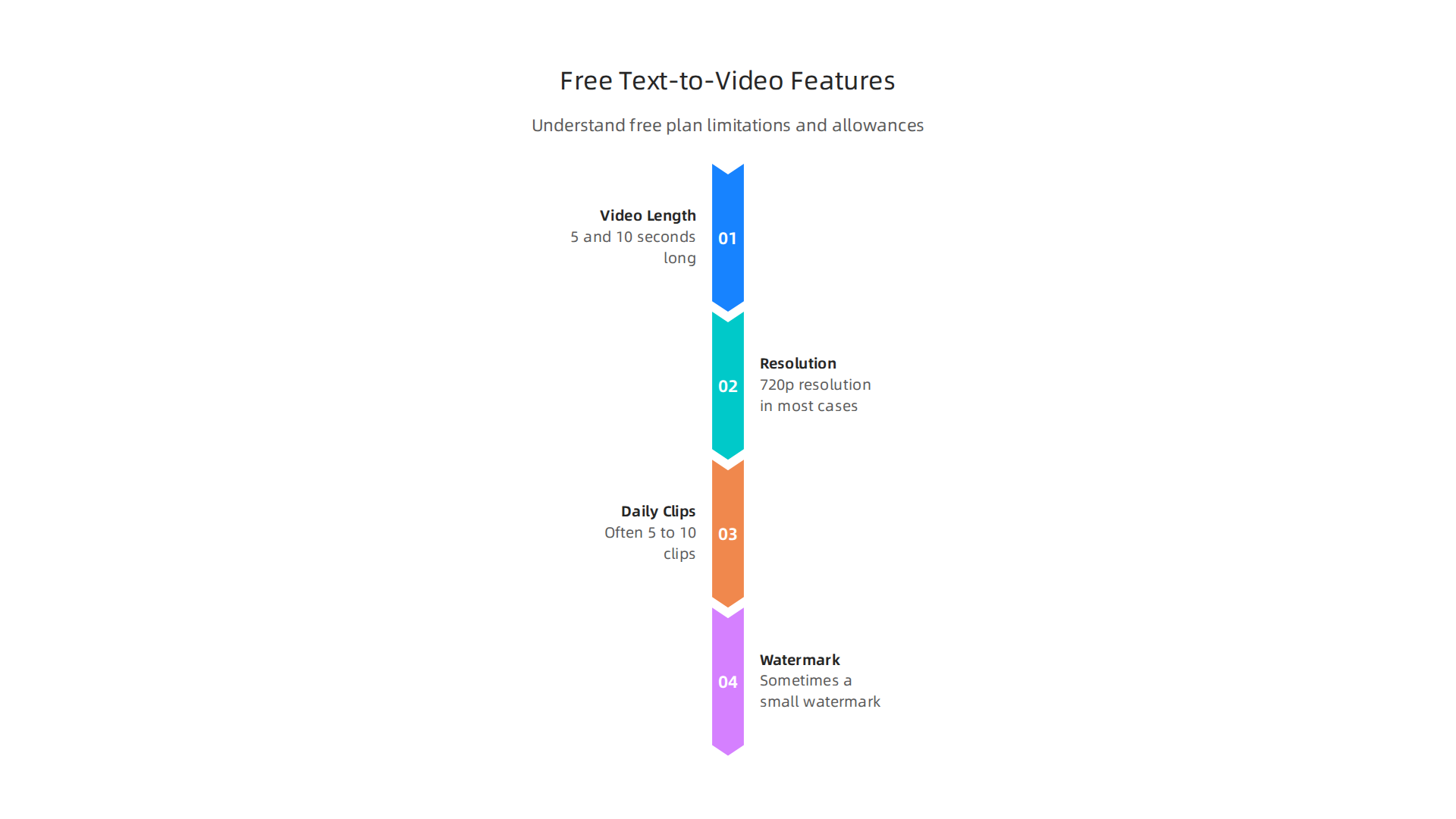
- Videos between 5 and 10 seconds long
- 720p resolution in most cases
- A limited number of clips per day (often 5 to 10)
- Sometimes a small watermark
For example, Luma Dream Machine gives you 30 free videos each month with no watermark on standard quality. You can check out this detailed list of free AI video generators to see how other tools compare.
If you want to build a channel without showing your face, our guide on faceless AI tools for content creation shows you how text-to-video generators can help you produce content quickly.
Text-to-video tools are a great starting point if you have no images at all. But what if you have a photo you want to animate? That is where the next category comes in.
2. Image Animation Tools – Bring Still Photos to Life
What if you have a photo you really like but wish it moved a little? Maybe you want hair to blow in the wind, or water to ripple. Image animation tools do exactly that. You upload a still photo, and the AI adds subtle motion.
This is different from text-to-video. You start with an actual image. The AI analyzes the photo and figures out what should move. Most free versions give you short clips between 4 and 10 seconds. The motion is usually gentle. Think of a portrait where the person blinks or a landscape with clouds drifting.
Here is how a few popular free tools compare:
| Tool | Free Allowance | Max Duration | Watermark |
|---|---|---|---|
| Hailuo AI | 10 videos/day | 6 seconds | None |
| Kling AI | 66 credits/day | 10 seconds | Small logo |
| Runway Gen-3 Alpha | 125 credits (once) | 10 seconds | Runway logo |
| Pika 2.0 | 150 credits (once) | 5 seconds | Pika logo |
| Haiper 2.0 | 10 videos/day | 8 seconds | None |
You can see a more detailed comparison of these tested image-to-video generators compared in a recent 2026 roundup.
The catch with free plans is limited motion styles. You usually cannot control exactly which part of the image moves. The AI decides for you. Some tools also add watermarks to free exports. Hailuo AI and Haiper 2.0 are exceptions with no watermark on free plans.
For best results, pick a clear, well-lit photo with simple backgrounds. Complex images with many objects confuse the AI and create weird motion artifacts.
If you want to animate existing images for social content, combining an image animation tool with a good image generator gives you endless material. Check out an article on best AI image generator free options to see tools that create high-quality visuals you can then animate.
Start with one photo and see what happens. You might be surprised how much life a few seconds of motion can add.
Your Daily AI Shortcut: If you want quick, practical AI tips delivered to your inbox each morning, consider joining the free Deep View Newsletter for simple daily AI insights.
3. AI-Powered Video Editing Suites – Automate the Editing Process
You now have animated clips from image-to-video tools. The next step is turning those clips into a finished video. That used to take hours of manual cutting and tweaking. In 2026, free AI video editing suites handle most of the heavy lifting for you.
These tools look at your raw footage and figure out the best parts to keep. They can auto-cut awkward silences, add smooth transitions between clips, and even suggest background music or effects that match the mood of your video. Some, like CapCut, offer a strong free plan with no watermark on desktop exports and built-in templates designed for social media clips, as highlighted in a recent roundup of free AI video generators.
The free versions usually come with limits. You might get a set number of exports per week or have to use the tool’s logo on your final video. But for quick edits, these limits are often fine. The AI is good enough to handle basic cuts and pacing adjustments in minutes.
If you want to polish your videos further, you can also use a dedicated AI video enhancer to sharpen quality after editing.
Start with a short project. Try uploading a few animated clips and let the AI cut them into a sequence. You will see how much time a machine can save you.
Your Daily AI Shortcut: If you want quick, practical AI tips delivered to your inbox each morning, consider joining the Deep View Newsletter for simple daily AI insights.
4. Video Background Remover Tools – Clean Up Your Footage
Have you ever spent forever trying to cut a person out of a video background? That old manual rotoscoping pain is mostly gone in 2026. AI background removal tools can do the job in seconds.
These tools look at each frame and instantly spot the subject. They separate the person or object from the background with surprising accuracy. You can then swap the background for a solid color, a custom image, or even another video clip.
Free versions of these tools are widely available now. But they usually come with some limits. You might only get standard definition exports. Or the tool might add a watermark to your finished video. For quick social media clips, though, those limits often do not matter.
Many of the best free AI video generators also include background removal right inside their editing suite. So you do not always need a separate tool. You can generate your clip and clean up the background all in one place.
The biggest win here is time. What used to take an hour of careful frame-by-frame work now takes a few clicks. That leaves you more time to focus on the creative parts of your project.
If you want to explore even more tools that remove backgrounds for faceless or camera-less content, check out our guide to the best faceless AI tools for content creation.
Your Daily AI Shortcut: If you want quick, practical AI tips delivered to your inbox each morning, join The Deep View Newsletter for simple daily AI insights.
5. AI Script and Storyboard Generators – Plan Your Visuals
You have a rough idea for a video. But where do you start? Writing a script and planning each shot used to take hours. Now AI can do the heavy lifting for you.
These tools take a simple description of your idea and turn it into a full script. They add dialogue, scene directions, and even a shot list.
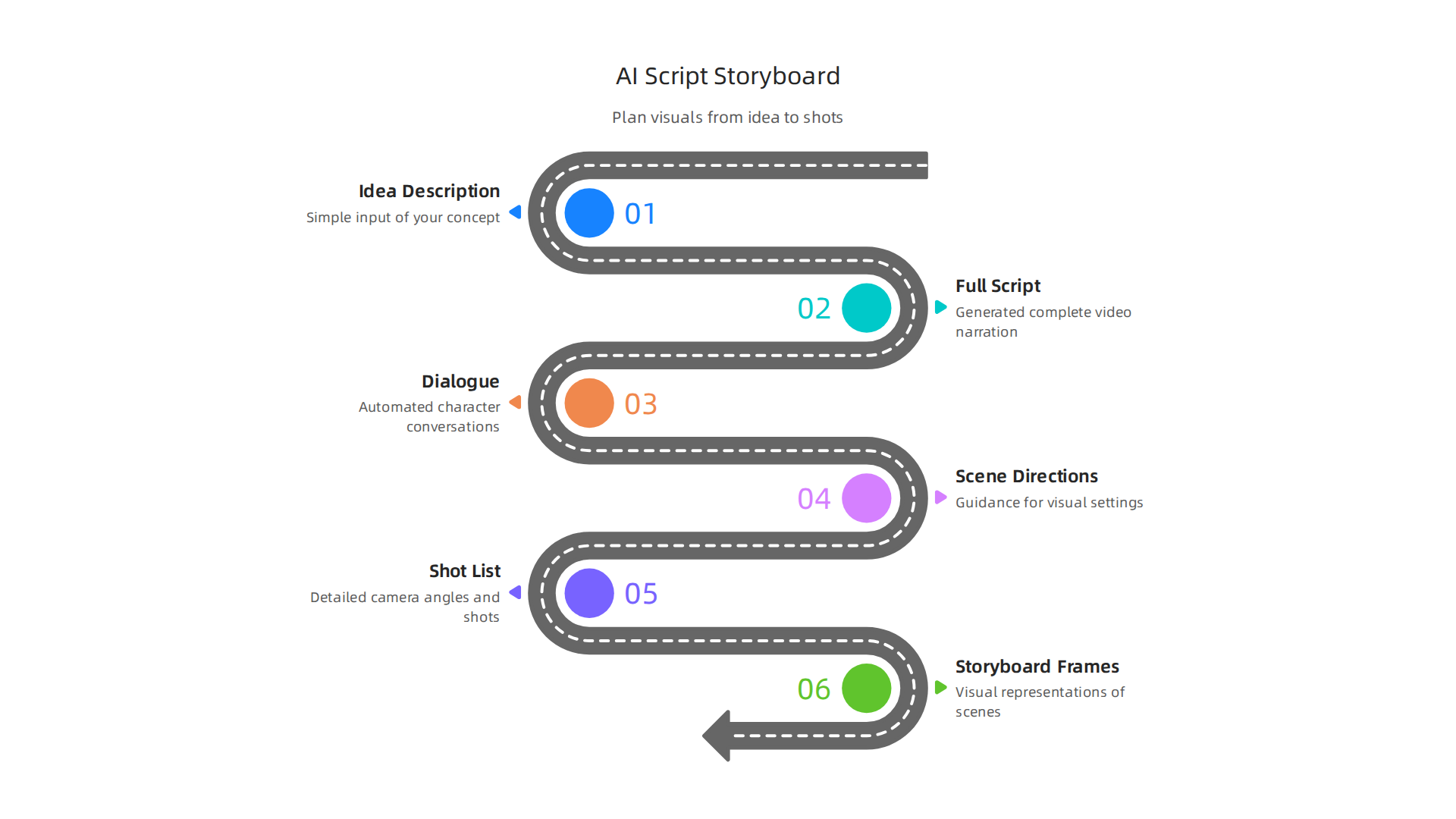
Some go further and generate storyboard frames. That means you get actual pictures of what each scene will look like.
Free versions of these generators are common in 2026. They help you plan quickly without spending money. But they usually come with limits. You might only get a certain number of words per script. Or you may not be able to adjust the story style as much as you would like. The best free AI video generators for beginners often include basic script features right inside the editing suite.
Why does this matter for video makers? Because a good plan saves time later. Even if you use an ai image to video generator free tool, your final clip will be more focused if you already know what each scene needs. You can skip the back and forth and go straight to generating.
Many AI video generators bundle script tools with their storyboard features. This lets you move from idea to visual plan in one place. Before you produce an ai generated video, having a clear script and storyboard cuts down on wasted energy.
If you want to explore which AI tools create the best images for your storyboard frames, check out our comparison of the best AI image generators 2026. It can help you pick the right tool for both planning and production.
6. Voiceover and Lip-Sync Tools – Add Audio to Your Videos
You have a silent video. It looks fine. But it feels empty. The missing piece is sound. A good voiceover turns your clip into a story that people actually want to watch.
Recording your own voice takes effort. You need a quiet room and a decent microphone. Maybe you just don’t like how you sound on tape. AI voiceover generators solve this instantly. You type your words, and the AI reads them out loud. The best options in 2026 sound shockingly natural.
Some of these voiceover platforms even offer a free ai api. This lets developers build voice features directly into their own apps or workflows.
How does this help you? If you are building a clip with an ai image to video generator free tool, you usually get a silent video file. An AI voiceover fills that silence with narration or dialogue. You get a complete video without hiring a voice actor or setting up a recording studio.
Free tiers for these tools are common. They let you test the quality before paying. But they come with limits. You might only get 10,000 characters per month. Or you may not have access to the highest quality voices. That is fine for starting out. Many creators use the free tier to find the right voice for their brand.
Some modern tools also include lip-sync. This matches the voice audio to the character’s mouth movements in your video. It makes your content look professional and polished. When you combine a good script from the last section with strong voiceover, your ai generated video will feel complete.
Staying up to date on tools like these takes effort. If you want simple daily updates on what matters in the AI space, Your Daily AI Shortcut delivers clear insights without the noise.
For the visual side of your project, take a look at our guide to the best free AI image generators to pair with your new voiceover.
7. AI Color Grading and Enhancement Tools – Polish Your Look
You have an ai generated video with voiceover. It tells a story. But the colors look flat. One shot is too dark. The next feels washed out. Small visual problems like these can make your content feel amateur. AI color grading tools fix that in seconds.
These tools look at your footage and adjust brightness, contrast, and color tone automatically. They can match different shots so your whole video looks like it belongs together. Some even apply cinematic LUTs (look-up tables) that give your video a film-like feel. You get a polished final product without needing any experience in color correction.
Many free tools offer basic color enhancement. But they often have limits. You might only get standard color space support, not the advanced settings professionals use. Export presets may also be restricted. If you want full control, you will likely need a paid upgrade.
After you finish your ai image to video generator free clip, running it through a color enhancer makes a big difference. It is one of the final steps before you share your work. And it helps your video stand out on social feeds.
For a deeper look at improving video quality, take a moment to read our guide to the best AI video enhancer for 2026. It covers tools that sharpen, denoise, and upscale footage alongside color improvements.
8. Stock Video and Asset Generators – Create Custom B‑Roll
Now here is something many creators run into. You finished your main footage but you need B-roll. Maybe you need a shot of someone typing on a laptop or a city skyline at night. Searching through stock libraries takes forever. And the right clip may not even exist.
AI stock video generators solve this problem. You type a description like "busy coffee shop barista pouring latte" and the tool creates a custom clip in seconds.

No more scrolling through endless pages of generic footage. No more paying for expensive subscription plans.
These tools work well when you use an ai image to video generator free tool for your main shots. You can fill in gaps with matching B-roll that fits your exact story.
Most free versions have limits though. You may get clips at 720p resolution with a watermark. Some only allow a few generations per month. If you need high-quality 4K footage without watermarks, you will likely need a paid upgrade.
Even with those limits, the time saved is huge. You get exactly the shot you described. And when you combine custom B-roll with the color grading tools from the last section, your whole video looks polished and professional.
To learn more about creating visuals from scratch, check out our comparison of the top AI image generators for 2026.
Want to stay on top of new AI tools as they launch? Join The Deep View Newsletter for simple daily AI insights.
9. AI Thumbnail and Short-Form Video Creators – Optimize for Social
You spent hours editing your video (maybe using an ai image to video generator free tool for the clips), but now you need a thumbnail. A good thumbnail can double your click-through rate on YouTube or Instagram. But designing one from scratch takes time and design skills.
AI thumbnail creators solve this. You type a description like "modern workspace with coffee cup and laptop" and the tool generates a custom thumbnail in seconds. Some tools also analyze your video and suggest the most engaging frame, then add text and effects automatically.
And it is not just thumbnails. AI short-form video editors can automatically cut your long video into TikTok, Reels, and Shorts clips. They find the best moments, add dynamic captions, and resize everything for each platform. This saves hours of manual editing.
The catch? Free versions of these tools often cap resolution at 720p and slap a watermark on your thumbnail or clip. According to the Best Free AI Video Generators 2026: No Watermark Picks, many platforms require a paid upgrade to export clean, unbranded content. If you need professional results, measure the cost against the time you save.
If you want to create custom backgrounds for thumbnails without a designer, try a best AI image generators for 2026 tool to generate imagery, then layer your text. The mix of image generation and short-form editing makes social content production faster and more consistent.
10. All-in-One Platforms – Integrated AI Video Creation
By now you have seen how separate tools handle thumbnails, short clips, and editing. But what if one platform did it all? All-in-one AI video platforms combine generation, editing, and publishing in a single workflow. You write a prompt, tweak the look, add captions, and export straight to social media. No jumping between tabs.
These suites usually include an ai image to video generator free feature, so you can upload a photo and turn it into a moving clip. They also handle text-to-video, voiceovers, background removal, and automatic resizing for different platforms.
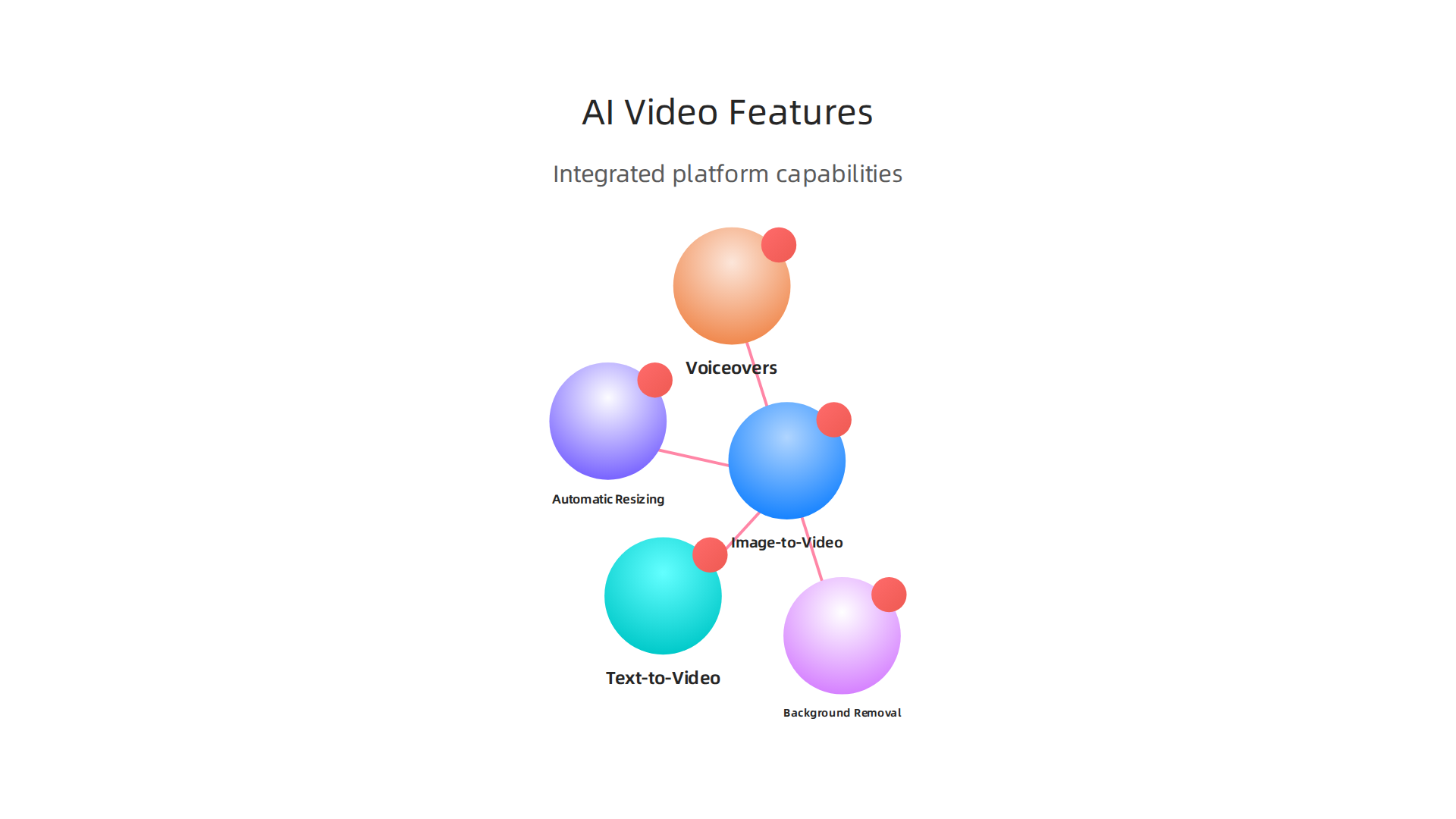
The goal is to keep you inside one ecosystem from start to finish.
Free tiers on these platforms give you a real taste of the full suite, but they come with limits. Most cap your video length to a few seconds, limit exports per week, or add a watermark. According to the 8 Best Free AI Video Generators in 2026 guide, platforms like Kling offer about 66 daily credits for 10-second clips, while HaiLuo gives several 6-second clips per day. That is enough to test workflows and decide if a paid upgrade is worth it.
The tradeoff is simple. Free access lets you explore without risk, but the limits force you to plan your projects carefully. If you need faster rendering or longer durations, paid plans unlock higher resolution and remove branding.
For marketing professionals and content creators who want a streamlined production pipeline, all-in-one platforms save hours compared to using separate tools. For more strategies on integrating AI into your marketing workflow, check out this guide on AI for marketing consultants in 2026. And if you want daily updates on the best AI tools and trends, join The Deep View Newsletter for simple daily insights.
Summary
This guide surveys the best free AI options for turning images or text prompts into short videos and then polishing them for social or marketing use. It explains the main tool types—text-to-video, image animation, AI editors, background removers, script/storyboard generators, voiceovers, color graders, stock/video asset creators, and all-in-one suites—and shows the typical limits of free plans (short durations, lower resolution, and occasional watermarks). The article gives concrete examples of free allowances from real tools, practical tips for choosing and combining tools, and a simple workflow from a still photo to a share-ready clip. Readers learn which tools avoid watermarks, when to use an all-in-one platform versus specialized apps, and how to boost quality with enhancers and upscalers. By the end you’ll know which free services to test first, how to plan a short project, and which steps save the most time when producing social videos from images.