

Introduction: Why Google Vertex AI matters for AI leaders in 2026
In 2026, artificial intelligence (AI) is everywhere, changing how businesses work. For leaders who want their companies to stay ahead, understanding the best AI tools is super important.

One such tool is Google Vertex AI. This platform helps businesses build and use smart AI programs easily. It’s like a big toolbox from Google Cloud that brings together everything you need to create powerful machine learning models and AI apps, all in one spot.
Think of Google Vertex AI as the central place for all your AI projects. It’s a "managed machine learning platform" which means Google handles a lot of the tough technical parts. This allows your teams to focus on making great AI solutions, instead of worrying about setting up complex computer systems. Executives and decision-makers need to know about Vertex AI because it helps them make better products, serve customers faster, and find new ways to grow their business. It even includes a Model Garden with over 200 models, including Google’s own smart models like Gemini, and others from companies like Hugging Face AI.
The world of AI changes very fast. New tools and updates come out all the time, making it hard for busy leaders and even the people who build AI to keep up. This fast pace can create gaps in what people know. For example, Google often releases new versions, like the recent Vertex AI 3.0, and sometimes even retires older features, as seen in the Vertex AI release notes. Keeping up with these changes is key to making smart choices for your company.
This article is here to help fill those gaps. We will break down the latest updates to Google Vertex AI, give you links to important research, and explain the good and bad parts of its costs and performance. Our goal is to give you clear, practical steps you can take. We want to make sure you have the knowledge to pick the right enterprise AI platform and make the most of what Google Vertex AI offers in 2026. This will help you succeed, whether you are trying to understand how to choose the best enterprise AI platform for your organization or just stay informed about tracking AI innovators.
To stay on top of the rapidly evolving AI landscape and gain daily insights that matter, consider subscribing.
The AI Newsletter Worth Reading
Google Vertex AI is Google Cloud’s main place for everything related to artificial intelligence and machine learning. It was first launched in 2021 to bring together many separate AI tools into one easy-to-use platform. In 2026, it continues to be a unified, open platform that helps businesses build, use, and grow their smart AI programs and machine learning models easily. This means it combines everything from preparing data to training and deploying models in one spot, making it easier for teams to work together, as noted in the Master Google Vertex AI documentation.
How Google Vertex AI Has Evolved
Over the years, Google Vertex AI has grown a lot. It has changed to offer more managed services, which means Google takes care of more of the technical setup and upkeep. This helps your team focus more on making good AI instead of dealing with computer systems. This evolution includes better ways to train models, manage where they are used (endpoints), and keep track of all your models in a central registry. It has become a full enterprise AI platform for training and deploying models, according to Vantaige.
Key Features of the Platform
Google Vertex AI has many important parts that help you create powerful AI solutions:
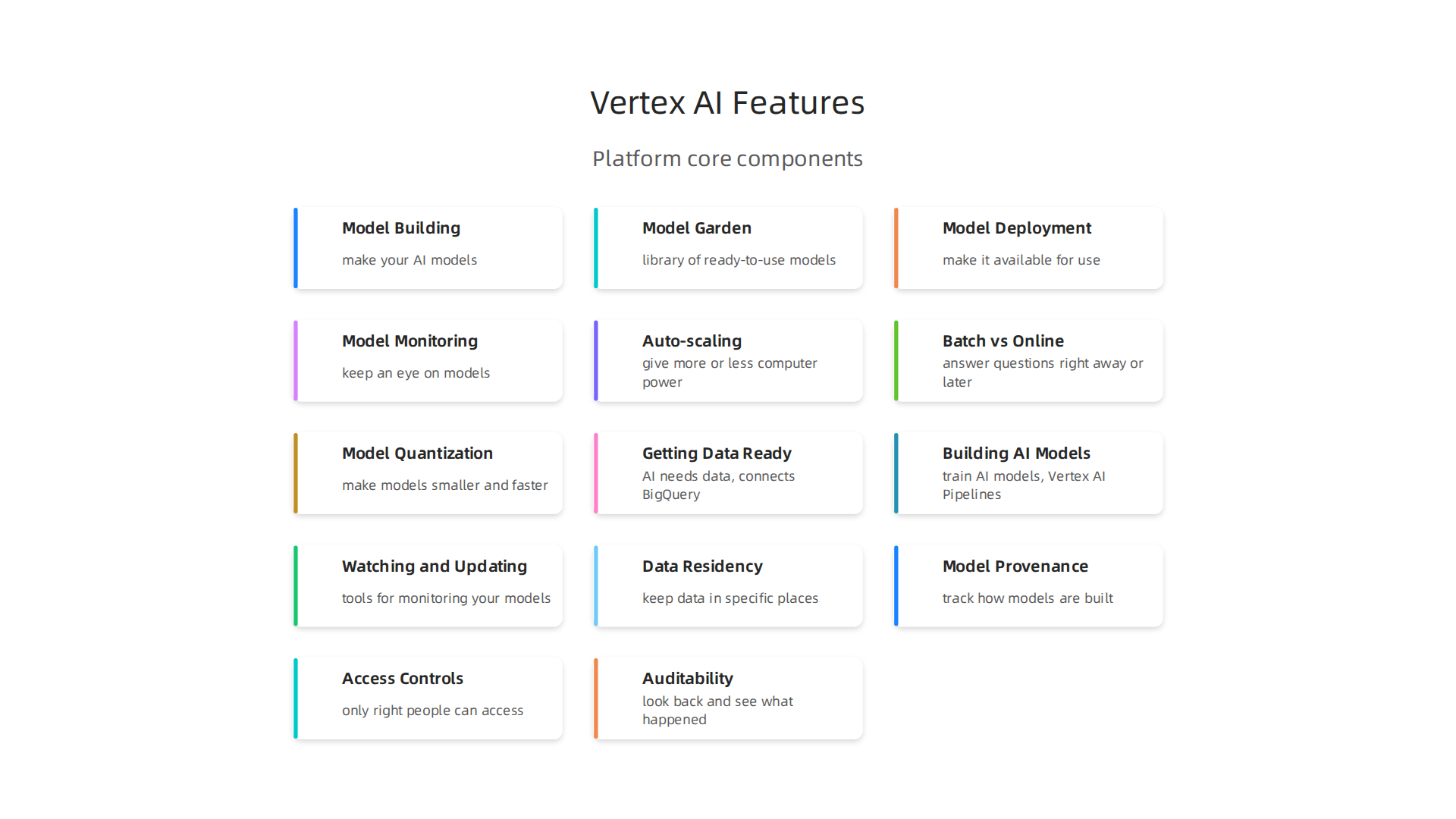
- Model Building: This is where you make your AI models. You have two main ways to do this:
- AutoML: This feature lets you build models without writing much code. It’s like having an expert guide you step-by-step.
- Custom Training: If you have specific needs, you can run your own code and use any AI framework you like. Google Vertex AI handles the computer power needed for these jobs, whether it’s a small task or a big one needing many machines with special processors.
- Model Garden: This is a big library of ready-to-use AI models. It has over 200 models, including Google’s own powerful models like Gemini, and popular open-source models from places like Hugging Face AI. You can use these models as they are or change them to fit your needs.
- Model Deployment: Once your model is ready, Vertex AI helps you make it available for use. This involves setting up "endpoints" where other apps can connect to your model to get predictions or insights in real-time.
- Model Monitoring: It’s important to keep an eye on your AI models after they are deployed. Vertex AI provides tools to watch how your models are performing, making sure they continue to work well and stay fair. Recent updates also include features like Vector Search 2.0 to improve AI development, as detailed in the Vertex AI release notes.
What Makes Google Vertex AI Different?
Google Vertex AI stands out from other similar platforms because it’s built to be very easy for developers and works well with other Google Cloud services.
- Unified Experience: It brings together all the tools you need for the entire life of an AI model, from start to finish. This makes the process much smoother.
- Managed Services: Google handles a lot of the complex setup and management tasks. This means your teams can spend more time on exciting artificial intelligence projects and less time on fixing infrastructure.
- Operational Integrations: Vertex AI works seamlessly with many other Google Cloud tools. This makes it simple to add AI to your existing business processes and use the data you already have.
- Developer-Friendly: The platform is designed to be easy for developers to use, whether they are new to AI or have been building models for a long time. It offers clear ways to build, test, and launch AI products.
In 2026, Google Vertex AI continues to be a top choice for leaders looking to power their businesses with smart, effective artificial intelligence solutions. Its ongoing updates and focus on user experience make it a powerful tool for innovation.
When you are building big AI projects, it’s not just about making a model work. It’s also about how well it performs, if it can handle lots of users, and how much it costs. Google Vertex AI helps with these big questions, making sure your artificial intelligence solutions are both strong and affordable.
Handling AI at Scale with Google Vertex AI
Google Vertex AI is built to handle your AI needs, whether they are small or huge. This means it can train many models at once or serve predictions to millions of users. It manages the computer power needed for training and running your AI models. For example, it helps you with things like how many requests your model can handle in a second (throughput) and how fast it gives an answer (latency). These are important measures to watch when you are benchmarking how well your AI is doing, as highlighted in the AI Model Benchmarks and Pricing Dataset 2026.
The platform lets you use special computer parts like GPUs and TPUs, which are super fast for AI tasks. These are "managed," meaning Google takes care of setting them up and keeping them running. This helps your team focus on making smarter AI, not on maintaining complex hardware.
Understanding the Costs
Keeping costs low is a big deal for any business using AI.

Google Vertex AI has different ways it charges, depending on what you use and how much.
- Training Costs: When you train a model, you pay for the computing power (like virtual CPUs, memory, or GPUs/TPUs) for the time you use them.
- Model Deployment and Prediction Costs: Once your model is ready, you pay to keep it running and to get predictions from it. This can be based on how much data you send to the model or how long it stays active. For example, using Google’s Gemini models on Vertex AI has specific pricing for the number of input and output "tokens" (parts of words or data) processed. Gemini 2.5 Pro can cost around $1.25 per million input tokens and $10 per million output tokens, according to the Google Vertex AI Pricing: Complete Cost Breakdown 2026.
Actually, the prices for different models and services can change quite a bit. For instance, basic prediction endpoints might add $5-20 per vCPU per day, while committed-use discounts can bring down prices for resources like GSU-hours (Google Service Units) for longer commitments, sometimes to as low as $2.74 per GSU-hour for a year-long term, as noted in a Vertex AI Cost Optimization Guide. It’s smart to look at these details closely.
Ways to Control Your AI Spending
To manage costs on Google Vertex AI, you have a few good options:
- Auto-scaling: This feature helps save money by automatically giving your AI models more or less computer power based on how busy they are. When fewer people are using your AI, it uses less power and costs less. When things get busy, it scales up to keep performance smooth.
- Batch vs. Online Inference: Think about whether your AI needs to answer questions right away (online inference) or if it can wait and answer many questions at once later (batch inference). Batch inference is often cheaper because it uses resources more efficiently.
- Model Quantization: This is a clever trick where you make your AI models smaller and faster without losing too much quality. Smaller models use less computer power and thus cost less to run.
Understanding these details helps you get the most out of your google vertex ai investment. It ensures you build powerful AI systems that also respect your budget. For more insights on current AI advancements and how they impact business, consider subscribing to a daily newsletter.
Get clear daily AI updates from The AI Newsletter Worth Reading.
Integrations, MLOps Workflows, and Ecosystem Fit
Making sure your AI projects run smoothly from start to finish needs a good system.
Google Vertex AI isn’t just a tool for building models; it’s a full hub that connects to all parts of your business’s data and technology. This means it helps you manage your AI journey from the very first bit of data to keeping your AI models working well every day. This whole process, from beginning to end, is often called MLOps, which stands for Machine Learning Operations.
Managing Your AI Production Line with MLOps
Think of MLOps as a factory line for your artificial intelligence projects. It makes sure every step is done right, from getting raw materials (data) to sending out finished products (AI predictions). Google Vertex AI helps automate these important steps:
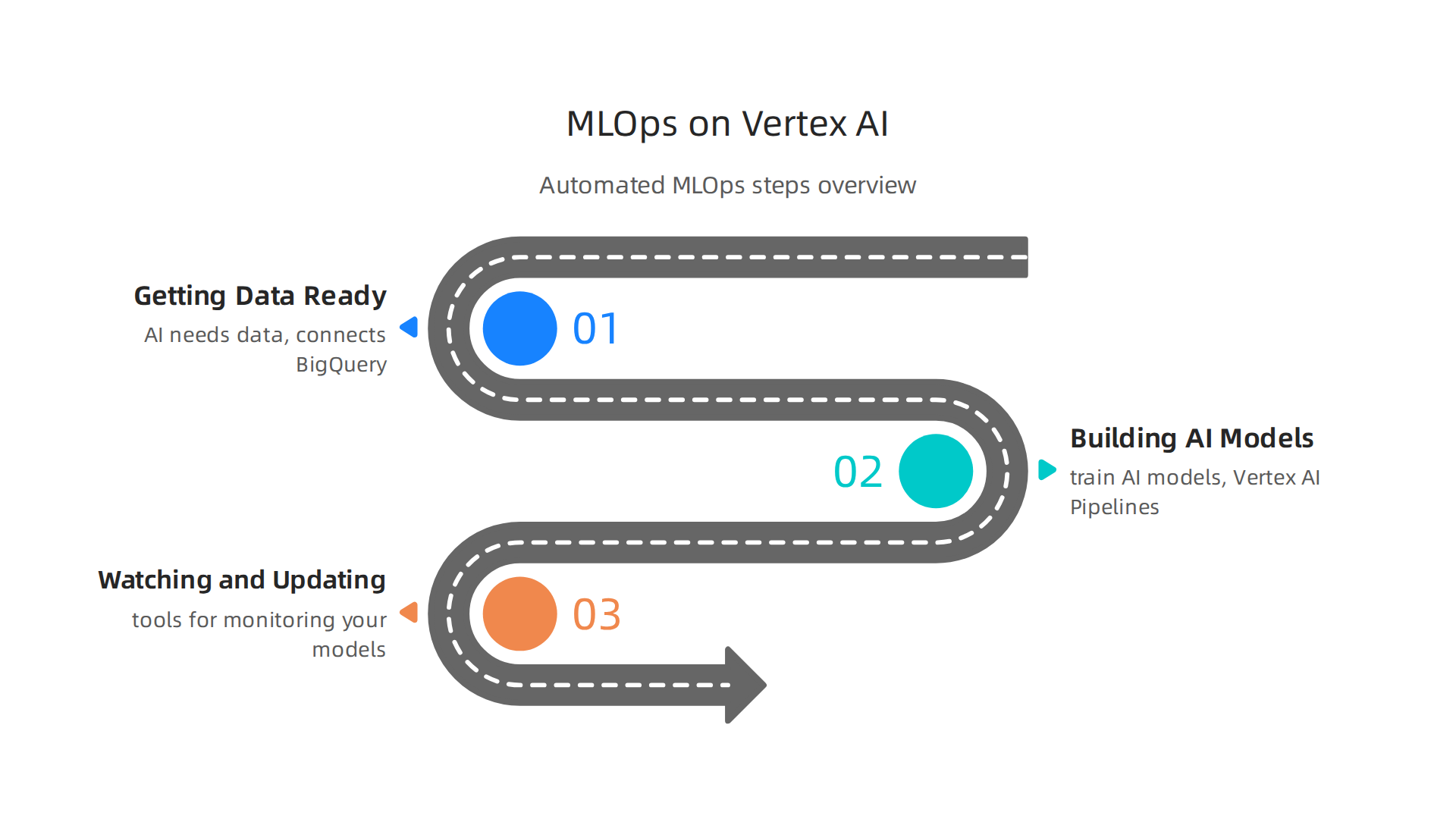
- Getting Data Ready: First, your AI needs data. Google Vertex AI connects easily to big data platforms like Google BigQuery. This allows you to bring in all the information your AI needs. It also has something called a Feature Store, which is like a special cupboard where all the important pieces of data, or "features," are kept tidy and ready for your models to use. The Vertex AI Feature Store helps you prepare your data source in BigQuery and register your features quickly.
- Building AI Models: After the data is ready, you need to train your AI models. Vertex AI Pipelines are like blueprints for building models. They automate many steps, such as cleaning data, training the model, checking how good it is, and then getting it ready to be used. This helps speed up work and lowers the chance of mistakes, as highlighted in the MLOps on Gemini Enterprise Agent Platform guide. Teams like Mindvalley have saved a lot of money and time by moving their machine learning processes to Google Vertex AI.
- Watching and Updating Models: Once your AI model is working, you need to make sure it keeps doing a good job. Vertex AI provides tools for monitoring your models. This means you can see if their performance changes over time or if they start giving less accurate answers. If a model isn’t working as well, these tools can help you automatically retrain it with new data to keep it sharp and relevant. Companies have used Vertex AI Pipelines to handle complex tasks like patient payment forecasting and planning for emergency room visits, showing how important it is to keep models running well.
Fitting into Your Company’s Tech World
Google Vertex AI is made to fit right into your existing company tools. It’s like a central piece that connects to many other parts of your technology setup. This includes:
- Big Data and Analytics: It works well with other Google Cloud services for handling huge amounts of data and getting useful insights.
- Development Tools: It connects with common tools for building software (CI/CD pipelines), so your AI projects can be updated and deployed just like any other software. You can even move your AI projects from other cloud platforms like AWS SageMaker to Google Vertex AI.
- Seeing Everything Clearly: Vertex AI also connects with "observability" tools. These tools help you see how your AI systems are running, spot problems quickly, and make sure everything is working as it should.
By offering such strong connections and ways to manage your AI workflows, google vertex ai helps businesses truly get the most out of their artificial intelligence efforts. It ensures your AI is not just smart, but also reliable and easy to manage within your current business structure. Learning more about how to choose the right AI tools for your company can lead to big improvements in how you do business.
To stay on top of the latest advancements and smart ways to use AI, make sure you’re always informed.
Get clear daily AI updates from The AI Newsletter Worth Reading.
Bringing artificial intelligence into your business comes with big advantages, but it also means you need to be very careful about how you handle data and make sure everything is secure and fair. When you use a powerful platform like Google Vertex AI, it’s important to understand how it helps you keep things safe and follow all the rules.

Taking Care of Your AI with Strong Controls
For companies using AI, there are key things to worry about to make sure the AI is used properly and safely. Google Vertex AI has features to help with these important concerns:
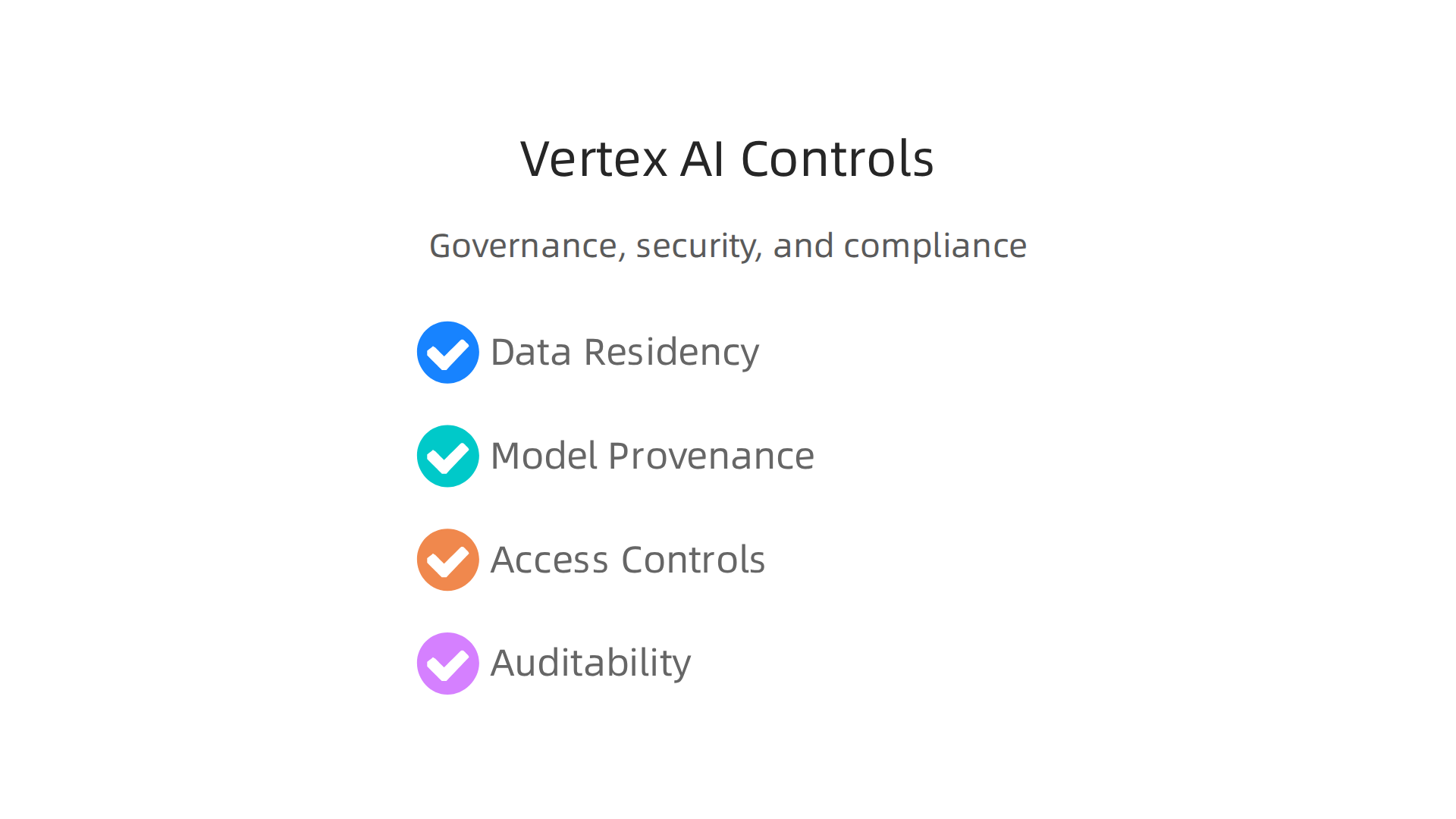
- Where Your Data Lives: Companies often need to keep their data in specific places, like within a certain country or region. This is called data residency. Google Vertex AI lets you choose where your data is stored, which helps you meet these important rules.
- Knowing Your Model’s Story: Imagine your AI model as a product. You want to know where its parts came from, how it was made, and if it changed over time. This is "model provenance." Vertex AI helps you track how your models are built and updated, ensuring you know their full history. Tools are available to automatically capture and register models as they are created, linking them to governance rules from the start AI Governance starts with context, not just infrastructure.
- Who Can Do What: Not everyone should have the same access to your AI tools and data. Access controls make sure only the right people can train models, view data, or use the AI. Google Vertex AI uses strong identity and access management (IAM) features to control who can do what. Security teams need to treat Vertex AI permissions very carefully, splitting tasks like training, deployment, and sharing into separate roles How should security teams govern Google Vertex AI.
- Checking Everything: You need to be able to look back and see what happened with your AI. This is called auditability. Vertex AI keeps detailed records, so you can check who accessed what, when, and what actions were taken. This helps ensure transparency and responsibility. You can even enable data access audit logs to catch operations that read important setup information Securing Vertex AI.
Built-in Security Features
Google Vertex AI comes with many security features to protect your data and models:
- Keeping Data Secret: Your data is encrypted, which means it’s scrambled into a secret code. This protects your information both when it’s stored and when it’s moving around.
- Private Connections: Vertex AI uses private networking to keep your AI tasks separate and secure from the public internet. This lowers the risk of outside attacks.
- Identity and Access Management (IAM): This feature acts like a gatekeeper, making sure only authorized users and systems can interact with your AI projects. Google Cloud works to provide a secure setup for its services, including physical security and network safeguards Vertex AI shared responsibility.
Meeting Rules and Regulations
Many businesses need to follow special rules, often called regulations or compliance standards. Google Vertex AI is designed to help you meet these needs. It supports many important certifications like SOC 1, SOC 2, SOC 3, ISO 27001, and HIPAA Google Vertex AI Security: Enterprise Guide. This means it’s built with these rules in mind, making it easier for your company to stay compliant. They even have a new tool called Control Navigator to help streamline the compliance journey for Vertex AI Introducing Control Navigator for Vertex AI.
When thinking about your company’s AI efforts, understanding the governance and security controls is just as important as the smart features it offers. It helps avoid potential problems like bias or privacy issues, which are real dangers of AI in 2026. Choosing the right platform means choosing one that not only performs well but also safeguards your information and follows ethical guidelines.
When a business chooses an AI platform like Google Vertex AI, it’s not just about keeping things safe and following rules. It’s also about what the AI can actually do in the real world and how easy it is to use. In 2026, many companies are looking at Google Vertex AI for a variety of tasks, from helping customers to making big business decisions.
Real-world AI Jobs for Google Vertex AI
Google Vertex AI helps businesses with many different kinds of AI work. Here are some common ways companies use it:
- Making Suggestions: Imagine an online store that knows what you like. Google Vertex AI helps build powerful recommendation systems that suggest products or content to customers, much like a helpful store clerk. This is used in places like figuring out what items you might want to buy next or predicting how many patients will come to a hospital Using Vertex AI Pipelines for an MLOps Workflow: A GA4 Recommendation System Case Study.
- Understanding Pictures and Videos (Vision AI): Some businesses use Google Vertex AI to "see" and understand images. For example, a fashion company used Vertex AI Vision to find and combine product listings that were actually the same, making shopping better for everyone Real-world gen AI use cases from the world’s leading ….
- Working with Language (NLP): If you need AI to understand what people say or write, or to create text, Google Vertex AI can help. This includes making smart chatbots, summarizing documents, or figuring out important information from text.
- Combining Different Information (Multi-modal AI): This is when AI can handle different types of data at once, like text, images, and sound. It helps create more complete and intelligent systems for many different uses Vertex AI Use Cases, Now Gemini Enterprise.
These types of AI help businesses automate tasks, make better plans, and improve customer service. Many companies are building advanced AI solutions with Google Cloud, including using custom training jobs to speed up how quickly models learn Google Kubernetes Engine….
Moving Your AI to a New Home
Sometimes, companies already have AI tools on their own computer systems (on-prem) or with another cloud provider, but they want to move them to Google Vertex AI. This move can happen in a few ways:
- Lift-and-Shift: This is like packing up your entire AI system and moving it to Google Vertex AI without many changes. It’s often the quickest way to move.
- Refactor: This means rebuilding parts of your AI system to work even better with Google Vertex AI. It takes more time but can lead to better performance and lower costs in the long run. Mindvalley, a learning company, saved a lot on costs by changing their AI setup to Vertex AI Mindvalley- AI case study. Companies have even moved complex machine learning pipelines from other services to Google Vertex AI, like migrating from AWS SageMaker Migrating from AWS SageMaker to GCP Vertex AI – DEV Community.
- Hybrid Approaches: Some businesses use a mix, keeping some AI where it is and moving other parts to Google Vertex AI. This allows for a smoother changeover.
This kind of shift is a big part of how businesses are modernizing their artificial intelligence in 2026. If you’re looking to upgrade your AI capabilities, it’s key to choose the best enterprise AI platform for your organization.
Avoiding Being "Stuck" with One Provider
When you pick an AI platform, a common worry is "vendor lock-in." This means that once you start using a service, it might be hard to move your data and AI models to a different provider later. It’s like building a house with special bricks that only one store sells.
Google Vertex AI works to help with this by:
- Portability: This means you can often move your AI models and data from Google Vertex AI to other places if you need to.
- Open Formats: Using common, open ways to store models and data makes it easier to use them on different platforms, not just Google’s.
- Multi-Cloud Thinking: Many companies in 2026 use a "multi-cloud" strategy, which means they use services from different cloud providers at the same time. This helps avoid being too reliant on just one company.
Understanding these trade-offs and planning for them is a key part of making smart choices about your AI tools. To stay on top of all the fast changes in artificial intelligence, you need reliable information.
The Deep View Newsletter provides clear daily AI updates to help you navigate this complex landscape. Discover more by clicking here: The AI Newsletter Worth Reading.
To truly get the most out of your AI tools, it helps to know not only what they can do now, but also where they are headed. This means looking at the research, how different tools work together, and what new features are being planned.
Research, Open-Source Projects, and the Vertex AI Roadmap
Google Vertex AI is always getting better because of new ideas from Google’s own research teams and the wider AI community. This platform is built to help businesses create, use, and grow their AI and machine learning models Overview of Vertex AI.
For example, Google regularly releases big updates. In 2026, Google unveiled Vertex AI 3.0, which brought many new powerful models and tools for businesses to use Google Unveils Vertex AI 3.0. These updates often come directly from the breakthroughs happening in artificial intelligence research.
Google Vertex AI also works with open-source projects. This means it supports many AI models that are created by the community and shared freely, not just ones made by Google. For instance, the Model Garden on Vertex AI lets you use many different types of models, including Google’s own Gemini models and popular models like those from the Llama-family Vertex AI architecture. This openness means businesses can pick the best tools for their specific needs, even models from communities like Hugging Face AI.
To keep up with what’s new and what’s coming for Google Vertex AI, you can check Google Cloud’s official release notes. These notes tell you about new features, improvements, and sometimes even when older features will change or go away Vertex AI release notes. Staying informed about these changes helps businesses plan for the future and make sure their AI tools are always up to date. This way, you can keep tracking AI innovators and how their work influences platforms like Google Vertex AI.
Summary
This article explains why Google Vertex AI matters for business leaders in 2026 and how the platform centralizes the full machine-learning lifecycle to speed development and lower operational overhead. It describes core features — Model Building (AutoML and custom training), the Model Garden of ready-made models, deployment endpoints, and model monitoring — and explains how Vertex AI handles scale with managed GPUs/TPUs, autoscaling, and throughput/latency controls. The piece also covers cost drivers (training, inference, resource rates), practical cost controls like batch inference and quantization, and MLOps workflows including Feature Store and Vertex AI Pipelines. You’ll learn how Vertex AI integrates with existing cloud tools, supports governance (data residency, IAM, audit logs), and meets common compliance needs. The article highlights migration paths (lift-and-shift, refactor, hybrid) and portability considerations to avoid vendor lock-in. After reading, leaders will better evaluate Vertex AI’s benefits, estimate costs, plan secure MLOps, and map next steps for adoption or migration.