

Remember when fixing a blurry photo meant hours in front of a computer screen? Those days are gone. In 2026, an ai photo enhancer can turn a dark, grainy snapshot into a crisp, professional image in seconds. And it is not just about fixing old pictures. The same technology powers everything from product catalogs to social media content.
The numbers tell the story. The global AI image enhancer market jumped from $2.45 billion in 2025 to $2.83 billion in 2026, according to a market report from The Business Research Company.

Meanwhile, the AI image upscaler market alone was worth over $6.3 billion in 2025 and is on track to hit nearly $45 billion by 2033, as reported by Grand View Research. At the same time, more than 150 million people now use an AI image generator every month, creating over 80 images each month on average, per Imagera’s 2026 statistics.
Clearly, AI photo enhancement is no longer a niche experiment. It is a mainstream tool that creators, marketers, and small business owners rely on daily.
But here is the problem: with hundreds of options flooding the market, how do you pick the right one? A free AI photo editor might work for quick touch-ups, but what about restoring damaged old photos or upscaling low-resolution graphics for print? Each use case demands a different tool.
That is exactly why we wrote this guide. We will break down how an ai photo enhancer actually works under the hood, compare the best tools for different jobs, and give you a clear framework to choose the one that fits your workflow. Whether you need an AI image upscaler for e-commerce images or a full-featured ml newsletter to stay on top of the latest developments, you will find practical advice here.
Think of this as your starting point. If you want to explore more about specific AI tools, check out our comparison of the best AI image generator free options tested for 2026. And if you want to stay ahead of every new breakthrough, consider joining The Deep View newsletter. It delivers simple daily AI insights straight to your inbox, so you never fall behind. Subscribe to The Deep View today and make AI work for you.
How AI Photo Enhancers Work: Core Technologies and Models
So what is actually happening inside an AI photo enhancer when you upload a blurry image? The secret is not one big brain but several specialized deep learning models working together.
Let me break it down without the technical jargon.
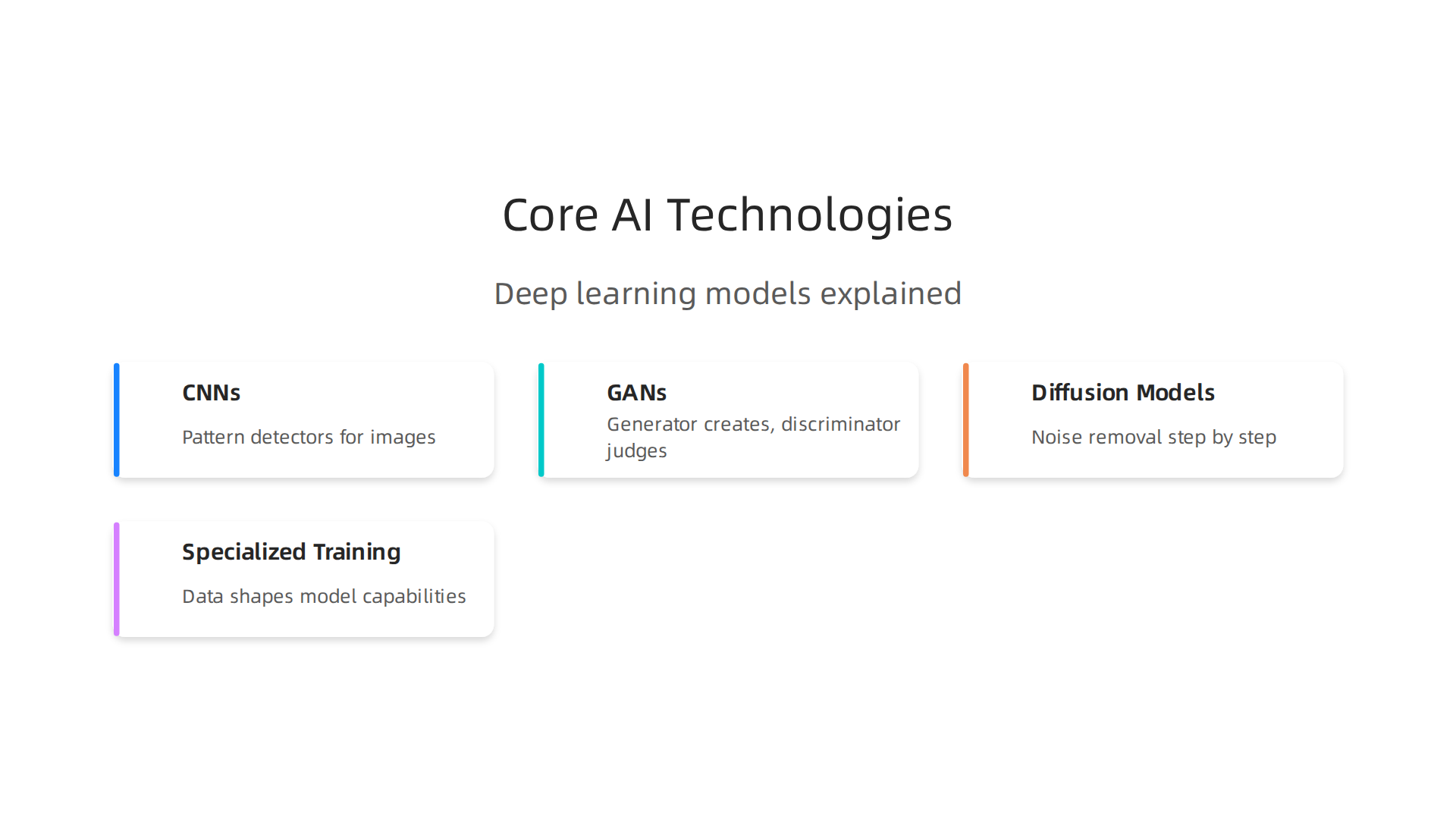
Convolutional Neural Networks (CNNs) — The Workhorses
Most basic image enhancement tasks rely on CNNs. Think of them as pattern detectors. These networks scan every pixel, looking for edges, textures, shapes, and even noise. They learn what a sharp version of a blurry photo should look like by studying millions of before-and-after examples.
When you use a free AI photo editor to remove grain or sharpen a face, a CNN is likely doing the heavy lifting. It understands which pixels belong to a strand of hair versus a dusty lens. Pretty smart for software that runs in seconds.
Generative Adversarial Networks (GANs) — The Master Forgers
For harder jobs like upscaling a tiny 200×200 image to 4K, a GAN model steps in. GANs work with two parts: a generator that creates new pixels and a discriminator that judges whether those pixels look real. They compete, and over time the generator gets incredibly good at filling in missing detail.
A comprehensive analysis of over 30 upscaling algorithms shows that GAN-based methods still dominate for producing sharp, natural-looking textures in photos. That is why many top AI image upscaler tools rely on this architecture.
Diffusion Models — The New Frontier
Now here is where things get really exciting. Diffusion models are the latest breakthrough in image enhancement. Instead of guessing new pixels all at once, they start with a noisy, scrambled image and gently remove the noise step by step until a clean, high-resolution result appears.
Recent research from 2025 and 2026 has been racing to make diffusion models fast enough for real-time use. A paper called SupResDiffGAN shows how to combine diffusion and GAN strengths to get both quality and speed. Another study from NeurIPS 2025 highlights "Text-Aware Real-World Image Super-Resolution" using diffusion models, meaning you can now describe the look you want and the AI follows your instructions.
The catch? Diffusion models still require heavy computing power. But as the technology matures, even your phone might run them soon.
Specialized Training for Specific Tasks
What makes each AI photo enhancer different is the data it trained on. A tool built for facial restoration has seen millions of eyes, noses, and skin tones. A model for upscaling product photos knows how to make fabric textures pop without adding weird artifacts.
This is why the same image generator AI might struggle with old family photos but excel at creating artistic portraits. The training data shapes everything.
Where This Is Heading
In 2026, the line between GAN-based and diffusion-based enhancers is blurring. Hybrid models are becoming the norm, offering the best of both worlds. And for creators who want to stay ahead of every new model release, having a daily source of trustworthy AI news is a game changer.
If you want to see which tools put these technologies to work in real workflows, check out our tested picks for the best AI image generator free tools in 2026.
And if you want to keep learning about AI breakthroughs without the hype, consider subscribing to The Deep View Newsletter. It delivers simple daily AI insights straight to your inbox, so you never miss the next big leap in image enhancement. Subscribe to The Deep View today.
Top Use Cases for AI Photo Enhancement in 2026
So where are people actually using an ai photo enhancer in 2026? The answer might surprise you. It is not just for fixing old family photos anymore. Businesses and creators are putting these tools to work in ways that save time, money, and headaches. Over 34 million AI images are now created every single day, and a huge chunk of those come from real world enhancement tasks. Let me walk you through the three biggest use cases.
E-commerce Product Photography
Online sellers cannot afford blurry product shots. A bad photo loses a sale. That is why e-commerce teams rely on free ai photo editor tools to automatically remove backgrounds, fix lighting, and ai image upscaler features to bump tiny product images to crisp, high resolution versions.
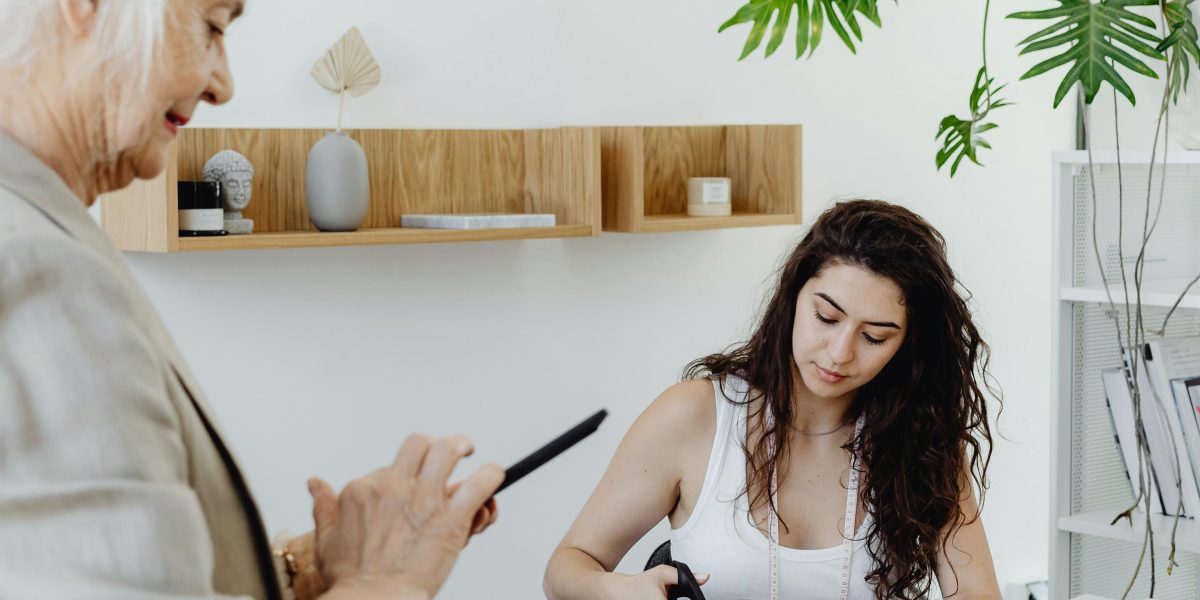
A clothing seller can snap a photo on a phone, run it through an enhancer, and get a studio quality image in seconds. No expensive lighting or photo editing software needed. The ai photo enhancer handles the hard part. With the global AI image enhancer market hitting $2.83 billion in 2026, a big chunk of that growth comes from e-commerce alone.
Real Estate Photography
Real estate agents used to spend hundreds on pro photographers for every listing. Now they use ai photo enhancer tools to do sky replacement, turn daytime photos into dreamy twilight shots, and even virtually stage empty rooms.
The latest image generator ai models can add furniture, adjust colors, and make a plain house look like a magazine cover. A 2026 survey of photography industry trends found that over half of real estate photographers now use AI in their workflow. That saves agents days of waiting for edits and thousands of dollars per month.
Digital Art and Social Media
Creators and social media managers love the creative side of AI enhancement. Tools now let you apply style transfer to turn a photo into a painting, restore damaged old family photos, or use face restoration to bring vintage pictures back to life.
A lot of the best ai photo enhancer features are built into free tools, making high level editing available to anyone. You do not need to be a pro designer to make your images pop.
The Big Picture
Whether you are selling products, listing homes, or growing a social media audience, AI enhancement is now a daily tool. If you want to keep up with all these trends without the noise, you need a reliable daily source of insights. The Deep View Newsletter delivers simple daily AI news straight to your inbox. It is perfect for anyone who wants to stay ahead without getting buried in technical jargon.
Subscribe to The Deep View today and never miss the next breakthrough in AI photo enhancement.
Comparative Analysis: Leading AI Photo Enhancers on the Market
So you know why you need an ai photo enhancer. But which one should you actually pick? In 2026, the market is full of options, and each tool has its own strengths. Let me break down the top contenders so you can choose the right one for your workflow.
Topaz Photo AI
Topaz remains the go-to for professionals who need quality above all else. Its ai image upscaler features are some of the best available, especially for upscaling low-resolution photos to 4K or higher. The software uses advanced diffusion models that have been benchmarked against 30+ algorithms for speed and output clarity.
The key differentiator here is batch processing. If you are a real estate agent or e-commerce seller handling hundreds of images daily, Topaz lets you queue them all up and process overnight. The trade-off? It costs around $200 for a one-time purchase, which is steep but fair for serious use.
Adobe Photoshop Super Resolution
Adobe integrated image generator ai capabilities directly into Photoshop, making it a natural choice for designers already in the Creative Cloud ecosystem. The Super Resolution feature can quadruple image size without losing detail. It is fast, especially for single images, but lacks batch processing.
Pricing is subscription-based at about $23 per month. That is great if you already use Adobe, but overpriced if you only need enhancement tools.
Remini
Remini shines at portrait enhancement. If you have old family photos with blurry faces or damaged prints, this tool restores them beautifully. In 2026, Remini has gotten even better, using one-step diffusion models that balance speed and quality.
It offers a free tier with watermarks and a premium plan at $10 per month for unlimited use. The biggest downside is that it focuses on portraits and struggles with landscapes or product shots.
Stable Diffusion Based Upscalers
For the tech-savvy users, open-source models like those built on Stable Diffusion offer maximum control. Recent research has bridged the gap between diffusion and GAN methods, making these tools more viable for real-time applications. You can run them locally with a good GPU, which cuts costs to zero after initial setup.
The catch is technical knowledge. You need to understand how to set up and tune models. But for API availability and custom workflows, nothing beats open source.
How to Choose
Here is a quick breakdown:
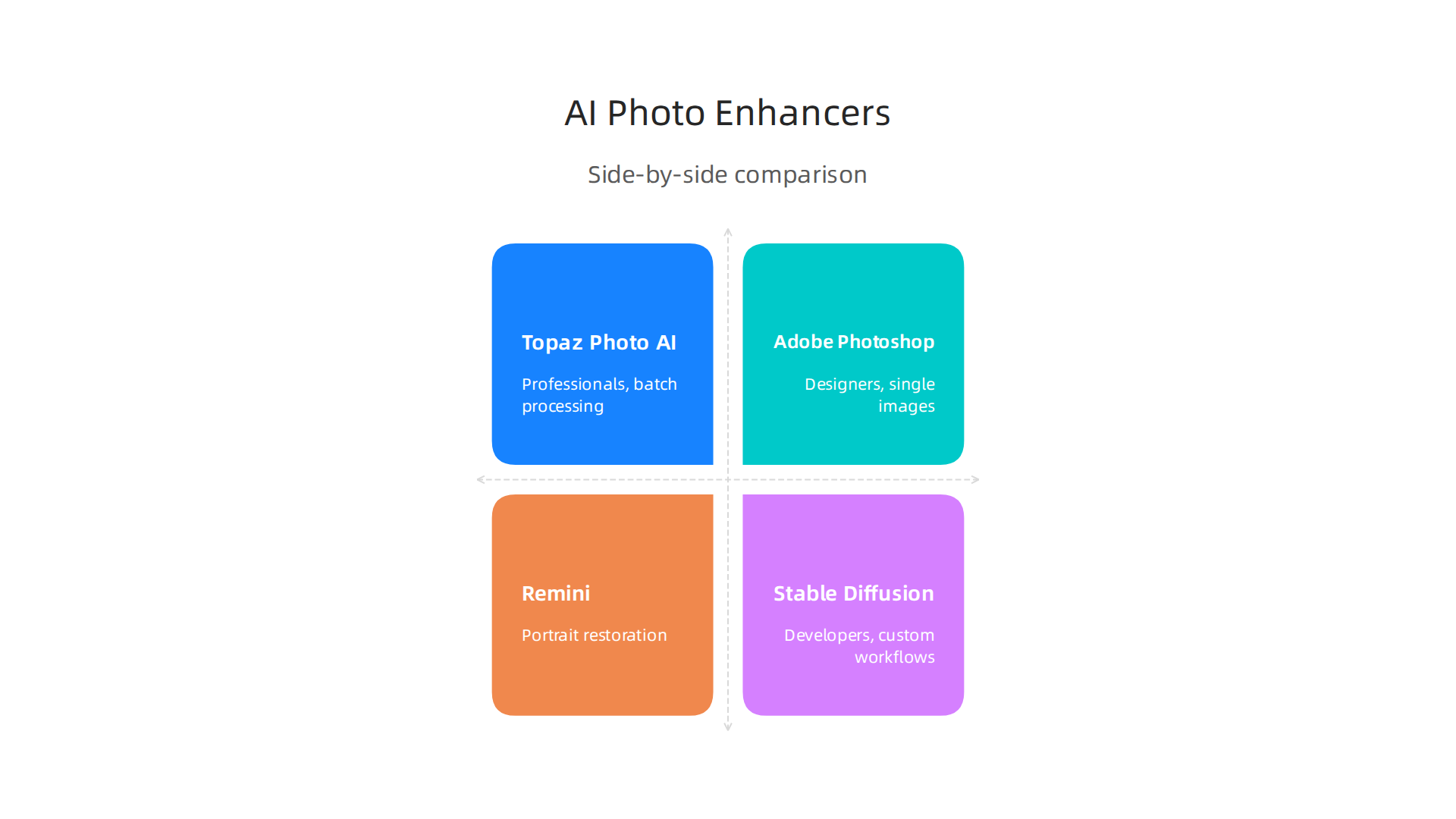
| Tool | Best For | Speed | Output Resolution | Pricing |
|---|---|---|---|---|
| Topaz Photo AI | Professionals, batch processing | Moderate | Up to 4K+ | $200 one-time |
| Adobe Photoshop | Designers, single images | Fast | Up to 4K | $23/month |
| Remini | Portrait restoration | Fast | HD+ | Free / $10/month |
| Stable Diffusion | Developers, custom workflows | Varies | Unlimited | Free (open source) |
If you want the best overall ai photo enhancer with zero learning curve, check out our complete guide on the best AI image generators tested for 2026 for deeper comparisons.

The Bottom Line
The right tool depends on your specific needs. Professionals handling volume should invest in Topaz. Portrait lovers will enjoy Remini. And developers who want full control can go open source.
But here is the thing. AI tools change fast. New models and updates come out every week. To keep up without spending hours searching, you need a simple daily source of AI news. The Deep View Newsletter delivers exactly that: short, practical updates on the best tools and trends in AI photo enhancement and beyond.
Subscribe to The Deep View today and make sure you never miss the next big upgrade in AI photo tools.
Key Factors to Consider When Choosing an AI Photo Enhancer
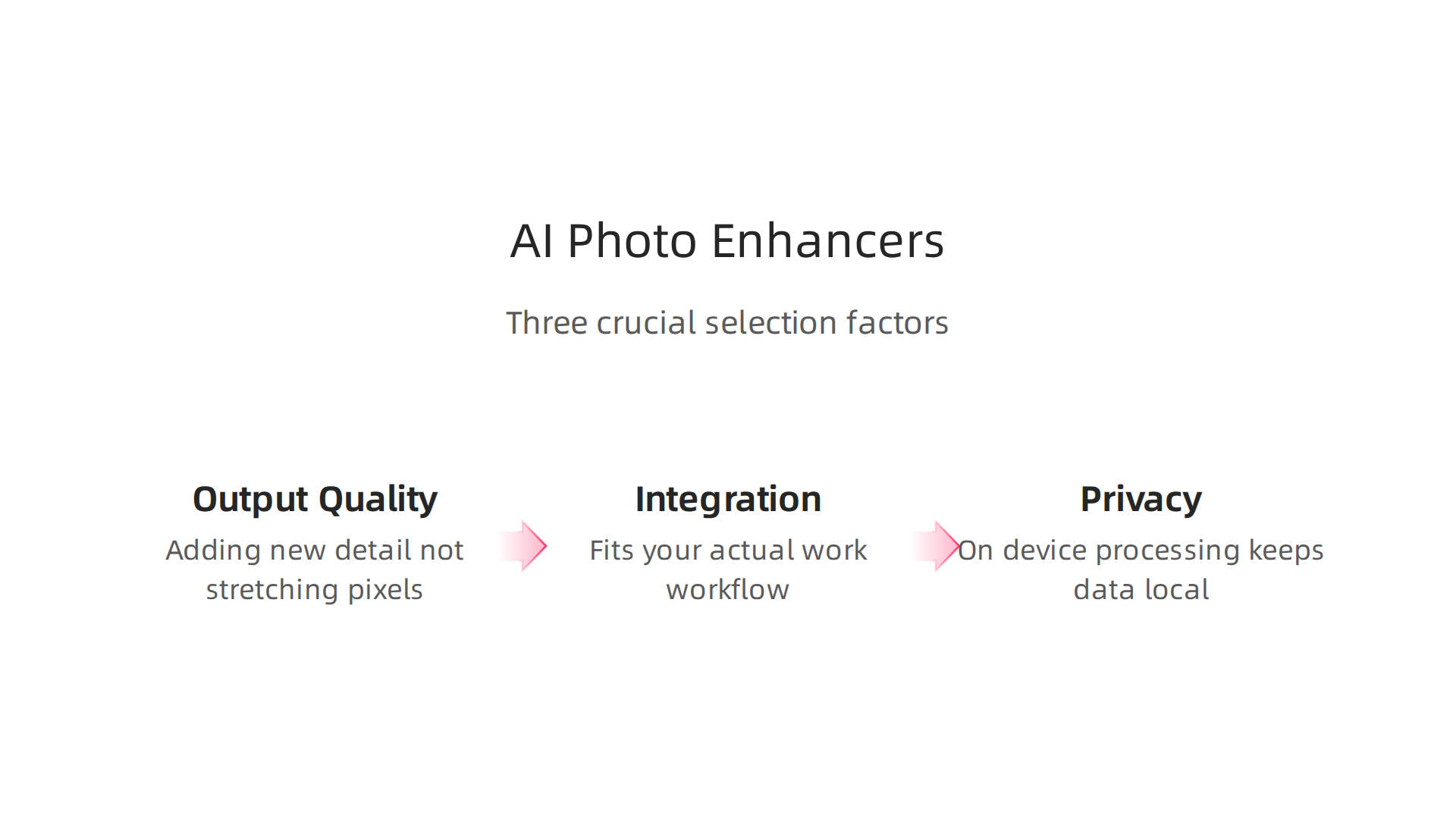
By now you’ve seen the top tools side by side. But picking the right ai photo enhancer goes beyond just looking at a feature list. You need to think about how it fits your actual work.

Let me walk through three make or break factors that often get overlooked.
1. Output Quality and Resolution
Here is the big question. Is the tool actually adding new detail or just stretching pixels? Some ai image upscaler tools really do create realistic texture and sharp edges. Others just blow up the image and fill in the gaps with blur.
The ai photo enhancer market is growing fast. It hit $2.83 billion in 2026 according to the Artificial Intelligence Image Enhancer Market Report. With that much money flowing in, not every tool delivers the same quality.
You want a tool that handles artifacts well. Look for one that removes noise without making faces look waxy. Native upscaling works best when the tool understands what it sees: faces, text, landscapes. Some tools still add weird halos or fake grain. Test with a dark photo or a face closeup to see how it handles the tricky parts.
2. Integration Capabilities
Your workflow matters a ton. If you use Photoshop or Lightroom every day, you want a plugin that lives inside that app. That saves you from exporting and importing files all day.
Some tools offer standalone APIs. That is great if you are building a custom pipeline for a business. For example, real estate agencies or e-commerce stores often need to send hundreds of images through an API automatically.
If you are just a casual user, a simple drag and drop web interface will do. But if you work in a team, check if the tool connects to your editing software. The best AI image generator free options tested for 2026 often include plugins too. Make sure you pick one that fits your daily routine.
3. Privacy and Data Handling
This is a big deal that many people skip. Some ai photo enhancer tools send your images to a cloud server for processing. That is fine for most personal photos. But if you work with client images, medical photos, or anything sensitive, you need to be careful.
On device processing keeps everything local. No images ever leave your computer. Tools like Topaz Photo AI and some Stable Diffusion setups run entirely offline. That is a huge plus if you have privacy worries.
Over 82% of large enterprises now use generative AI in at least one business function according to a 2026 industry survey. Many of those companies require on device processing to protect customer data. Check the privacy policy before you upload anything important.
The Bottom Line
These three factors can save you time, money, and headaches. Do not just grab the first tool you see. Think about quality, how it fits your workflow, and where your data goes.
To get simple daily updates on the best AI tools and privacy tips, join The Deep View Newsletter. It delivers practical insights straight to your inbox.
Future Trends: Where AI Photo Enhancement is Heading
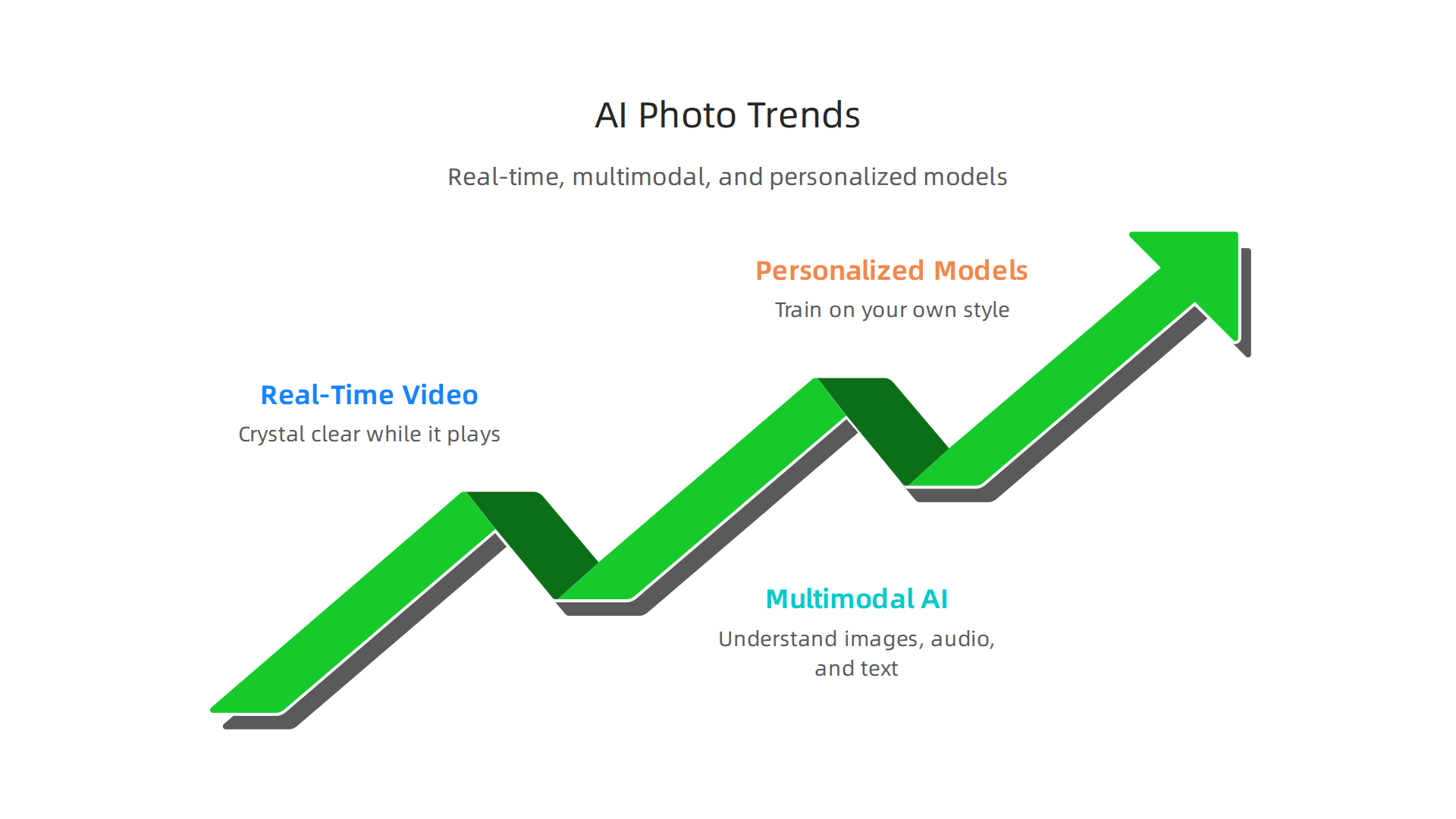
You have made it through the hard part. You know what to look for in a tool today. But what is coming next? The world of AI photo enhancement is changing fast. In 2026, the trends are all about real time, smarter understanding, and personal touches. Let me show you three big shifts.
1. Real-Time Video Enhancement
Imagine watching a grainy old home video and having it look crystal clear while it plays. That is where we are heading. Real time video enhancement is a major trend. AI upscalers and restoration tools are now being applied to video streams as they happen, not just to single images.
This means live broadcasts, video calls, and streaming content can be cleaned up instantly. No more waiting for a file to process. The technology is moving quickly, and experts predict that real time interaction with scenes will become standard soon, as highlighted in the 2026 predictions for AI video generation. For content creators, this is a huge time saver.
2. Multimodal AI
Here is where things get really interesting. Multimodal AI lets a single model understand images, audio, and text all at the same time. In 2026, models can see a picture, hear the sound, and read the text around it, and use all that info to make smarter edits.
Think about it. You could describe the edit you want with simple words. "Make the sky bluer and remove that car." The AI would understand your text prompt, look at the image, and make those changes with context. This is not a far off dream. According to a detailed look at multimodal AI in 2026, this capability is transforming how we work with media. An image generator AI that can do that is already in development.
3. Personalized Models
One size does not fit all. The future of an ai photo enhancer is personal. Instead of using a generic model, you will be able to train a model on your own style. It learns your preferences, your favorite color tones, the way you like your skin smoothing, and your typical edits.
This is called fine tuning. You feed the AI a set of your past edits, and it builds a custom model just for you. The result is faster, more consistent work that matches your eye every time. It is like having a free ai photo editor that knows your taste better than you do. This shift toward personalization is part of a larger trend where AI moves from a novelty to a practical, everyday tool, as Stanford AI experts predict for 2026.
Stay Ahead of the Curve
These trends will change how you work with images and video. Real time enhancement, multimodal understanding, and personalized models are not just hype. They are coming to a tool near you soon.
Want to keep up with the latest tools and trends without the noise? Join The Deep View Newsletter for simple daily AI insights delivered to your inbox. It helps you stay informed without the overwhelm.
How to Get Started with AI Photo Enhancement Today
You have seen where AI photo enhancement is heading. Real time video, smarter models, and personal touches are all on the way. But what about right now? In 2026, you do not have to wait for the future to start improving your images. Here is a simple plan to get going today.
Step 1: Find Your Main Use Case
First, ask yourself what you need most. Do you want to fix old family photos? Or are you a content creator needing sharp images for social media? Maybe you are a professional photographer who wants to speed up editing.
Each use case points to a different type of tool. For example, if you need to upscale low-resolution images, look for an ai image upscaler that specializes in increasing size without losing quality. If you want to clean up portraits, a tool focused on faces works better. According to a comparison of AI image enhancement tools in 2026, the best results come from matching the tool to your specific task. So get clear on your goal first.
Step 2: Start with Free Tiers or Trials
You do not need to spend money right away. Almost every good ai photo enhancer offers a free version or a trial period. That is your chance to test two things: output quality and how well the tool fits your workflow.
Some tools let you enhance a few images per day for free. Others give you a week of full access. Use that time to try different tools side by side. A guide on the best free AI photo enhancer tools in 2026 shows that free options like Upscayl and basic tiers of Remini can deliver impressive results without a subscription. Test a few, pick the one that feels right.
Step 3: Learn Prompt Engineering for Generative Enhancement
If your tool uses generative AI (like an image generator ai that creates or changes parts of a photo), learning to write good prompts matters. Prompt engineering is the skill of telling the AI exactly what you want in simple language.
Start with short, clear prompts. For example, instead of "make it look better," try "remove the background and add a soft blue gradient." The more specific you are, the better the output. Many top tools also let you combine text prompts with manual adjustments. Investing a little time in learning this skill can save you hours later.
Start Now and Level Up
Do not let the future trends overwhelm you. Pick one use case, test a free tool, and practice your prompts. You will see results fast.
Want to stay updated on the best AI tools and trends without the noise? Join The Deep View Newsletter for simple daily AI insights delivered to your inbox. It helps you stay ahead of the curve.
Summary
AI photo enhancers have moved from a niche experiment to a mainstream tool that instantly turns blurry, dark, or low-resolution images into crisp, usable assets. This article explains the core technologies behind enhancement—CNNs for detail, GANs for realistic upscaling, and new diffusion models—then maps those approaches to real-world use cases like e-commerce, real estate, and social media. It compares leading tools (Topaz, Adobe, Remini, and open-source Stable Diffusion options), highlights the trade-offs in speed, cost, and privacy, and gives clear criteria for choosing the right tool for your workflow. You’ll also get practical starting steps—pick your use case, test free tiers, and learn simple prompt techniques—and a look at near-term trends such as real-time video enhancement, multimodal editing, and personalized models. After reading, you’ll know which enhancer fits your needs, how to evaluate output quality, and what to test before buying or integrating a solution.