

Introduction: The AI Productivity Revolution
It’s 2026, and artificial intelligence is no longer a futuristic concept. It’s as common as your morning coffee. According to the Stanford HAI 2026 AI Index Report, generative AI reached 53% population adoption within three years faster than the personal computer or the internet.
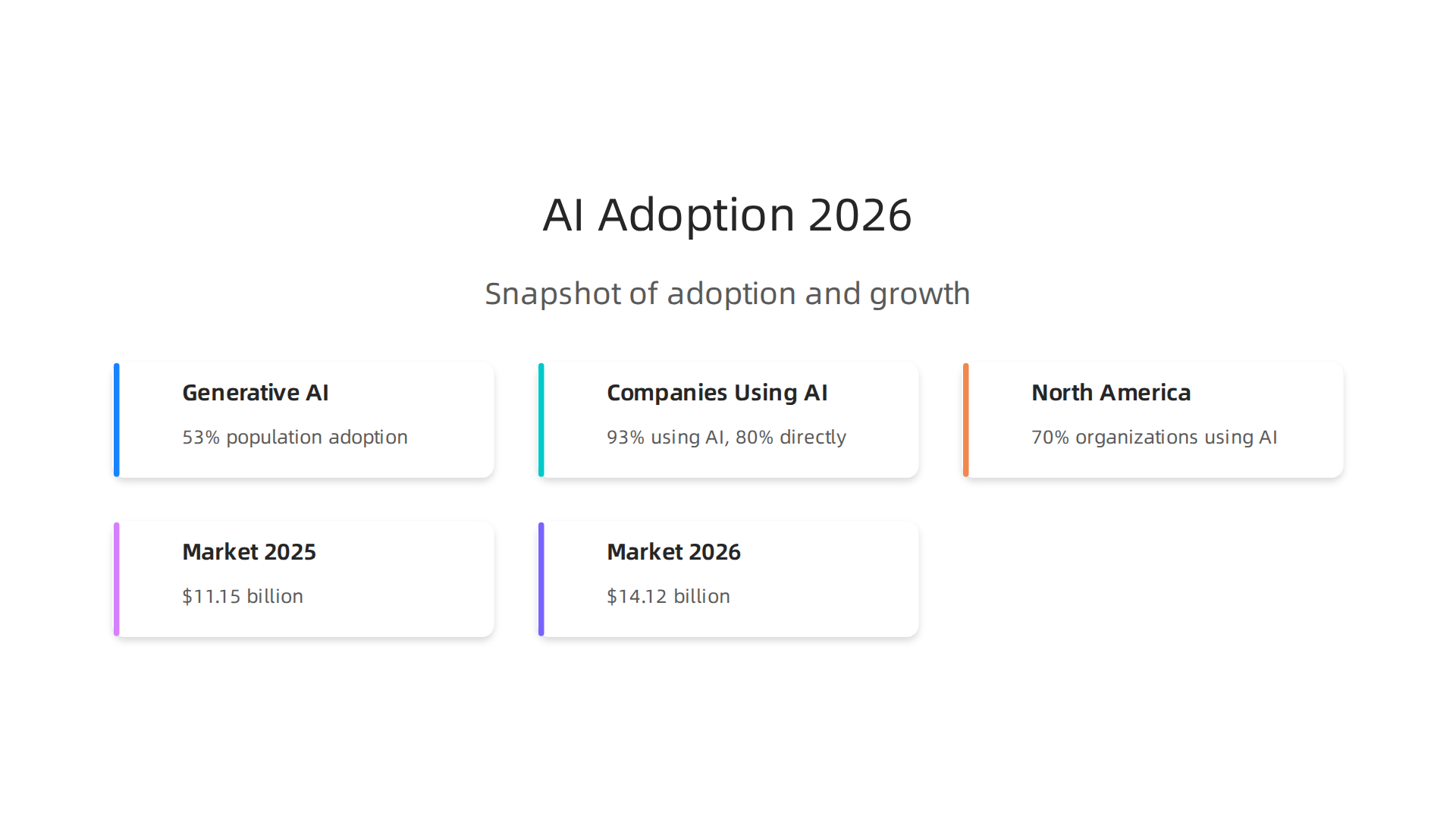
That’s huge. And businesses are all in too. A recent survey found that 93% of companies are already using AI in some way, with 80% using it directly. North America leads the pack with 70% of organizations actively using the technology. Only 3% say they’re not using AI at all.
But here’s the thing: with so many tools flooding the market, the sheer number of options can feel overwhelming.

You’ve probably heard about vast ai, genie ai, superhuman ai, coding ai, and ai homework helper apps. Each promises to save you time, boost your output, or make you a better coder, writer, or data analyst. But which ones actually deliver? The AI productivity tools market was worth $11.15 billion in 2025 and is projected to hit $14.12 billion in 2026. That kind of growth means new tools pop up every week, and it’s tough to separate the real game changers from the hype.
That’s exactly why we put this guide together. We’ve done the hands on testing, dug through the latest data, and curated the top AI tools across categories. Whether you’re a founder, a marketer, a developer, or just someone trying to get more done without burning out, you’ll find practical picks you can trust.
If you want to keep up with the fast moving world of AI without drowning in information, we recommend subscribing to The Deep View Newsletter for simple daily AI insights. It’s a great way to stay ahead without the noise.
Now let’s dive into the tools that are actually making a difference in 2026.
1. ChatGPT: The All-Purpose AI Writing Assistant
If you want one tool that handles content creation, brainstorming, and summarization all in one place, ChatGPT is still the best bet in 2026.
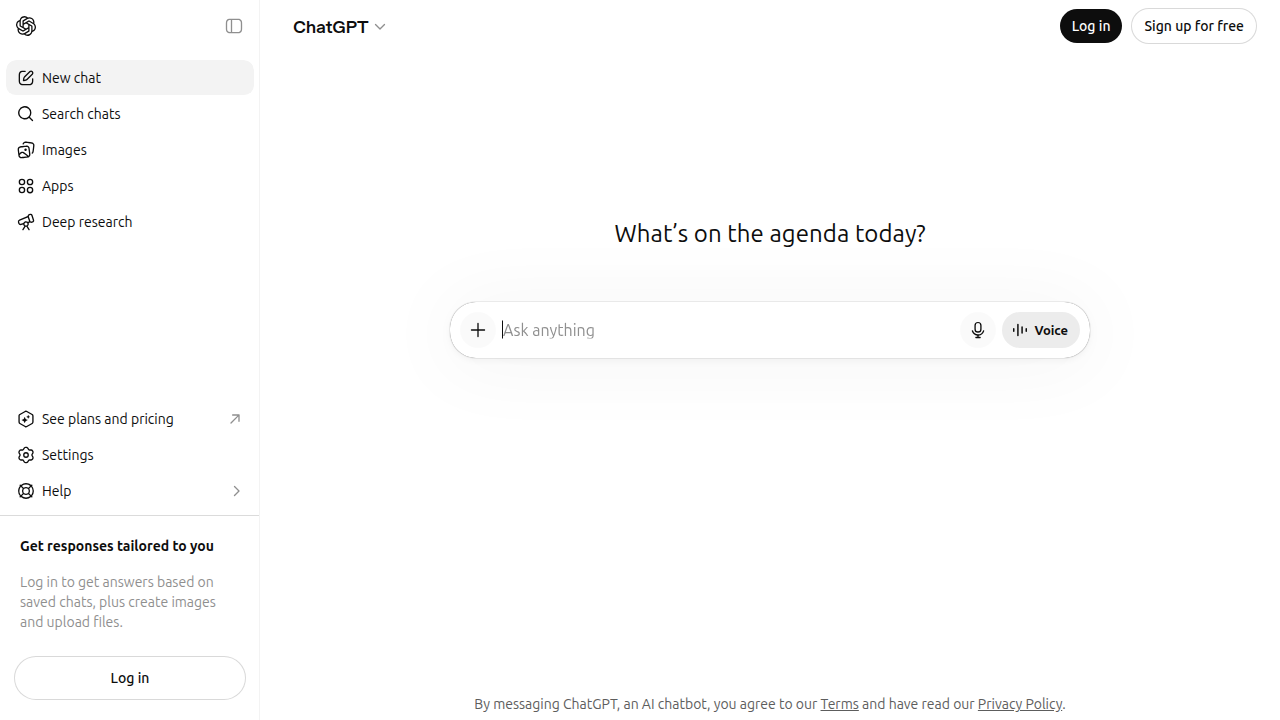
The latest updates brought better context handling and stronger multimodal features, so it can work with images, documents, and longer conversations without losing the thread.
I’ve tested it side by side with other writing tools, and ChatGPT consistently delivers solid results for drafting emails, writing reports, and generating creative content. You’ll still want to do a quick edit before hitting send, but the starting quality is impressive. According to a hands-on comparison by Zemith, ChatGPT holds its own against 11 other AI writing tools across everyday tasks.
Where it really shines is versatility. Use it for marketing copy, data analysis help, or even as an AI homework helper for quick explanations.
For marketing teams wanting to integrate AI into their workflow, learning how to optimize your AI marketing funnel can help you get even more from the tool.

ChatGPT isn’t the most guided experience (Jasper offers more templates and brand voice control at $69/month), but at around $20/month it’s the best value for most people. Want to keep up with the best AI tools in 2026 without the noise? The Deep View Newsletter delivers simple daily AI insights straight to your inbox.
2. Jasper: AI for Marketing and Brand Voice
ChatGPT is great for general writing, but Jasper fills a specific need. It keeps your brand voice consistent across every piece of marketing copy.
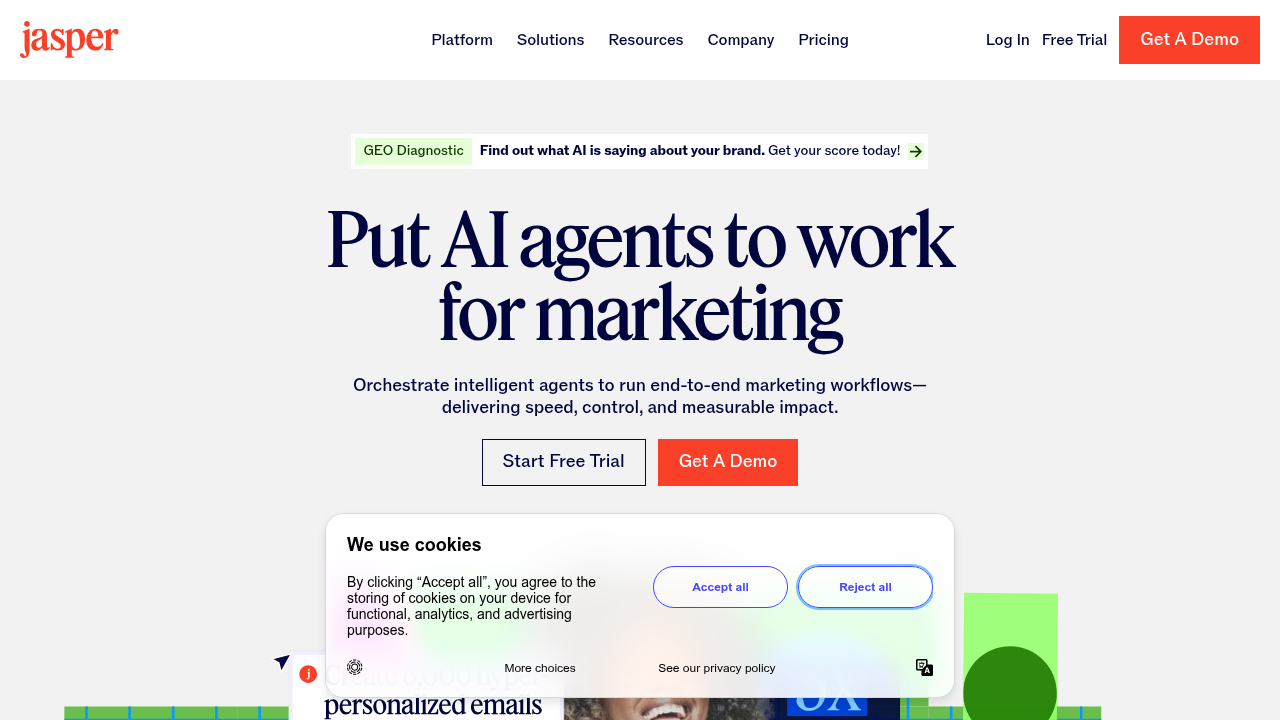
Whether you’re writing ads, social posts, or email campaigns, Jasper applies your style guide automatically.
Jasper gives you pre-built templates designed for marketing work. According to a comparison by Lovable, Jasper offers stronger brand voice control and dedicated marketing workflows than ChatGPT. The 2026 updates added new templates and deeper integrations with CRM platforms like HubSpot. That means your whole team can produce scalable content without breaking brand rules.
Jasper taps into a vast AI model ecosystem to generate on-brand marketing copy at scale. Many teams say it gives them superhuman AI speed for content production without losing quality.
The trade-off is price. Jasper costs $69/month versus ChatGPT at $20/month. But if you need consistent brand content across channels, the extra investment pays for itself in saved editing time. For marketing teams wanting to improve their workflow, learning how to optimize your AI marketing funnel can help you get even more value from the tool.
Want to keep up with the best AI tools in marketing? The Deep View Newsletter delivers simple daily AI insights straight to your inbox.
3. Notion AI: All-in-One Productivity Hub
Do you ever feel like you are jumping between five different apps just to get through your day? One for notes, one for tasks, one for your team’s projects. It gets messy fast. Notion AI fixes that by bringing everything into one place.
Think of it as your team’s digital brain.
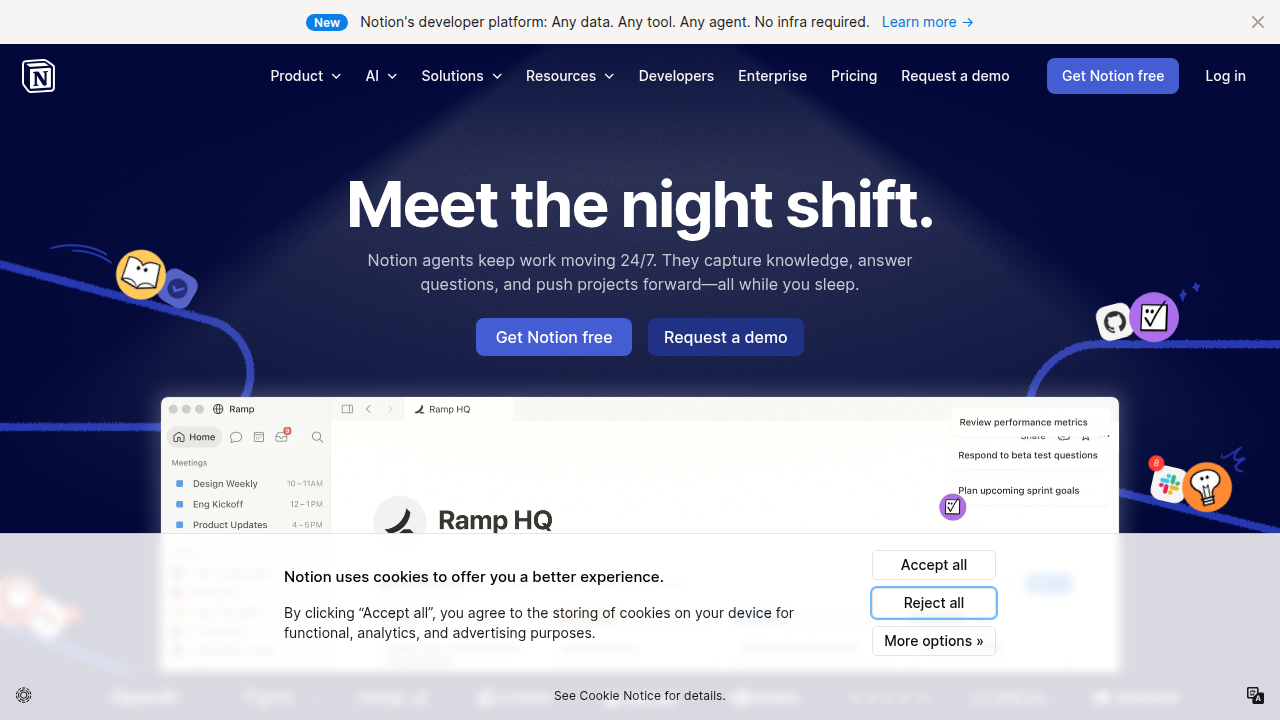
You can write documents, manage projects, and store company knowledge all in one workspace. The AI features are what really save you time. Need to summarize a long meeting transcript? Notion AI does it in seconds. Want to pull action items from a brainstorm session? It handles that too. You can even generate entire database tables just by describing what you need. According to a comprehensive test by mnemosphere.ai, these AI features make Notion one of the top productivity hubs for teams in 2026.
This tool shines brightest for startups and remote teams. Instead of juggling separate apps for writing, tracking, and knowledge sharing, you get a unified system. The AI acts like an assistant that helps you find information faster and automate repetitive tasks.
If you want to see how other vast ai tools are reshaping the way we work, check out our guide on the fastest growing AI companies reshaping industries in 2026. And to keep up with the best new AI tools every day, The Deep View Newsletter delivers simple daily AI insights straight to your inbox.
4. Grammarly: AI Writing Assistant with Contextual Intelligence
You have probably used Grammarly to fix a typo or two. But it is so much more than that now. In 2026, Grammarly has grown into a full writing assistant that does not just check your grammar. It reads the room.
The tool can detect the tone of your writing, so you know if you sound too harsh or too friendly. It also checks for plagiarism, which is a lifesaver for students and professionals who need original work. In a test of real-time correction accuracy, Grammarly scored around 85%, according to a detailed comparison by Doomshell. That is a huge leap from simple spell check.
The 2026 updates are where things get really exciting. Grammarly now offers generative rewriting. You can highlight a sentence and ask it to make the wording more persuasive, more concise, or more professional. It also gives you real-time collaboration suggestions, just like a coworker looking over your shoulder. This makes it perfect for teams working on shared documents.
In the vast AI landscape, Grammarly is the best friend of anyone who writes a lot. Bloggers, marketers, support agents, and executives all benefit from consistent polish and clarity. If you are creating content regularly, Grammarly helps you sound like your best self every time.
Want to see more AI tools that can speed up your creative work? Check out our roundup of the best faceless AI tools for content creation in 2026. And for a daily dose of AI tips that take just a minute to read, join the The Deep View Newsletter.
5. Otter.ai: AI Meeting Assistant for Transcription and Notes
Do you ever leave a meeting and forget half of what was said? You are not alone. Otter.ai solves that problem by recording, transcribing, and summarizing your conversations in real time.

It identifies who spoke, so you never have to guess who said what.
Otter plugs right into Zoom, Microsoft Teams, and Google Meet. That makes it a must have for remote and hybrid teams. According to a 2026 review of meeting intelligence tools, Otter.ai is a top pick for its accuracy and automation features [guptadeepak.com]. It can even pull out action items and send them straight to your project management app.
This tool is part of the vast AI landscape that saves hours every week. While Otter handles your notes, other tools like coding AI assistants or a smart ai homework helper can tackle different parts of your workflow.
If you want more ways to automate your daily tasks, check out our guide on the best faceless AI tools for content creation in 2026. And to stay ahead of every AI trend, join the The Deep View Newsletter for quick daily insights.
6. DALL-E and Canva AI: AI-Powered Design for All
Do you need a professional-looking graphic but have zero design skills? DALL-E 3 and Canva’s AI tools solve that. You can now create images, presentations, and marketing materials just by typing what you want.
DALL-E 3 lives inside ChatGPT, so you can generate custom artwork during a chat. Canva’s AI features like Magic Studio let you edit photos, generate templates, and keep your brand style consistent. According to a 2026 comparison of top AI tools, these platforms are leading the shift toward accessible visual creation [blog.logrocket.com]. In 2026, both have improved with higher resolution outputs, better style consistency, and clearer commercial licensing rights.
These tools take the stress out of design, especially when you need content fast. They are part of the vast ai ecosystem that helps you work smarter, not harder. If you want to explore more free options, check out our guide on the best AI image generator free options tested and compared for 2026.
To never miss a new AI tool or update, join The Deep View Newsletter for simple daily insights.
7. Tableau with Einstein AI: Data Analysis at Scale
Do you have mountains of data but no time to dig through it? Tableau, now powered by Salesforce Einstein AI, changes that. You can ask questions in plain English, and the tool runs predictive analytics and shows you the most important insights automatically.

According to Tableau’s own AI page, this integration helps both analysts and business users get actionable insights right in their workflow [tableau.com].
This goes way beyond simple charts. You can build dashboards in minutes, not hours. The AI also spots trends and patterns you might miss on your own. For deeper analysis, Tableau Agent can even help with data prep and calculations [intuit.com]. It truly feels like having a superhuman ai assistant that understands your business.
If your team works with large datasets and you want to avoid writing complex code, this is your tool. It is a key part of the vast ai ecosystem that is reshaping how we use data. For a closer look at picking the right analytics platform for your needs, check out our guide on how to choose data analysis tools in 2026 for AI professionals.
If you want to stay current on AI tools like this one, join The Deep View Newsletter for simple, daily insights delivered to your inbox.
8. HubSpot AI: CRM Intelligence for Sales and Marketing
So Tableau helps you find insights in your data. But what if you need to act on those insights right away? HubSpot AI is built for that next step. It adds a smart layer right inside your CRM that helps you score leads, write emails, and answer customer questions faster.
HubSpot’s AI layer, called Breeze, handles the heavy lifting for small and medium businesses. It scores your leads automatically so you know who to call first. It also writes blog posts and social media content for you. In 2026, Breeze is competing directly with tools like Salesforce’s Agentforce, and the comparison helps companies pick the right AI for their CRM needs [digitalapplied.com]. This kind of vast ai integration makes HubSpot feel like a superhuman ai assistant for your whole team.
You also get conversational chatbots that qualify visitors on your website 24/7. That means more conversions without hiring extra staff. And the best part? You do not need to know any coding ai to set it up. It truly works like an ai homework helper for your marketing and sales team.
If you want to get the most out of these features, check out our guide on how to optimize your AI marketing funnel in 2026.
Want to stay ahead of AI tools like HubSpot Breeze? Join The Deep View Newsletter for simple daily insights delivered to your inbox.
9. Zapier AI: Automate Workflows Without Code
HubSpot AI is great inside your CRM, but what about all the other apps you use every day? That’s where Zapier AI comes in. It lets you build automated workflows called Zaps by simply telling it what you want in plain English. No coding ai skills needed at all. Just describe the task, and the platform creates the steps for you.
Zapier also offers smart path suggestions that help you optimize your workflows over time. It connects with thousands of apps, so you can automate repetitive tasks across marketing, sales, and operations. Think about all the time you spend on manual data entry, scheduling, and file transfers. Zapier AI handles those in the background, freeing you up for more important work. In 2026, it’s one of the most practical tools for cutting daily busywork, as tested by Zapier’s own app review team [zapier.com/blog/best-ai-productivity-tools/].
This kind of vast AI integration makes your whole tech stack work like a superhuman AI assistant. And for those small, boring tasks you keep putting off, you can treat Zapier like your own ai homework helper.
Want to make your marketing workflows even smarter? Check out our guide on how to optimize your AI marketing funnel in 2026.
For more quick daily tips on tools like Zapier AI, join The Deep View Newsletter for simple insights delivered to your inbox.
10. GitHub Copilot: AI Pair Programmer for Developers
So Zapier AI handles your no-code workflows. But what about when you actually need to write code? That’s where GitHub Copilot steps in. It works right inside your code editor and gives you suggestions as you type. We’re talking about real coding ai that understands what you are trying to build.
GitHub Copilot doesn’t just autocomplete a line here and there. It can generate whole functions for you. Just write a comment describing what you want, and it drafts the code. In 2026, it ranks as one of the top AI development tools available, according to a detailed comparison by LogRocket.
The 2026 version also brings two big upgrades. First, it understands older legacy codebases much better. Second, it includes improved security checks that catch vulnerabilities before they become problems. That saves developers hours of debugging later.
Copilot supports many programming languages and works with popular IDEs. You can even choose between different AI models inside the tool to match your specific project needs, as explained in the official GitHub Docs. It really feels like having a superhuman ai partner sitting next to you, helping you ship better code faster.
If you are a developer or a team lead, this tool can seriously speed up your workflow.
For more quick daily tips on tools like GitHub Copilot and other AI advances, subscribe to The Deep View Newsletter. It delivers simple insights straight to your inbox.
11. Vast.ai: Affordable AI Compute for Training and Inference
Training AI models cost a lot of money. Buying top tier GPUs can run you thousands of dollars. That is where Vast.ai helps.
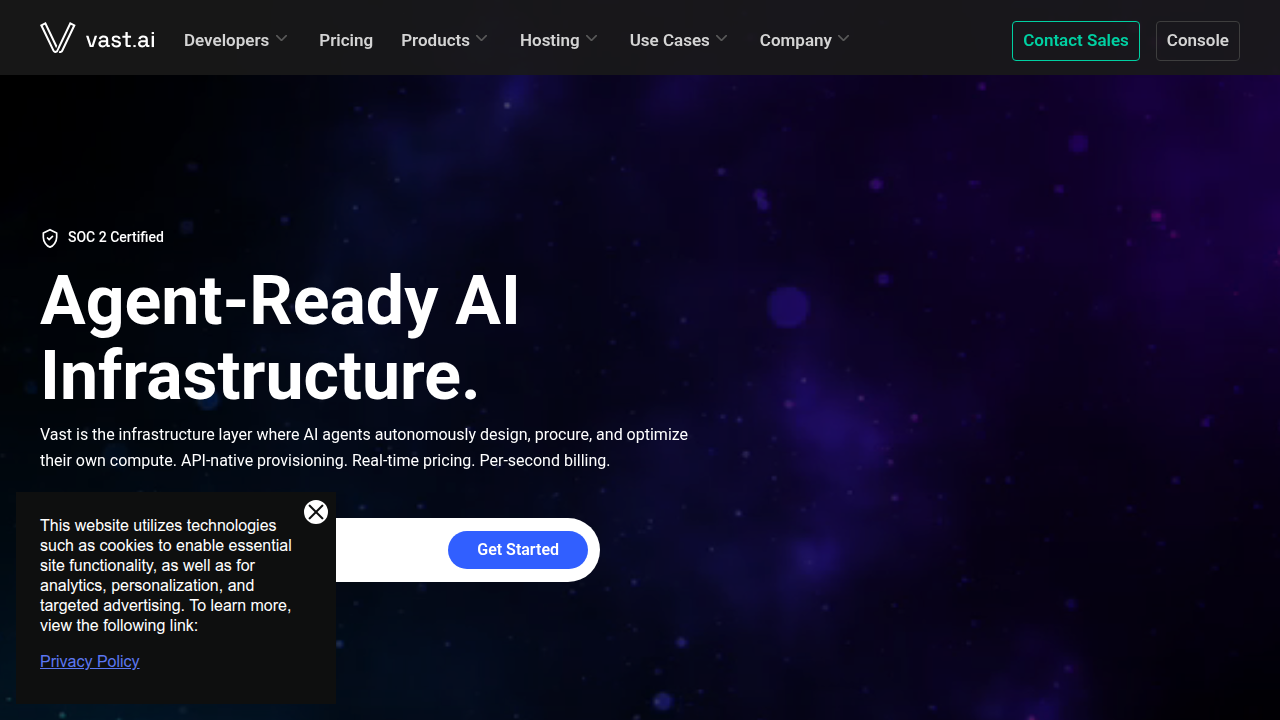
This platform gives you a vast ai marketplace where you rent GPU power from providers all over the world. You only pay for what you use. And you get access to a huge range of hardware options.
For AI startups and researchers, this is a big deal. Instead of putting cash into expensive equipment upfront, you can try different models and scale your workloads as needed. Vast.ai supports flexible pricing and connects you to the right compute for your budget and project. It is like having superhuman ai compute power available on demand.
In 2026, the AI world changes fast. According to the latest AI dev tool power rankings, tools that lower the cost of testing and deployment are critical. Vast.ai removes the hardware barrier for training and inference. That lets your team focus on building instead of managing servers. This approach puts you in a strong position, similar to the 8 fastest-growing AI companies reshaping industries right now.
If you are running AI projects and need affordable GPU power, this platform is a smart pick. And for more daily insights on tools like this, join Your Daily AI Shortcut. The Deep View Newsletter delivers simple AI updates straight to your inbox.
Quick Comparison: Top AI Tools Side-by-Side
Choosing the right AI tool can feel like a guessing game. To simplify things, here is a side by side look at four key categories.
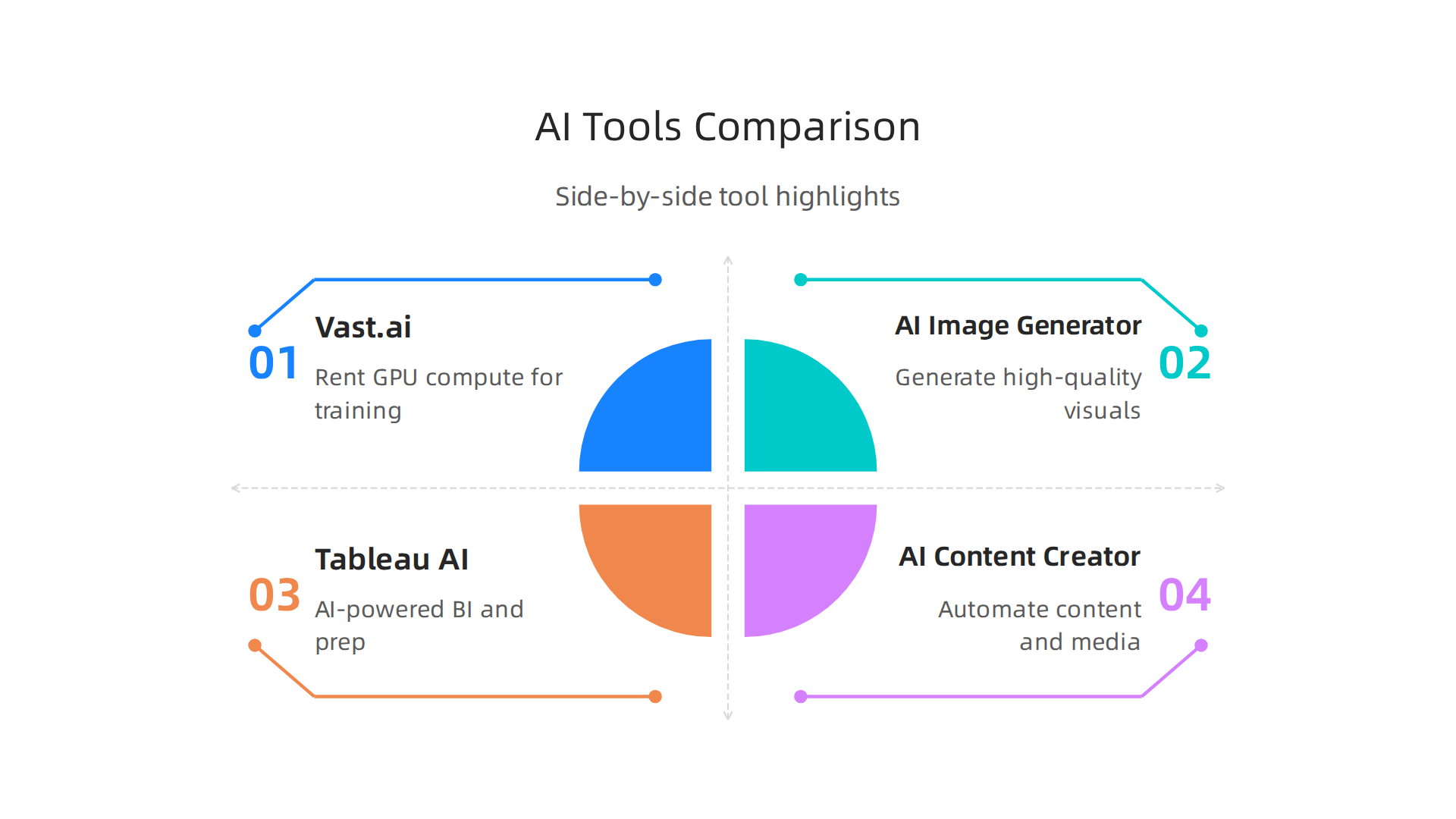
Each tool serves a different purpose. When comparing, focus on ease of use, how well it integrates with your existing stack, and whether it can scale with your workload. In 2026, many platforms like HubSpot and Salesforce have even overhauled their AI features to stay competitive.
| Tool / Category | Best For | Key Feature | Starting Price (Approx) |
|---|---|---|---|
| Vast.ai (GPU Compute) | Training and inference workloads | Rent GPU power on demand from a global network | Pay per hour, flexible |
| AI Image Generator (e.g., DALL-E, Midjourney) | Creating visuals and graphics | Generate high-quality images from text prompts | Free tier or $10-$30/month |
| Tableau AI (Data Analytics) | Business intelligence and insights | AI-powered data prep, modeling, and visualization | $35/user/month (Viewer) to $115 (Creator) |
| AI Content Creator (e.g., faceless video tools) | Automated content production | Generate videos or posts without on-camera talent | Varies (often $20-$50/month) |
Across these categories, you can see how vast ai, genie ai, and superhuman ai each target different workflows. For developers, a coding ai assistant like GitHub Copilot saves hours of repetitive typing. For students, an ai homework helper such as Khanmigo makes learning faster. For email productivity, superhuman ai speeds up inbox management.
When evaluating any tool, consider how it fits your ecosystem. A few deep dive guides on this site can help: check out our comparison of free AI image generators and our review of faceless AI content tools. For a daily roundup of new tools and trends, Your Daily AI Shortcut from The Deep View Newsletter delivers simple AI insights straight to your inbox.
Adoption Trends: How Professionals Are Using AI Tools in 2026
AI is spreading faster than any previous technology. According to the 2026 AI Index Report from Stanford HAI, generative AI reached 53% population adoption in just three years. That beats both the personal computer and the internet.
But the numbers look different depending on where you are. In North America, 70% of people actively use AI, while in the EU only about 20% of enterprises have adopted it. Overall, 93% of companies are already using AI in some way, and 88% report using it in at least one business function. The AI productivity tools market alone hit $14.12 billion in 2026 and is projected to grow to $36.38 billion by 2033.
What are professionals actually doing with these tools? Three big trends stand out:
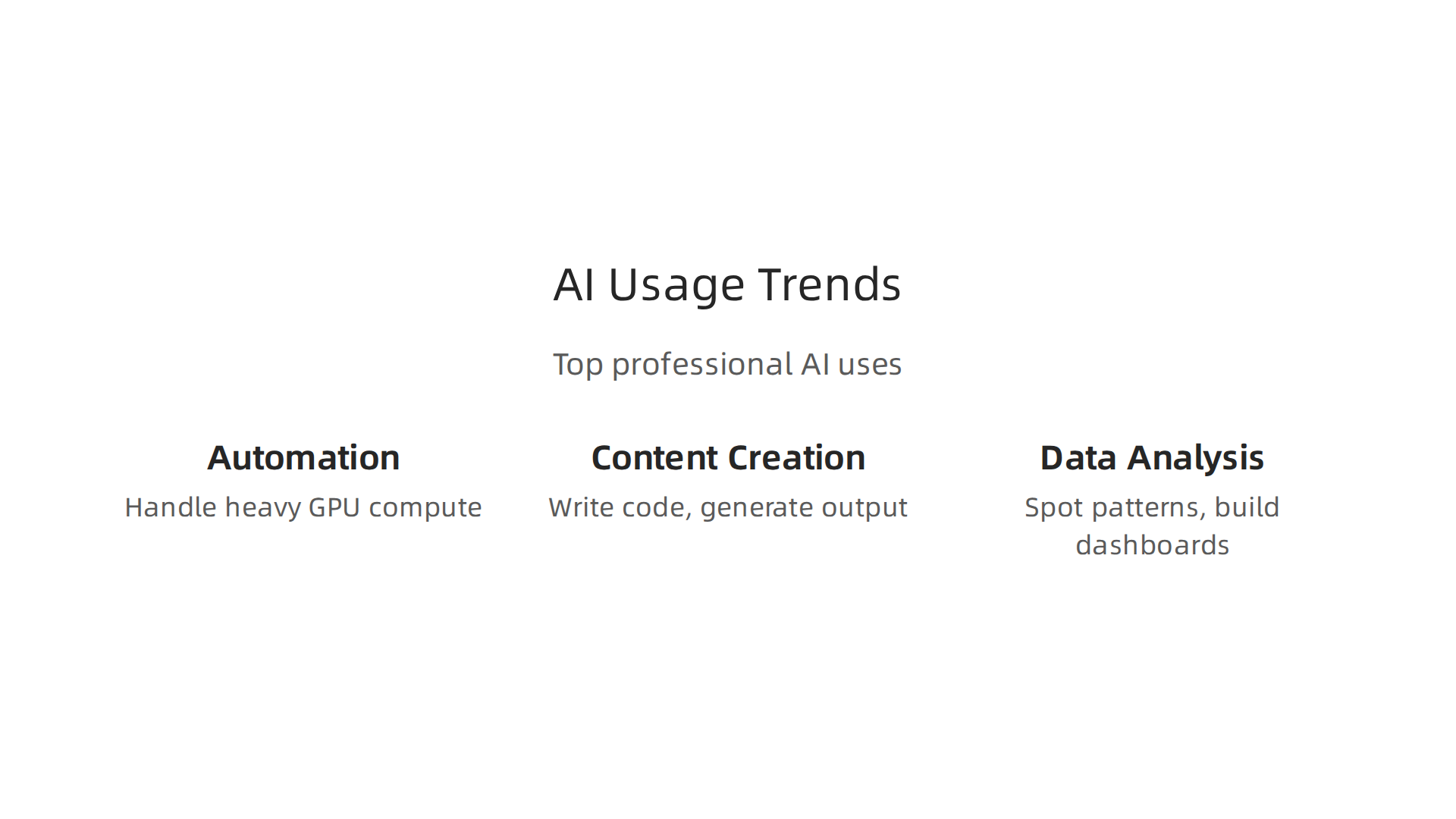
- Automation – Tools like vast ai handle heavy GPU compute for training models automatically. Platforms like genie ai and superhuman ai automate scheduling and email workflows.
- Content creation – From coding ai assistants that write code to ai homework helper apps that explain tough topics, creators and students are generating more output faster.
- Data analysis – Business teams use AI to spot patterns, prepare data, and build dashboards without manual number crunching.
These trends show you where the market is heading. If you pick a tool that matches the direction your industry is moving, you save time and stay competitive. Want to see which AI companies are leading this shift? Check out our list of the 8 fastest-growing AI companies reshaping industries.
For a quick daily update on new tools and adoption shifts, Your Daily AI Shortcut from The Deep View Newsletter delivers simple AI insights straight to your inbox.
Summary
This guide walks through the top AI productivity tools reshaping work in 2026, from general-purpose writing assistants to specialized platforms for marketing, design, data, and dev work. It reviews tools such as ChatGPT, Jasper, Notion AI, Grammarly, Otter.ai, DALL‑E/Canva, Tableau (with Einstein), HubSpot Breeze, Zapier AI, GitHub Copilot, and Vast.ai, explaining what each does best and where they fit in your workflow. The article compares pricing, core features, and integrations, then offers a quick side‑by‑side to help you match tools to needs — whether you’re automating repetitive tasks, speeding up content production, analyzing large datasets, or renting GPU compute. With adoption statistics and practical examples, the piece helps readers cut through the hype, choose tools that actually save time, and plan next steps for integrating AI without breaking the stack or the budget. After reading, you’ll know which categories to prioritize, how to evaluate tradeoffs, and which tools to try first based on your role and goals.