Why image AI generators matter for digital media teams in 2026
In 2026, it seems like a new image ai generator appears every day. This rapid growth of artificial intelligence tools for creating pictures has changed how digital media teams work. It’s exciting, but it also brings a big challenge: with so many options, how can you choose the right ones for your team? It can be tough to know which tools are truly helpful and which ones might not be worth your time or money. The global market for AI image generation reached an estimated $4.8 billion in 2026, showing just how much these tools are being used across industries AI Image Generation Industry Report 2026 (Free Download).
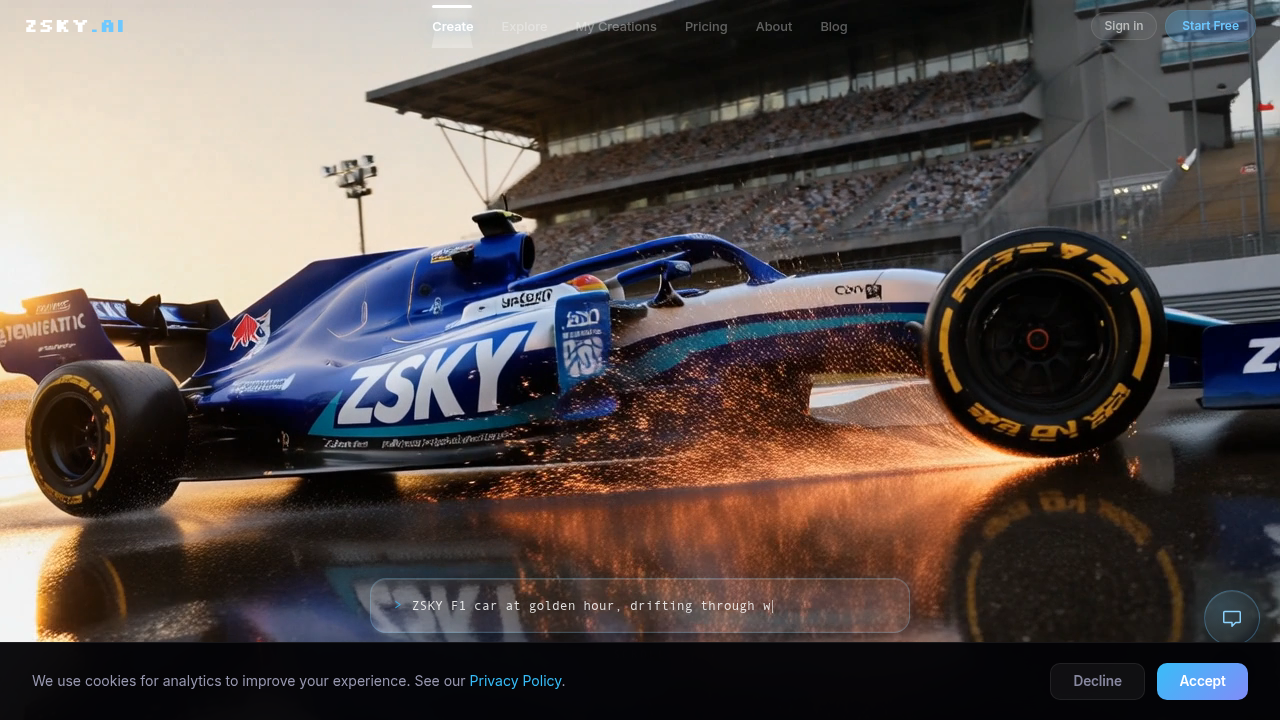
These tools are not just for fun; they are becoming key players in how companies create content. For example, some companies use them to make new images and videos (about 52% of users), while others focus on improving existing ones, like editing, making them bigger, or making them look better (55%) AI Image Generation Statistics 2026: Market Size, Adoption. Big brands like Coca-Cola have even used AI tools like DALL·E 2 to create unique artwork with artists and fans 25 Generative AI Case Studies [In Depth][2026].

They’re also used for things like advertising campaigns, product photos, and social media posts AI Image Generation Use Cases (2026).
But with so many options, from tools that help with tasks like photoshop ai features to powerful new generators, picking the best fit for your team can feel like a puzzle. This article is here to help you solve that puzzle. We will give you a clear plan to look at these tools, show you the best ways to use them in your daily work, and provide a simple checklist to help you buy the right ones. Our goal is to make it easy for decision-makers and creative professionals to use image ai generator tools to their fullest potential.
If you’re wondering how to pick the right AI tools for any business need, you can learn more about how to master how to choose AI tools for your business needs.
Staying updated on all the new AI tools and changes can be overwhelming. To cut through the noise and get clear, daily AI updates, consider subscribing to The AI Newsletter Worth Reading.
An image AI generator is a special computer program that uses artificial intelligence to create pictures. Think of it like a very smart artist that can paint or draw based on what you tell it. Instead of using a brush or pencil, it uses complex math and patterns it learned from looking at millions of other images.
These tools work by using different kinds of AI. Two main ways are:
- Diffusion Models: These are like a magic trick where an AI starts with a lot of static or "noise" (like a blurry TV screen) and slowly turns it into a clear picture. It does this step by step, guided by your instructions. Many of the most powerful
image AI generatortools today, like OpenAI’s GPT Image 2, use this method to create very lifelike pictures and respond well to what you ask for Best AI Image Generators in 2026: Complete Comparison …. - GAN Variants (Generative Adversarial Networks): Imagine two AIs working together. One AI tries to create images, and the other AI tries to tell if the images are real or fake. They keep learning from each other, making the generated images better and better until they are very hard to tell apart from real photos.
You can also find tools that use transformer-based multimodal systems. These are very good at understanding both words and pictures together. They can take detailed text descriptions and turn them into exactly what you imagined.
What Image AI Generators Can Do
These tools are super flexible and can take different kinds of information from you (inputs) to make different kinds of pictures (outputs).
Here are some common things they can do:
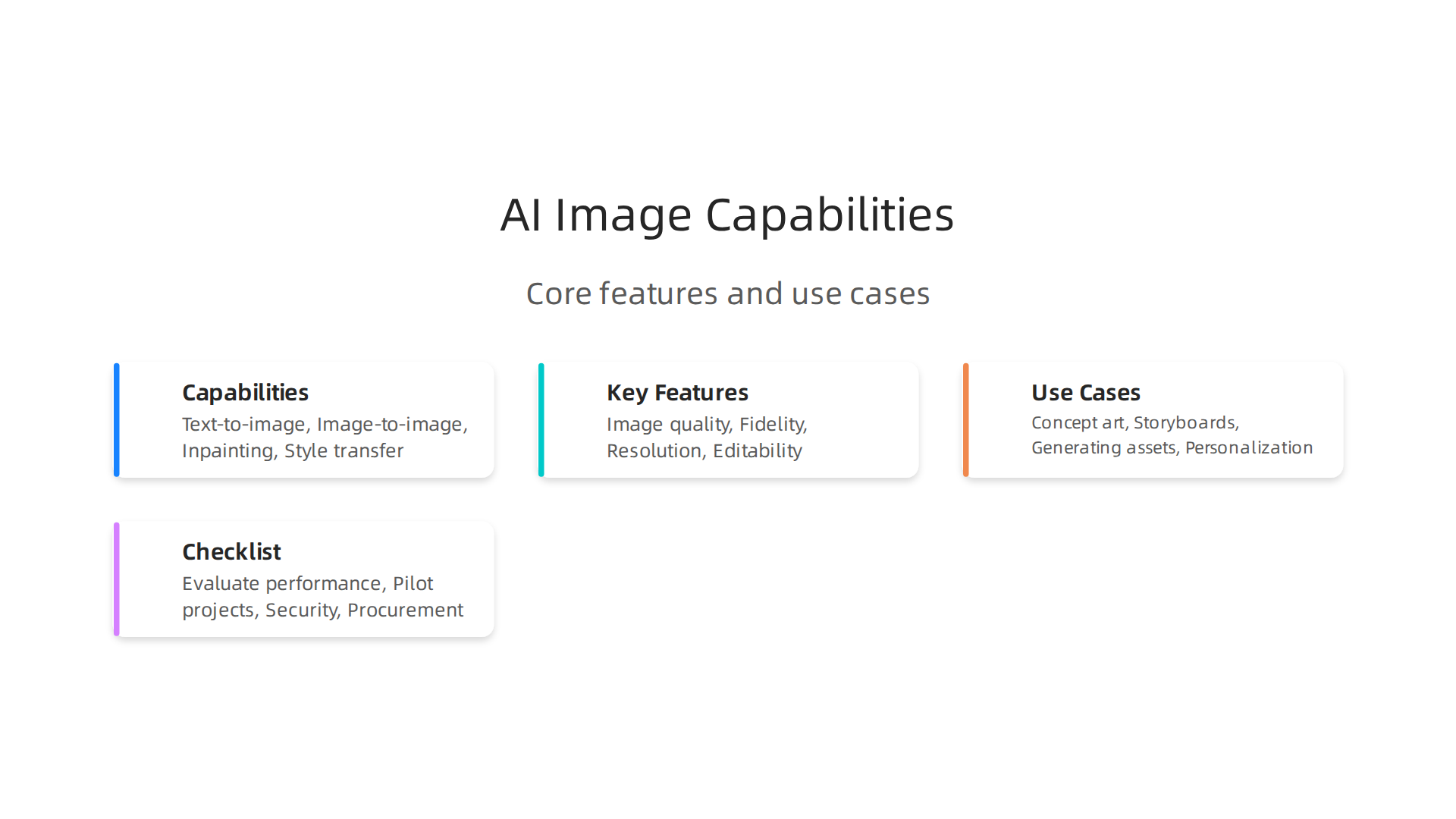
- Text-to-Image: This is the most popular way to use an
image AI generator. You simply type in what you want to see, like "a red car driving on a rainbow road," and the AI makes that picture for you. - Image-to-Image: With this, you give the AI an existing picture, and it changes it based on your instructions. For example, you could give it a photo of a dog and ask it to make the dog look like a cartoon character.
- Inpainting: This is like a "photoshop ai" feature. You can select a part of an image and ask the AI to fill it in or remove something. Imagine erasing an unwanted object from a photo, and the AI magically fills the space with something natural.
- Style Transfer: You can take the style from one picture (like a famous painting) and apply it to another picture. So, your photo of a cat could suddenly look like it was painted by Van Gogh.
When choosing an image AI generator, you often find a trade-off. Some tools are very fast but might not be as detailed. Others take a bit longer but create stunning, super realistic images.
For example, some tools are known for making highly realistic pictures that score very well in tests Best AI Image Generation Models in 2026. How well an AI generator handles your specific words, its range of styles, and how easy it is to use are all important things to look at when choosing the right one for your team. If you want to dive deeper into how different AI image tools perform, you can look at the latest test data for various tools AI Image Generation Dataset and Methodology. To learn more about how to use these tools for your visual content, consider reading our guide on how a photo AI generator can power your visual content strategy 2026.
When you are looking to pick the best image AI generator, it is like choosing the right tool for an important job. You need to look at a few main things to make sure it works well for you and your team.
How Good Are the Pictures? (Quality and What You Asked For)
The first thing to think about is the pictures themselves.
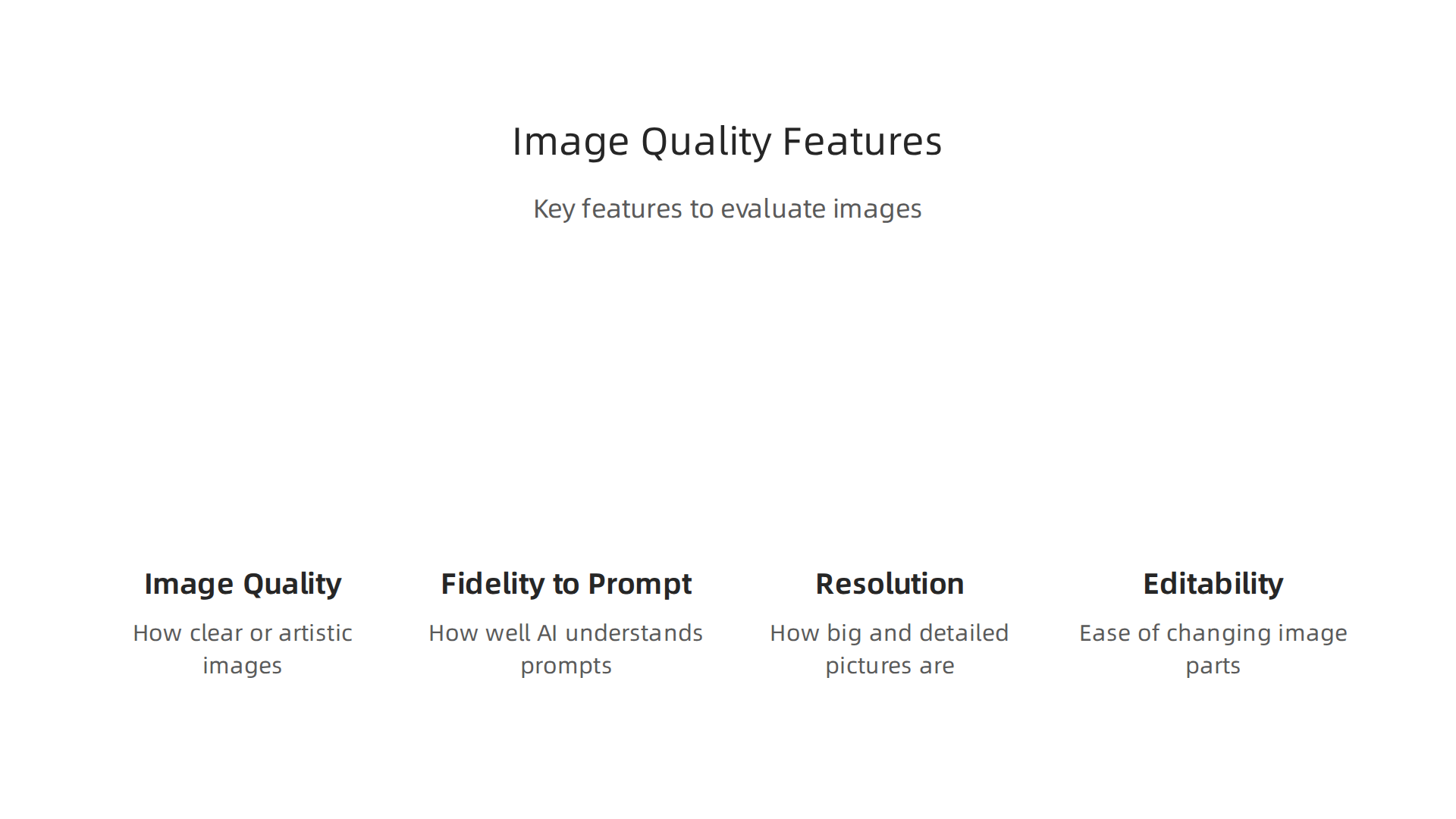
- Image Quality: How clear, real-looking, or artistic are the images? Some tools, like OpenAI’s GPT Image 2, are known for making very lifelike pictures The State of AI Image Generation in 2026. Others might be better for cartoon styles.
- Fidelity to Prompt: This means how well the image AI generator understands your words. If you type "a fluffy blue cat wearing a tiny hat," does it actually make that? Some tools are very good at following even detailed instructions The 8 best AI image generators in 2026.
- Resolution: How big and detailed can the pictures be? In 2026, many tools can make images with 4K resolution, which is great for big screens or printing. This used to be a special feature, but now it’s more common 2026 AI Image Generation Trends: Why 4K Output and Real-Time ….
- Editability: Can you easily change parts of the image after it’s made? Many tools offer features like a "photoshop ai" where you can add or remove things or change styles. This often involves more steps after the first image is made, like refining certain areas or making the picture bigger and clearer AI Image Generation Trends in 2026: What Actually Matters for …. You might also need other tools to make pictures higher quality or fix them, which is called upscaling or restoration AI Image Generator Market Insights 2026, Analysis and Forecast to …. If you need help with this, you can check out our guide on the best upscale AI tools for images and video in 2026.
How Fast Is It and How Easy Is It to Use? (Speed and Control)
Next, think about how quickly you can get your pictures and how much say you have in the process.
- Speed: How long does it take for the image AI generator to make a picture? Some tools are very fast, giving you results in just a few seconds.
- Control: Can you fine-tune the pictures or make many changes easily? This includes things like how well the tool lets you guide its creation process.
- API Stability: If you’re a bigger business, you might want the tool to connect smoothly with other computer programs. This is about how reliable that connection is.
What Does It Cost? (Pricing and How You Pay)
Finally, how much will you pay for the image AI generator?
- Pricing Models: AI image tools often charge in a few ways. You might pay for "credits" that get used up each time you make a picture or use a special feature. Or, you might pay a monthly fee (a subscription) for a set number of pictures or unlimited use How Much Do AI Image Generators Cost in 2026? (Pricing Compared). Prices vary a lot, from less than a penny to twenty cents per image, depending on the tool AI Image Generation Cost 2026: What Studio-Quality Photos Really Cost to Make.
- Rate Limits: Some tools might limit how many pictures you can make in an hour or a day, even if you have a subscription.
- Security and Privacy: It’s good to know how the company keeps your images safe and what they do with your data. Does it stay private, or can others see it?
Choosing the right image AI generator means balancing these factors to find a tool that fits your budget and needs. To explore more about making smart choices for your company’s technology, learn how to master how to choose AI tools for your business needs.
Staying informed about the latest AI tools and trends is crucial for making the best decisions.
The AI Newsletter Worth Reading
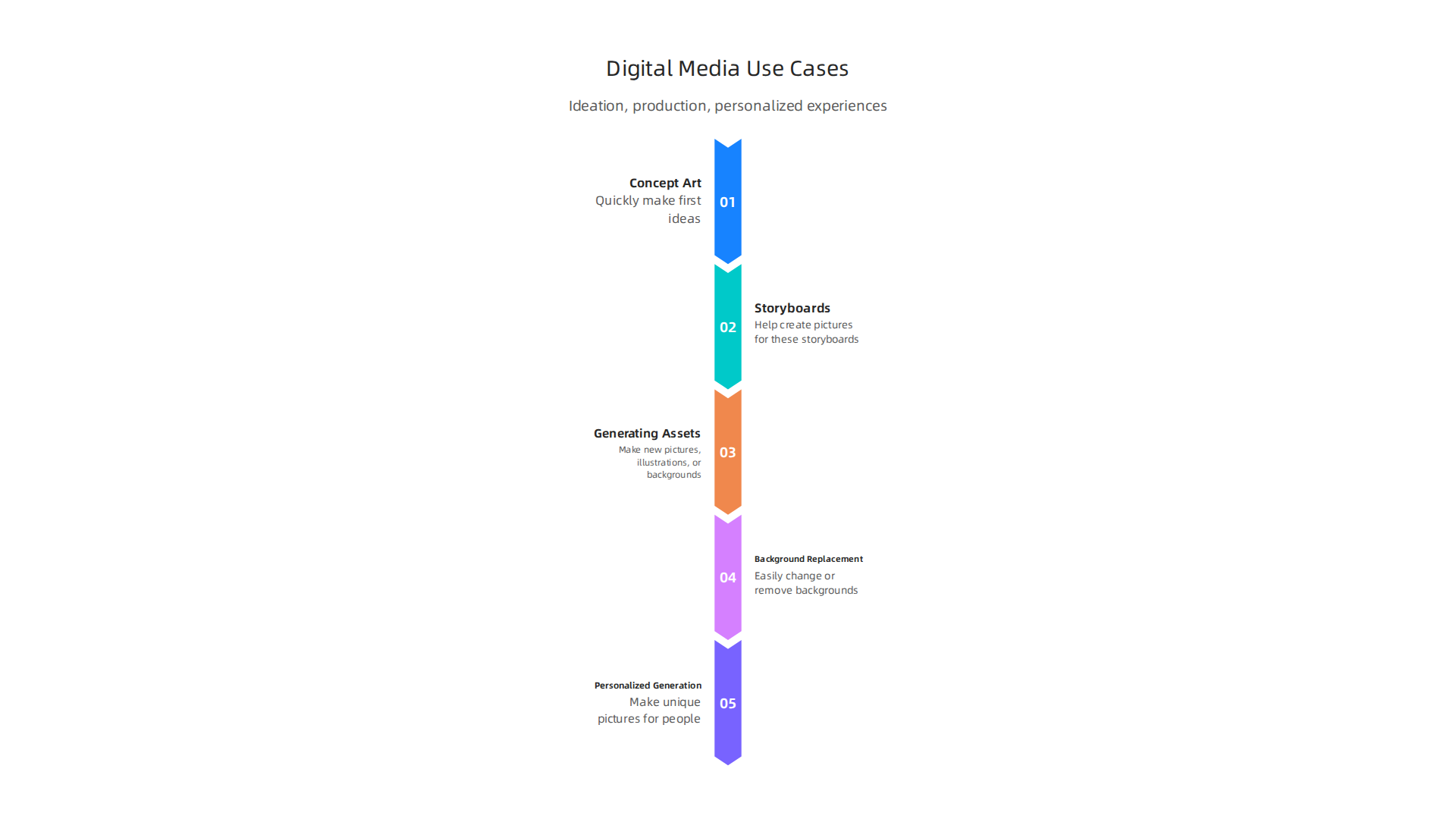
Now that you know what to look for in an image AI generator, let’s talk about how these tools are actually used in everyday work. In 2026, companies and creative people use them for many cool things in digital media. This includes coming up with new ideas, making the actual pictures, and creating special experiences for each person.
Exploring Creative Workflows: Getting Ideas and Making Fast Drafts
One big way people use an image AI generator is to help with new ideas.
Imagine you need pictures for a big ad campaign. Instead of drawing everything by hand, an AI can make many different ideas very fast.
- Concept Art and Quick Designs: Artists use these tools to quickly make "concept art" or first ideas for how something might look. This is great for new campaigns. They can also make "rapid prototypes," which are quick drafts to see if an idea works before spending a lot of time on it. For example, a company like Coca-Cola has used AI to let artists and fans make unique artwork for campaigns 25 Generative AI Case Studies [In Depth][2026].
- Storyboards and Mood Boards: If you are planning a video or an ad, you might make a "storyboard" to show each scene. An image AI generator can help create the pictures for these storyboards. You can also make "mood boards," which are collections of images that show the feeling or style you want for a project. This helps everyone on a team agree on the look and feel. AI can help create many ideas for these boards in advertising and marketing AI Image Generation Use Cases (2026): 20+ real-world ….
Production Uses: Making Actual Pictures and Custom Experiences
Beyond just getting ideas, these AI tools are super helpful for making the final pictures needed for many different jobs.
- Generating Assets: "Assets" are just all the different pictures or graphics a project needs. An image AI generator can make new pictures, illustrations, or even backgrounds for websites, apps, or games. This saves a lot of time and money, helping companies cut visual production costs by a lot The Complete Guide to AI Image Generation in 2026.
- Background Replacement: Have you ever seen a picture where the person looks like they were in one place, but the background looks totally different? This is called background replacement. Some AI tools act like a smart photoshop ai, letting you easily change or remove backgrounds. This is a common use, along with editing and making images clearer AI Image Generation Statistics 2026: Market Size, Adoption.
- Large-Scale Personalized Image Generation: This is a fancy way of saying AI can make lots of unique pictures for different people. For example, a marketing team might make thousands of slightly different ads, each with a picture designed to appeal to a specific group of customers. This helps make ads feel more personal and work better. Brands like Dove have used AI to create visuals for social media campaigns, reaching many people with tailored content AI Marketing Campaigns: Your 2026 Playbook for Strategy …. Such AI tools are very useful for social media marketing. To learn more about this, explore how AI can change how AI transforms social media marketing services in 2026.
These different uses show how a good image AI generator can really change how digital content is made, from the very first idea to the finished product.
Using an image AI generator is one thing, but actually fitting it into a company’s daily work needs careful thought. It’s like adding a new tool to a workshop. You need to make sure it works well with all the other tools and that everyone knows how to use it safely and effectively. In 2026, companies are learning the best ways to bring these powerful AI tools into their creative teams.
Practical Steps for Trying Out AI Image Generators
Before fully switching over to an image AI generator, most smart companies take small steps. This helps them test things out and make sure the AI tool works for their special needs.
- Sandboxing: This means trying out the AI tool in a safe, separate space. It’s like a play area where artists and designers can experiment without messing up real projects. They can see what the AI can do, what its limits are, and how well it understands their ideas.
- A/B Testing: Companies often compare pictures made by AI with pictures made by people. This "A/B testing" helps them see which images perform better for things like ads or websites. It shows if the AI is truly helping them reach their goals.
- Quality Gates: Not every picture an AI makes is perfect. So, creative teams set up "quality gates." These are checks to make sure every image meets the company’s standards before it is used. This can mean looking at how clear the image is, if it fits the brand’s style, or if it has any odd mistakes.
- Human-in-the-Loop Review: Even with great AI, people are still very important. This is called "human-in-the-loop review." It means that human designers and artists always look over the AI’s work, make changes, and give the final approval. The way people use AI now is more about working together, generating ideas, refining them, and then editing the images to make them just right AI Image Generation Trends in 2026: What Actually Matters for …. This ensures the final output is high-quality and reflects human creativity.
How AI Image Generators Fit Into Workflows
Once a company knows an image AI generator can help, the next step is to connect it smoothly to their existing creative process. This often involves different ways of linking the AI tool with other software.
- API-First Automation: Many advanced AI tools offer something called an "API." Think of an API as a special doorway that lets different computer programs talk to each other automatically. Companies use this to set up systems where the AI can make images and send them directly to other programs, like a content management system or a design tool, without a person needing to click buttons all the time. This makes things much faster. For businesses, the winning way to use AI image generation is with a clear work plan, easy controls, and an integrated solution.
- Plugin-Based Tools for Design Apps: Many designers use programs like Photoshop. An image AI generator can sometimes be added as a "plugin" right inside these design apps. This means designers don’t have to leave their favorite program to use the AI. For example, some tools work like a smart photoshop ai, letting you create or change images without switching apps. This makes the work feel very natural.
- Pipeline Orchestration Considerations: "Pipeline orchestration" sounds complicated, but it just means making sure all the different parts of a creative project work together in order, with AI playing its role. For example, the AI might generate initial ideas, then a human designer refines them, then another AI tool might upscale or clean up the image, and finally, it goes for review. Planning this flow helps everything run smoothly and makes sure the AI adds value at each step.
Adding an image AI generator to a creative workflow takes thought and testing. But when done right, it can make teams much faster and more creative. If you’re looking to choose the right AI tools for your business, it’s good to learn more about how to master how to choose AI tools for your business needs.
Staying updated on the latest AI trends and tool integrations is crucial for creative professionals and businesses alike in 2026.
Get clear daily AI updates from The AI Newsletter Worth Reading.
Adding an image AI generator to a creative workflow takes thought and testing. But when done right, it can make teams much faster and more creative. Staying updated on the latest AI trends and tool integrations is crucial for creative professionals and businesses alike in 2026. However, it’s also very important to understand the rules and risks that come with using these new tools.
Ethics, copyright, and licensing: what legal and compliance teams need to know
When companies use an image AI generator, legal and ethics questions pop up. It’s not just about making cool pictures; it’s about doing it fairly and legally. Legal teams need to know about a few key areas to keep their company safe.
First, there’s the big question of copyright. Many AI tools learn by looking at huge amounts of pictures from the internet. Sometimes, these pictures are protected by copyright. This means someone else owns them. A big worry for companies is if the AI uses these copyrighted images in a way that is not allowed. In 2026, the law is still figuring out how this works, but courts in the U.S. have been clear: pictures made only by AI, without enough human creativity, cannot get copyright protection themselves AI Art Copyright 2026: The Complete Legal Guide for ….
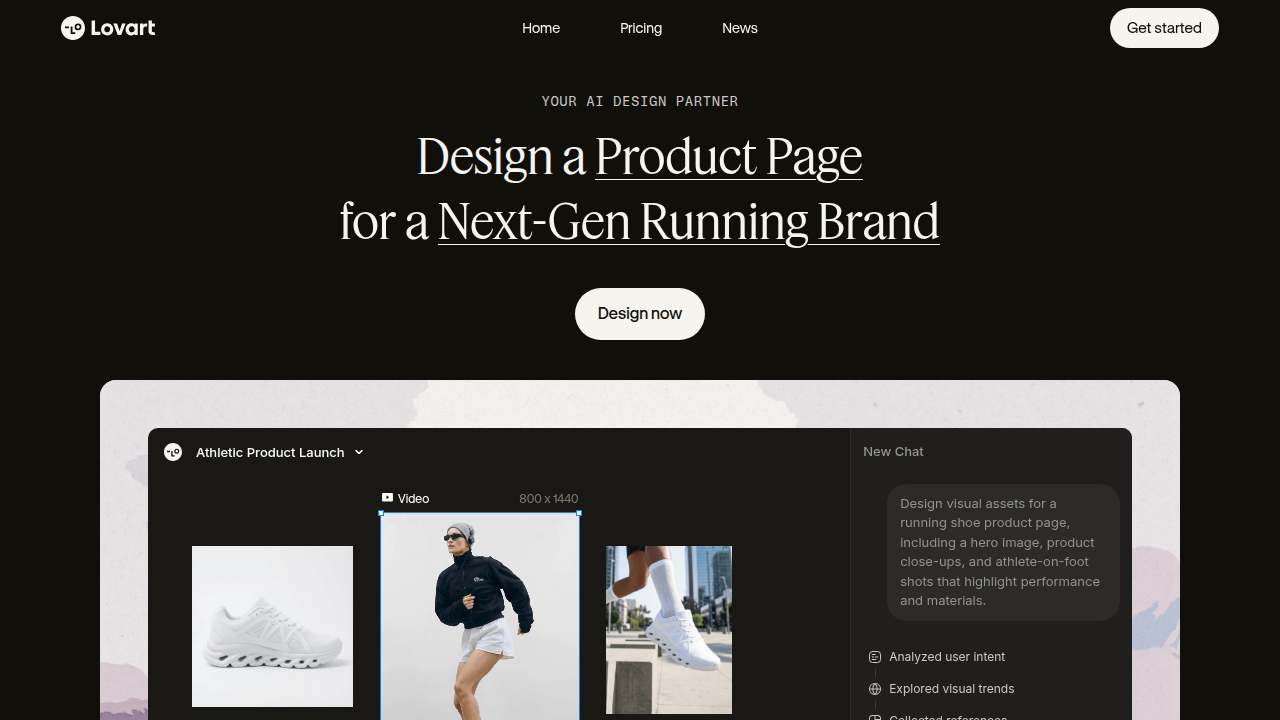
This means anyone can use purely AI-generated images without asking permission, which might not be what a company wants.
Another concern is derivative works. This means when an AI makes a picture that is very much like an existing copyrighted image. Even if the AI changes it a little, it might still be too similar. This could lead to legal problems for the company using that AI-generated image. Also, it’s important to think about attribution requirements. Sometimes, artists want credit for their work. If an AI uses an artist’s style or specific images to learn, should the artist get credit? These are complex questions that legal teams are tackling now.
To help manage these risks, companies are putting governance controls in place:
- Content Filters: These are like special guards that stop the AI from making harmful or bad images. They can also help prevent the AI from creating images that are too close to existing copyrighted work.
- Provenance Tracking: This means keeping a careful record of where an AI-generated image came from and how it was made. It’s like a digital fingerprint for the image. This can help show that the company used the AI responsibly. The EU AI Act, for example, will require clear rules for showing how general AI models were trained Generative AI Copyright: Law, Litigation & Best Practices in …. This helps with transparency.
- Contractual Licensing Clauses: When companies buy or use an image AI generator, they need strong agreements. These agreements should clearly say who owns the images the AI makes and what can be done with them. This helps make sure everyone is on the same page.
For companies using image AI generators for things like product photos, the rules are often about being open. For example, in the US, EU, UK, and Canada, using AI for product photography is fine, but you must tell people it’s AI-generated and make sure the pictures truly show the product as it is The Legal Guide to AI Product Photography in 2026.
Staying on top of these legal and ethical challenges is key for any business using an image AI generator. It helps to avoid big problems down the road and ensures that AI is used in a way that everyone can trust. Understanding these aspects is part of a larger discussion about the real dangers of AI in 2026, which includes bias and privacy concerns.
Now that we understand the important legal and ethics parts of using an image AI generator, the next step is to pick the right one for your team. This can feel like a big task with so many options out there in 2026. But having a clear plan helps a lot. Here’s a checklist to guide your team through selecting and buying the best tool.
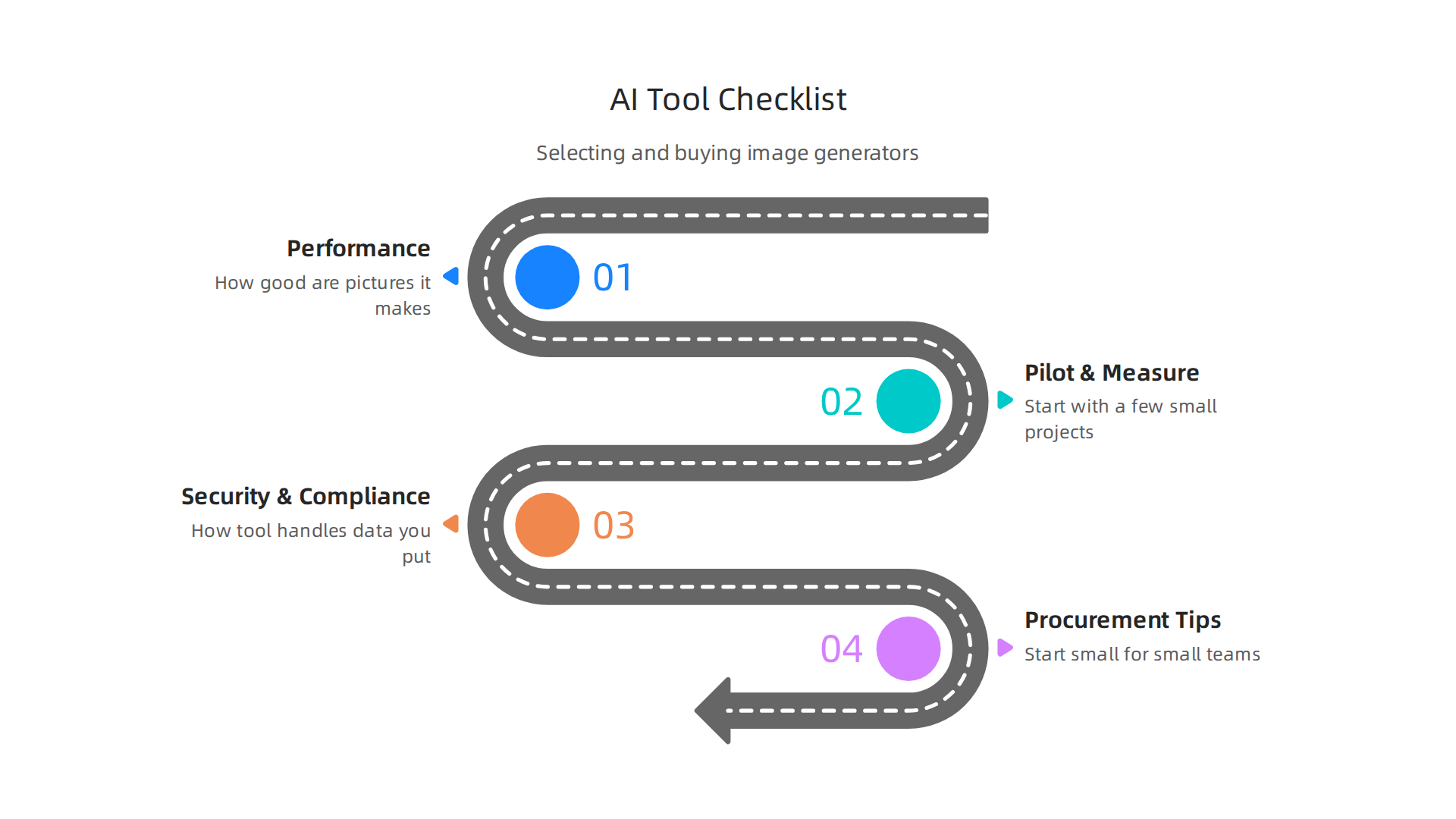
A Checklist for Choosing Your Image AI Generator
When picking an image AI generator, think about what your team truly needs. It’s not just about making pretty pictures; it’s about making them well, fast, and safely.
1. Evaluate Performance and Quality
- Image Output: How good are the pictures it makes? Look for how well the image matches your text descriptions and how clear and real the images look. Top tools like OpenAI GPT Image 2 are often praised for their realism and understanding of prompts The 8 best AI image generators in 2026.
- Speed: How fast does it create images? Fast tools mean your team can work quicker.
- Ease of Use: Is the tool simple to learn and use? Think about how it fits with other programs your team already uses, like
photoshop aiplugins or how it might connect withnotes aifor creative ideas. - Special Features: Can it make 4K images, handle text well, or edit specific parts of an image? Some tools are great for making infographics or UI designs.
- Benchmarking: Look at reports that compare different image AI generators. These often test how well tools perform across many tasks. For example, some benchmarks track AI Image Generator Performance Benchmarking 2026 by checking responsiveness and how fast the first image appears.
2. Pilot and Measure (KPIs)
Before you commit to a big purchase, test the tool.
- Small Projects: Start with a few small projects your team is working on.
- Key Performance Indicators (KPIs): Measure things like how much time the AI saves, the quality of the images it produces for your specific needs, and how happy your team is using it.
- Feedback: Get honest opinions from the people who will actually use the image AI generator every day.
3. Security and Compliance Questions
- Data Privacy: How does the tool handle the data you put in? Will your prompts or ideas be kept private?
- Intellectual Property: Does the tool clearly state who owns the images created with it? Does it respect copyright rules? This is super important to avoid legal trouble.
- Transparency: Does it tell you if it uses copyrighted images for training?
4. Procurement and Negotiation Tips
- Start Small for Small Teams: If you’re a small team, maybe look for an affordable monthly plan or even free options to test. Consider tools like
dreamface aior others that offer good value for individual creators or small groups. This is often called an MVP (Minimum Viable Product) pilot. - For Bigger Companies: For larger businesses, think about a full platform that can grow with you. This means looking at long-term contracts and how the tool will integrate with your existing systems. The market for enterprise AI image generation is growing quickly in 2026, projected to exceed $12 billion by 2028 AI Image Generation Industry Report 2026 (Free Download), showing how important these full platforms are becoming.
- Negotiate Licensing: Make sure the contract clearly covers how many people can use the tool and what rights you have to the images created.
Choosing the right image AI generator means balancing powerful features with practical needs and legal safety.

Take your time, test thoroughly, and make a choice that will truly help your team create amazing visuals.
To keep up with all the fast changes in AI, which can help you make better buying choices, consider subscribing to The AI Newsletter Worth Reading. It gives clear daily updates on new AI models, company news, and practical trends.
Summary
Image AI generators have reshaped how digital media teams plan, create, and scale visual content in 2026. This article explains the main model types (diffusion, GANs, transformers), common input/output modes (text-to-image, image-to-image, inpainting, style transfer), and the trade-offs teams must weigh—quality, fidelity, speed, editability, and cost. It also maps practical workflows from idea generation and rapid prototyping to large-scale personalized asset production, and shows how to pilot tools safely with sandboxing, A/B testing, and human review. You’ll learn what to measure (KPIs), how to integrate tools via APIs or plugins, and the procurement steps to negotiate licensing and rate limits. Finally, the guide covers legal and ethical controls—content filters, provenance tracking, and contract clauses—so you can adopt AI image tools without exposing your brand to undue risk. After reading, decision-makers and creatives will have a clear checklist to evaluate, trial, and buy the right image AI generator for their needs.