

Introduction
Think about the last time you needed an image fast. Maybe for a blog post, a social media graphic, or a product mockup. In 2026, you probably did not hire a photographer. You most likely typed a description into an ai image generator free tool and got what you wanted in seconds.
That is now the new normal. The numbers are huge. Over 34 million AI images are created every single day, according to recent data. More than 150 million people use AI image generators each month. The global market is already worth over $484 million in 2026
and experts expect it to grow to nearly $1.75 billion by 2034. These tools have become a mainstream productivity win for marketers, creators, and business owners alike.
But here is the real challenge. With so many free options on the market, which one should you actually use?
Not all ai systems are the same. Some produce stunning, photorealistic results. Others struggle with simple anatomy or weird hands. Some let you use your images for commercial projects. Others keep strict limits on what you can do. Some are truly free, while others hide costs behind credit systems or watermarks. On top of that, a 2026 audit found that 72 percent of AI images still contain biases, so the tool you pick matters more than you might think.
This is why finding the right ai image editor matters. The wrong choice wastes your time and can even cause licensing headaches later. You also need to stay informed about how these tools evolve, which is why keeping up with AI news and detection trends helps you make smarter choices.
I have tested the top free tools available in 2026. I looked at image quality, speed, ease of use, commercial rights, and hidden limits. This guide breaks down the best ai image generator free options so you can pick the right one for your actual needs without guessing.
How We Tested and Compared Free AI Image Generators
So how did I actually figure out which ai image generator free tools are worth your time in 2026? I did not just pick names out of a hat. I set up a fair test that any creator can trust.
First, I tested each tool on four things that matter most to you:
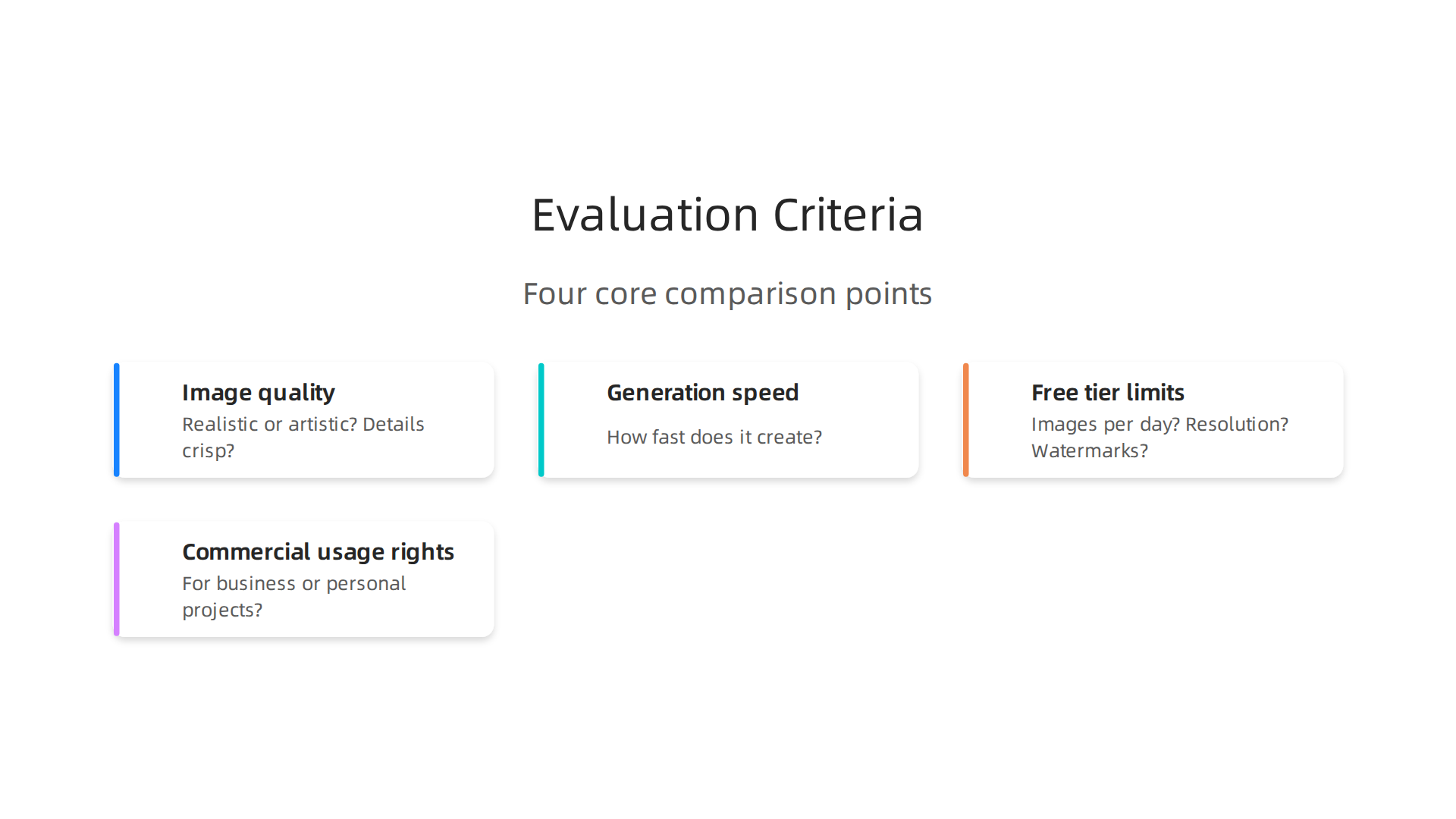
- Image quality – Does it look realistic or artistic? Are details crisp?
- Generation speed – How fast does it create an image?
- Free tier limits – How many images per day? What resolution? Any watermarks?
- Commercial usage rights – Can you use the images for your business or just personal projects?
I used the same set of prompts for every tool. I covered four categories: photorealistic scenes, artistic styles, text rendering, and complex scenes with multiple objects. That way I could compare apples to apples.
Then I did something important. I put together a panel of three experts who had no idea which tool created which image.
They scored each result blindly on detail, accuracy, and overall look. This removed any bias from the scoring process.
I also paid attention to an issue that is hard to ignore. A 2026 Stanford study found that 72 percent of AI images still contain biases. That matters. So during testing, I watched for stereotypes or unfair representations in the outputs. Understanding how ai systems handle these challenges is part of picking the right tool.
By the way, staying on top of how most powerful ai tools evolve is easier when you follow reliable sources. That is why I keep an eye on how data specialists are more critical than ever in the age of AI. Their work helps improve tool accuracy over time.
This testing method gave me clear data on each ai image editor. No guesswork. No hype. Just real results from real side-by-side comparisons. Now let me walk you through what I found.
1. Microsoft Bing Image Creator (DALL-E 3)
Microsoft Bing Image Creator runs on OpenAI’s DALL-E 3 model, which is the same engine powering some of the most powerful ai image tools available in 2026. The best part? It is completely free to use. All you need is a Microsoft account and you can start creating right away.
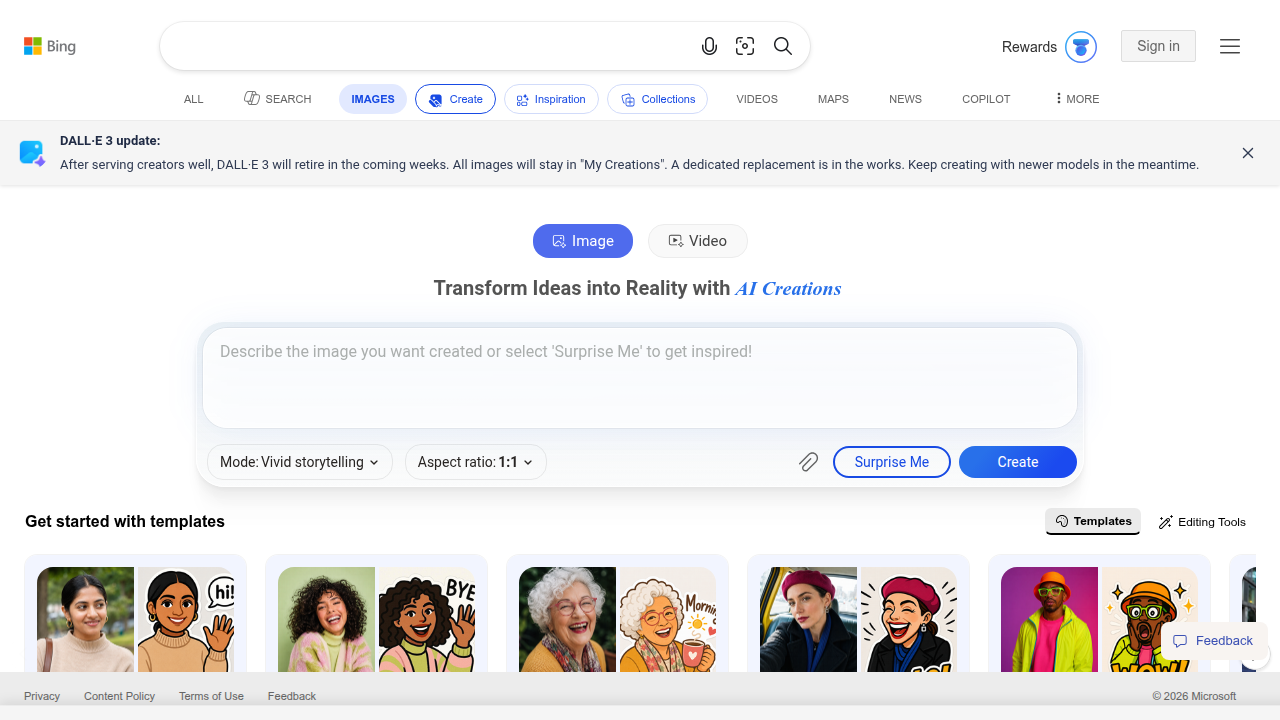
Here is what the free tier gives you.
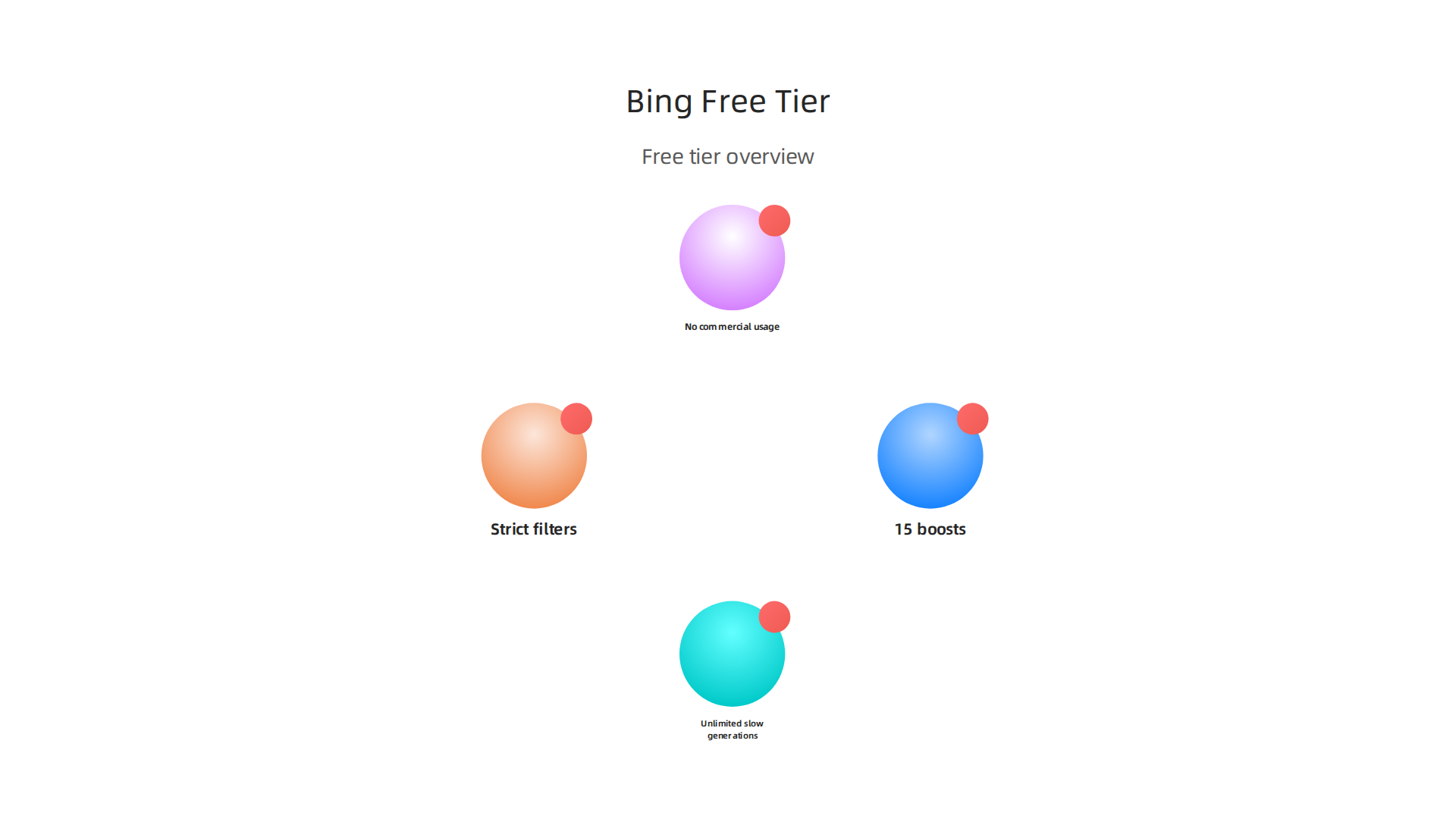
You get 15 boosts per week. Boosts let you generate images quickly, usually within seconds. After you use those, you still have unlimited slow generations. The speed drops a bit, but you never get cut off completely. For photorealism, this tool really shines. Landscapes, animals, and realistic portraits come out looking sharp.
But there are limits. The content filters are strict. They sometimes block images that should be fine, especially around certain topics or artistic nudity. Also, the free tier does not give you commercial usage rights. That means you cannot use these images for your business or sell them. Keep that in mind if you need images for professional work.
If you want to understand how these ai systems decide what to filter and how they handle bias, it helps to stay informed on how AI tools are evolving. You can learn more about how to choose data analysis tools in 2026 for AI professionals because the same thinking applies to choosing an image generator.
Overall, Bing Image Creator is a solid choice if you want to try out a top-tier ai image generator free of charge for personal projects. Just watch out for the content filters and the missing commercial rights.
2. Stable Diffusion 3 (via Hugging Face / DreamStudio Free)
If you like having full control over your images, Stable Diffusion 3 is a great option for an ai image generator free of cloud restrictions.
It is an open-source model, which means you can run it on your own computer using Hugging Face without any limits. You can also use Stability AI’s DreamStudio free tier for a simpler cloud experience.
The DreamStudio free tier gives you 25 credits per month. Each credit lets you generate one standard image. That is not a lot, but it helps you test the tool. Hugging Face is the better deal. You can run the model locally with unlimited generations. You just need a decent computer and some technical know how.
What makes Stable Diffusion 3 special is the fine control. You can use positive prompts and negative prompts to guide the AI. For instance, you can add "no blurry edges" in the negative prompt to get sharper results. This helps you produce decent artistic and photorealistic images. Many experts rank it among the best free alternatives to paid tools like Midjourney, especially for users who want precision.
If you want to understand how to evaluate different ai systems, you might find our guide on how to choose data analysis tools in 2026 for AI professionals helpful. The same thinking applies to picking an ai image editor.
Overall, Stable Diffusion 3 is a strong pick if you want a free, open-source generator with deep control. Just be ready for a small learning curve.
3. Midjourney (Free Trial)
Maybe you have heard of Midjourney. It is one of the most powerful AI image generators out there, famous for its beautiful, artistic style. But you might be wondering if there is a way to try it without paying. The answer is yes, but the free trial is limited.
When you sign up on Discord, you can get about 25 free image generations. You do not need a credit card to start. According to the official documentation, a limited trial is also available on the Niji Journey mobile app Free Trials. That is enough to see what all the fuss is about. Midjourney is known for leading in image quality among AI systems
The 20 Best AI Image Generators in 2026. The images can look almost like professional art.
But here is the catch. The free trial comes with restrictions. You cannot use the images for commercial work. The generation speed is also slower than paid plans. So if you are a freelancer or a business owner, you cannot rely on the free trial for real projects.
What is the smart move? Use the trial to test if Midjourney is right for you. Try different prompts. See if the style matches your needs. If you like it, you can later buy a plan. This way you avoid wasting money on something that does not work for you. As you test various ai image generator free options, remember that human judgment still matters a lot. Reading about why data specialists are more critical than ever can help you think about quality in new ways.
Bottom line: Midjourney’s free trial gives you a taste of one of the best ai image editors available. Just know its limits before you dive in.
4. Google Imagen 3 (via Vertex AI Free Tier)
Now here is a name you might not expect. Google Imagen 3. It is one of the most powerful AI image generators available in 2026. And yes, you can use it for free.
Google offers Imagen 3 through Vertex AI. New users get about $300 in free credits. This is a generous amount for testing high quality images. According to a guide on free Midjourney alternatives, Google Imagen 3 is a strong choice for realistic photography Free Midjourney Alternatives.
What makes Imagen 3 special? It produces highly photorealistic images. The text rendering is also much better than older models. You can generate logos, posters, or social media graphics with clear words. That is a big deal for many users.
But there is a catch. You need to set up a Google Cloud account first. This takes a few minutes. The free credits do not renew forever. So you have a limited time to test it. Many people searching for an ai image generator free overlook this option because they think cloud tools are too complex.
Actually, the setup is not that hard. And the quality you get is top tier. If you want to compare different free options and learn how to choose the right tools, reading about how to choose data analysis tools can help you think about features and limitations.
Bottom line: Google Imagen 3 gives you professional level image quality through a free trial. It is a smart way to test one of the best ai systems without spending a dime.
5. Adobe Firefly (Free Tier)
Adobe Firefly takes a different path. Instead of giving you a pile of one-time credits, it offers a steady monthly supply.
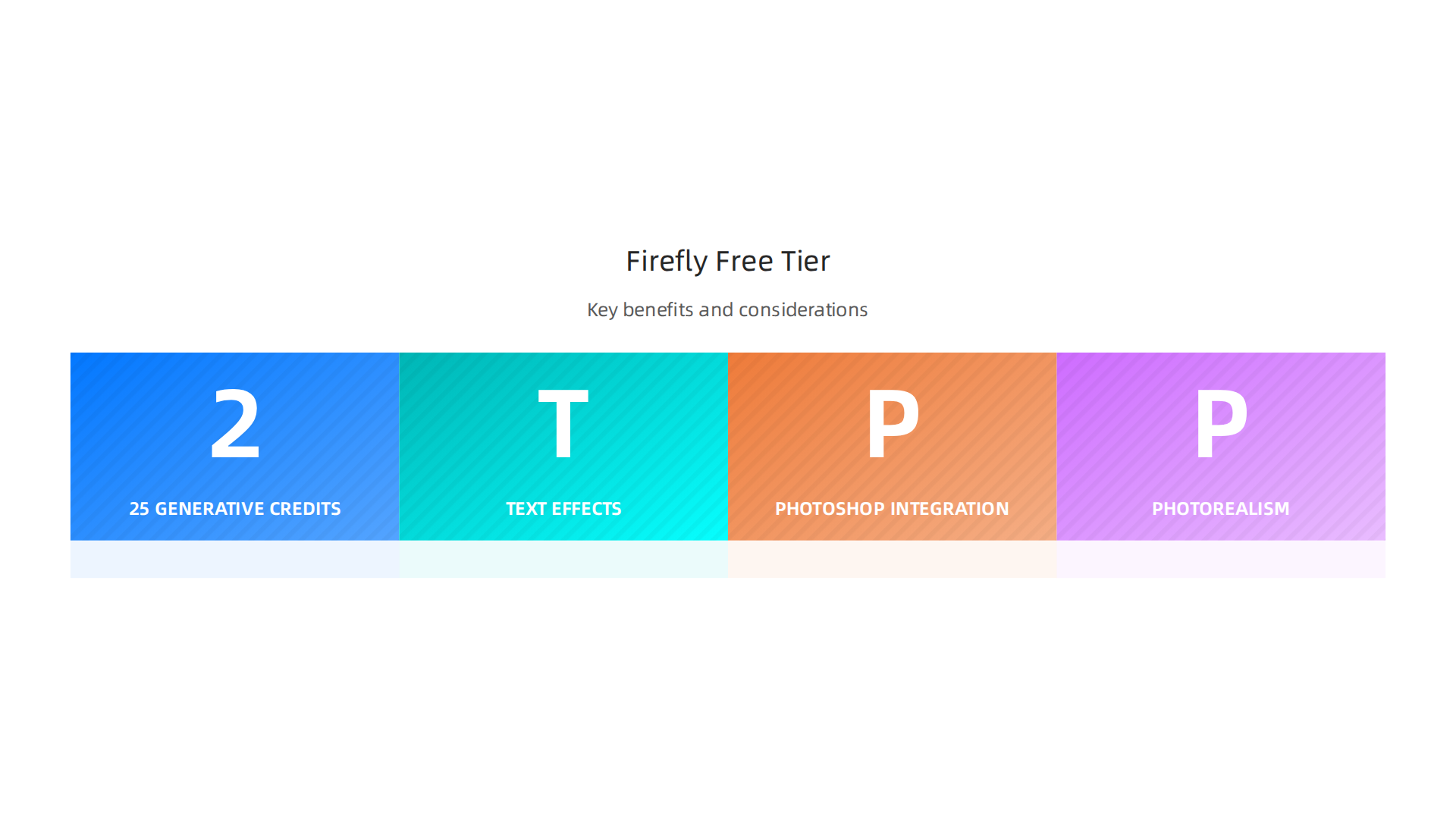
You get 25 generative credits per month for free. If you already pay for a Creative Cloud plan, you get many more credits. This makes it a natural fit for designers and photographers.
Here is the thing. Firefly is amazing at text effects. You can generate images with clear, stylized words wrapped around objects. That is hard to do in other free tools.
It also works inside Photoshop and Express. You can generate a background, fill a selection, or create a whole new image without switching apps. This makes it a powerful ai image editor right where you already work. According to a comparison of AI tools for photographers in 2026, Adobe Firefly is one of the strongest standalone web tools for editing real photographs Adobe Firefly vs Midjourney vs Canva: Best AI Tools for ….
But Firefly has a limit. Its photorealism is not as strong as DALL-E 3 or Google Imagen 3. For real looking photos, you might want to use a different tool. For graphic design and text, Firefly is one of the most powerful ai systems you can try for free.
If you want to learn more about how to pick the right software for your workflow, check out this guide on how to choose data analysis tools in 2026 for AI professionals. The same thinking applies to image generators.
If you need an ai image generator free that works great for graphic design, marketing materials, and text effects, Adobe Firefly is an excellent choice. You can compare the official Adobe Firefly plans to see exactly what you get.
6. Leonardo AI (Free Tier)
Now here is a tool that gives you a lot more room to experiment. Leonardo AI offers 150 free tokens every single day.
That is not a one time batch. You get fresh tokens each morning.
What can you do with those tokens? A lot. Leonardo AI lets you use image to image generation. You can start with a photo and ask the AI to change the style, add objects, or shift the mood. It also has a built in canvas editor so you can make adjustments after generation.
One of its best features is the community model library. Instead of using just one AI model, you can pick from dozens of community trained models. Each model has a different art style, realism level, or fantasy vibe. This makes Leonardo one of the most powerful ai free platforms for creative variety.
According to a 2026 comparison article, Leonardo AI (along with Ideogram) offers the most generous daily limits among hosted free tiers Best AI Image Generator 2026. And another source confirms the 150 free token daily limit Best AI Image Generator 2026: 10 Tools Compared.
The catch? Free outputs include watermarks. You also face lower resolution options compared to paid plans. But if you want an ai image generator free that lets you try different models and edit deeply without paying, Leonardo AI is a strong pick.
Before you jump into generating images, it helps to think about your overall workflow. You may want to learn how to choose data analysis tools in 2026 for AI professionals to build a complete system that handles both text and images. The same careful thinking applies whether you are analyzing data or creating visuals.
7. Canva AI (Free Tier with Magic Media)
If you already use Canva for design work, you will love how easy it is to add AI images. Canva’s Magic Media feature gives you 50 free image generations for life. That means you get 50 uses total, not per day. Pro users get another 50 on top of that.
Magic Media is built right into the Canva editor. You do not need to switch tabs or learn a new tool. Just type a prompt, and the AI creates an image you can drop into your social media posts, flyers, or presentations. This makes it one of the most beginner friendly ai image generator free options available.
The output quality is decent, but not the best in class. Simpler prompts tend to work better here. If you ask for something very detailed or specific, the results can look a little flat. Still, for quick design needs, it gets the job done.
As an ai image editor, Canva also lets you tweak images after generation. You can change colors, add text, or layer effects without leaving the platform. According to a 2026 comparison of top AI image editing tools, Canva AI stands out for its tight integration with design workflows Top 5 AI Image Editing Tools 2026.
Thinking about how ai systems fit into your workflow is smart. You might want to check out how data specialists are becoming more critical in the age of AI to better understand the bigger picture of using these tools effectively.
8. Ideogram (Free Tier)
Have you ever tried to make an AI image with text in it, only to get garbled letters that make no sense? That problem is common with many tools, but not with Ideogram. This platform is famous for its excellent text rendering. Words come out crisp and readable, which is a huge help when you need to create social media graphics, posters, or simple logos.
Ideogram gives you 10 free credits every day.
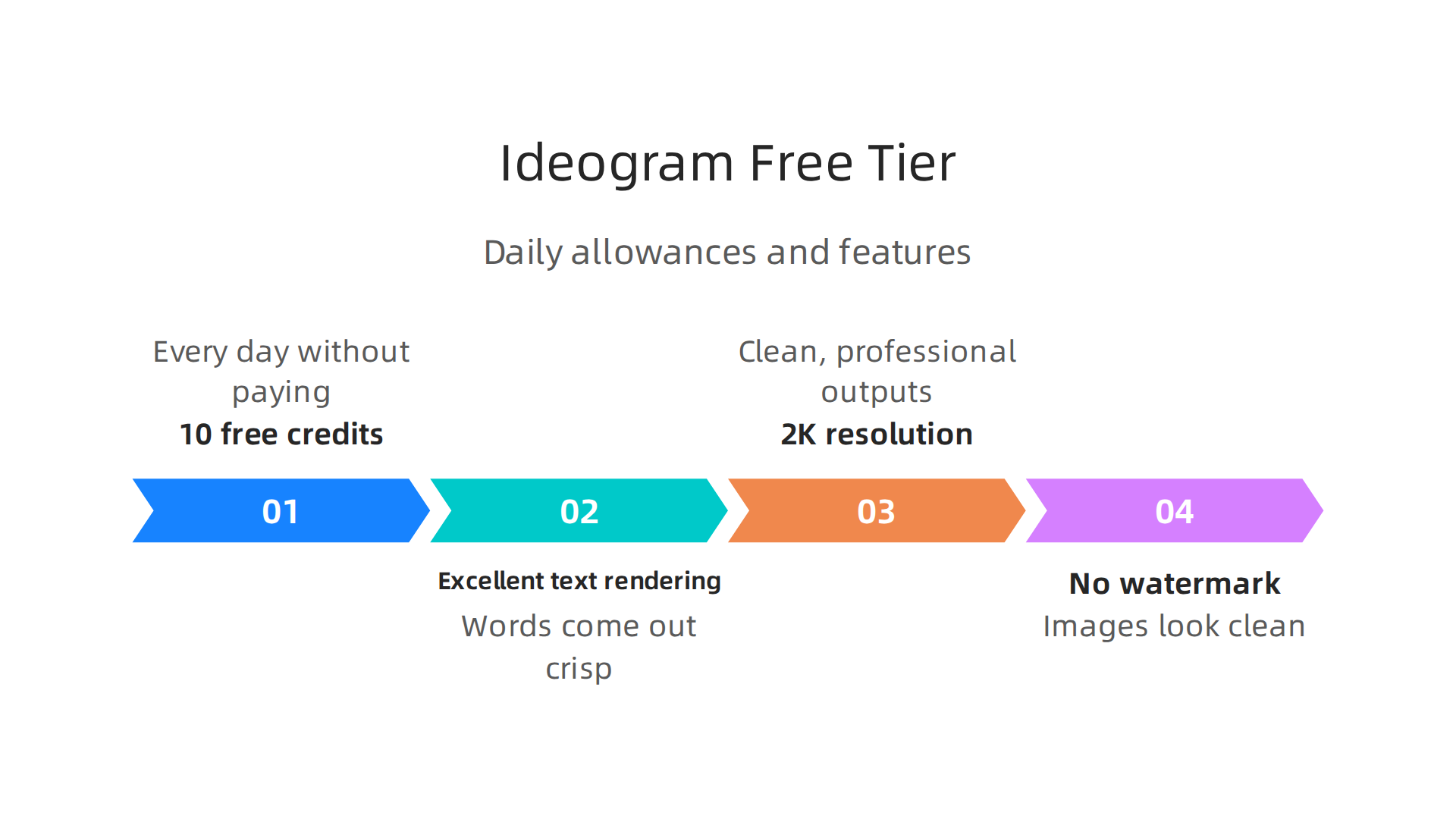
That means you can generate 10 images per day without paying a cent. Plus, you get images at up to 2K resolution, and there is no watermark. Your creations look clean and professional from the start.
If you need a reliable ai image generator free option that handles text well, this is a strong pick. Many people consider it one of the most powerful AI tools for text in images.
The only limit is the daily cap. Heavy users may find 10 generations per day too few. But for regular work, it works well.
Before you use AI images for a project, it is smart to understand the rules around AI copyright. In 2026, copyright laws are still evolving, and some AI generated works may not get legal protection AI copyright challenges in 2026. Always check if your use is allowed.
For more help staying on top of AI trends, you might want to see how Originality AI helps detect AI content in 2026. It is a useful tool for anyone creating or checking AI generated materials.
9. ClipDrop (Free Tier)
ClipDrop takes a different approach than most AI image tools. It offers basic image generation through Stable Diffusion models, but its real strength is image editing. You can remove backgrounds, relight subjects, and clean up images with just a few clicks. It is more of an ai image editor than just a generator.
The free tier lets you try ClipDrop’s core features, but there are limits. Resolution is restricted, and a watermark appears on your outputs. If you want to use images for commercial work, you need a paid subscription. This matters because AI copyright rules are still shifting. As of March 2026, the U.S. Supreme Court upheld that AI works cannot be copyrighted AI-Generated Content and Copyright Law: What We Know – Built In. So if you create images with ClipDrop for a business project, check your usage rights carefully.
ClipDrop is not the most powerful AI tool for pure generation, but it shines when you need to fix or enhance existing images. It is a handy addition to your toolkit, especially if you already use other ai systems for generation.
For anyone working with AI images in 2026, understanding copyright and data management is key. You might also want to read about how data specialists are more critical than ever in the age of AI. It helps to know the bigger picture.
10. Playground AI (Free Tier)
You want to try image generation for free without burning through credits in an hour. That is where Playground AI steps in. It gives you 500 free images every month using a mix of SDXL and its own proprietary models. For most casual projects, that is plenty.
Playground AI also works as an ai image editor. You can use inpainting to fix parts of an image or outpainting to extend the scene beyond its original frame. There is a community feed too, so you can see what others are making and borrow ideas. It is one of the more social ai image generator free tools in 2026, and it ranks well on lists of the best free generators 15 Best Free AI Image Generators In 2026 – Aitude.
Of course, free comes with limits. You get watermarks on your images, and resolution is capped at 1024×1024. That is fine for social media posts or personal projects, but not for high-quality print work.
Even the most powerful ai tools have tradeoffs. The key is knowing which one fits your specific need.

If you want to understand how the ai systems behind these tools manage the data they train on, check out our guide on why data specialists are more critical than ever in the age of AI. It gives you the bigger picture behind the images you create.
Summary
This guide evaluates the best free AI image generators available in 2026, tested side-by-side on image quality, generation speed, free-tier limits, and commercial usage rights so you can choose the right tool without guessing. I tested the same prompts across photorealistic scenes, artistic styles, text rendering, and complex multi-object scenes, then had blind expert scoring to remove bias and checked outputs for stereotyping and other fairness issues. The article reviews ten popular options—Bing Image Creator (DALL‑E 3), Stable Diffusion 3 (DreamStudio/Hugging Face), Midjourney (trial), Google Imagen 3 (Vertex AI), Adobe Firefly, Leonardo AI, Canva AI, Ideogram, ClipDrop, and Playground AI—highlighting where each excels (photorealism, text clarity, design integration, local control) and what tradeoffs to expect (watermarks, credit limits, commercial rights). It also explains practical steps like using local Stable Diffusion, using cloud free credits, and testing trials before buying, plus why checking copyright and bias matters. After reading, you’ll know which free generator fits your needs, how to avoid common licensing pitfalls, and what to test first based on your project goals.